Create videos with Claude + HeyMark + Higgsfield
In this guide, you will connect Claude with HeyMark and Higgsfield to turn a product image and the real context from your Instagram into a shot plan and a video generated with AI.
Connect HeyMark to Claude
If HeyMark is already connected and active in your Claude chats, skip ahead to Connect Higgsfield to Claude.
- Set up HeyMark and copy your URL
Complete this flow inside HeyMark:
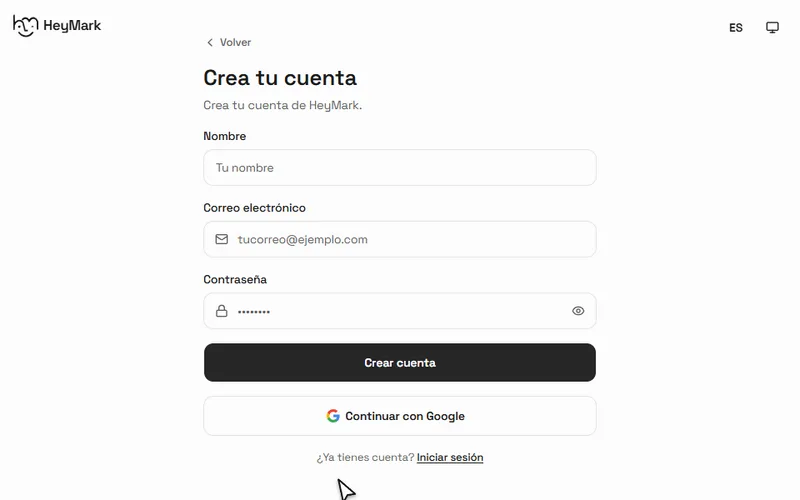
Open HeyMark and complete registration.
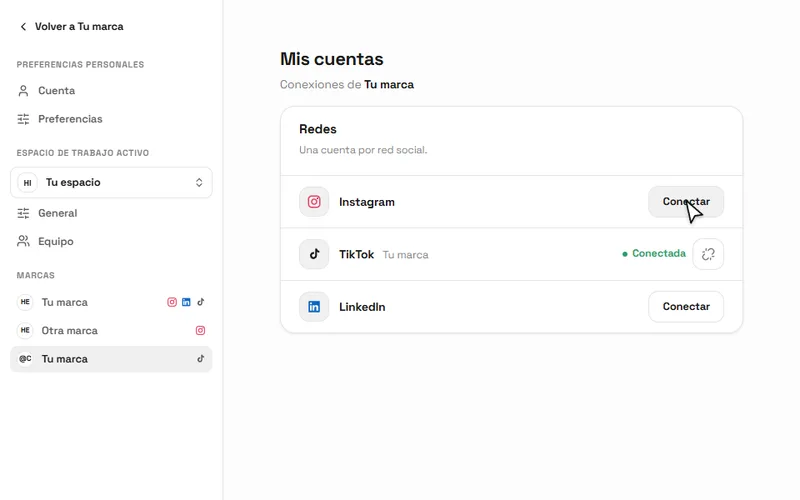
Open your brand and select Connect next to Instagram.
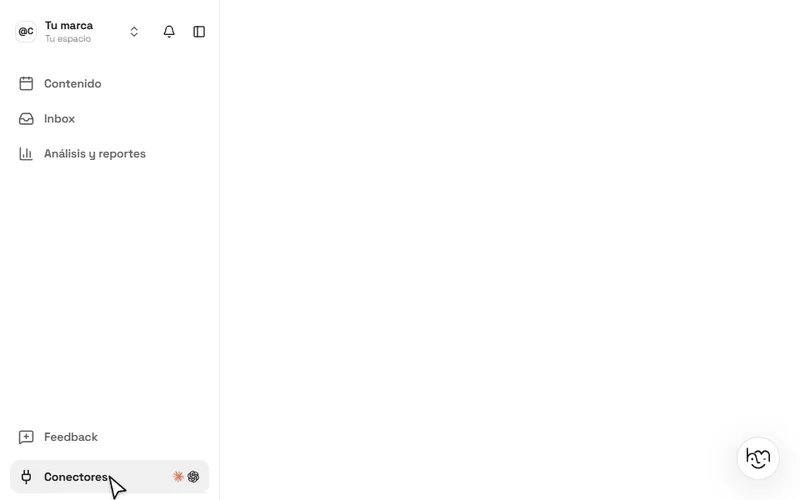
Return to the app and open Connectors from the sidebar.
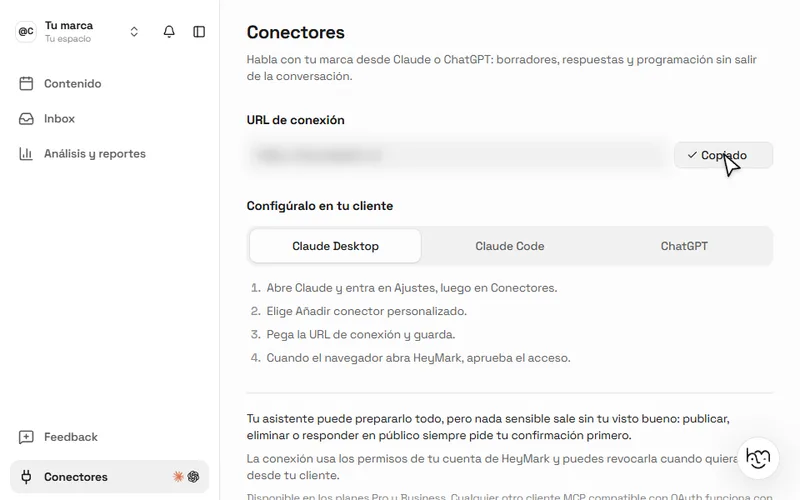
Select Copy URL in the Claude Desktop setup.
If your account and Instagram are already connected, start at Connectors. Everyone uses the same HeyMark server URL; OAuth connects Claude to your workspace after you authorize it.
- Add HeyMark in Claude
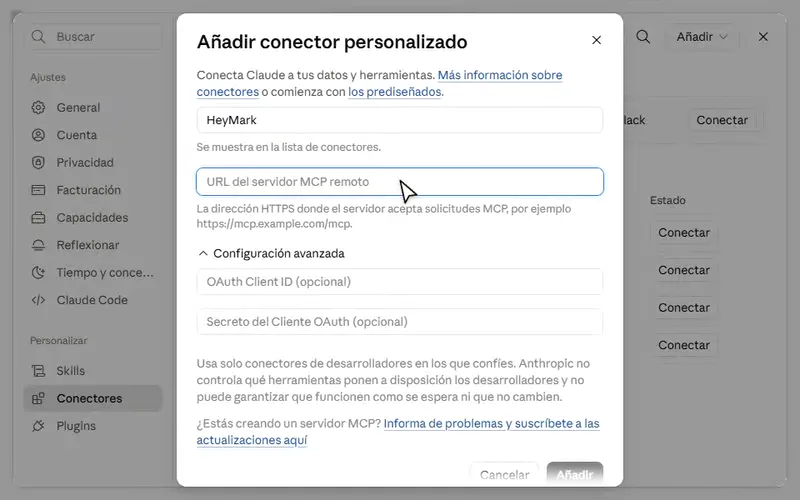
Open Claude, go to Customize → Connectors, then select Add → Add custom connector. Use HeyMark as the name, paste the URL you copied, and complete authorization.
- Review its permissions
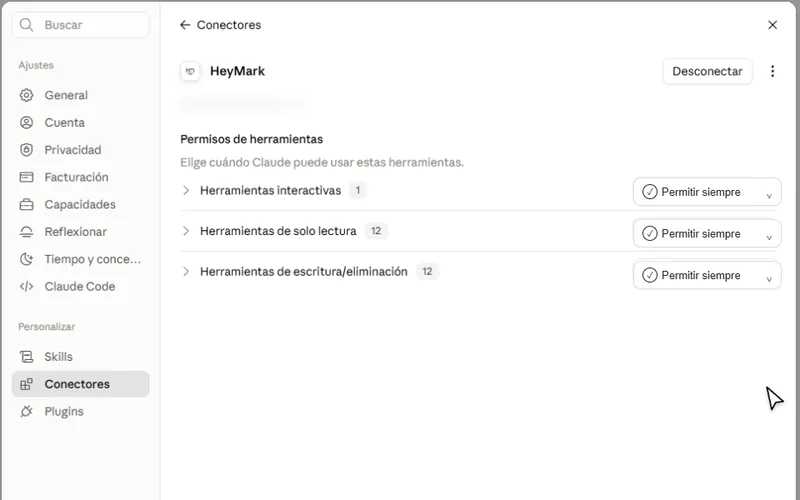
Return to Customize → Connectors → HeyMark. All three categories start on Ask every time. Change each one to Always allow so Claude can consult the context without stopping for every action.
Connect Higgsfield to Claude
Higgsfield receives the approved plan and generates the video. You only need to connect it once.
- Connect your Higgsfield account
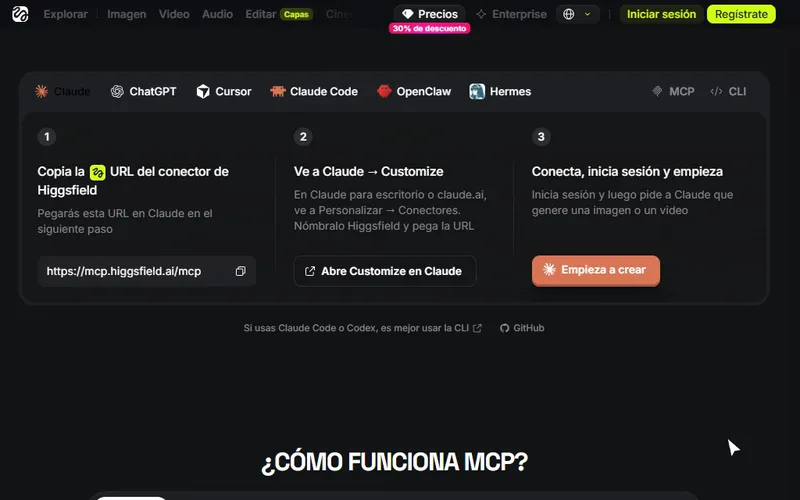
Open the official Higgsfield MCP page and complete this flow:
On the Claude tab, select https://mcp.higgsfield.ai/mcp to copy it.
In Customize → Connectors, create a custom connector named Higgsfield and paste the URL.
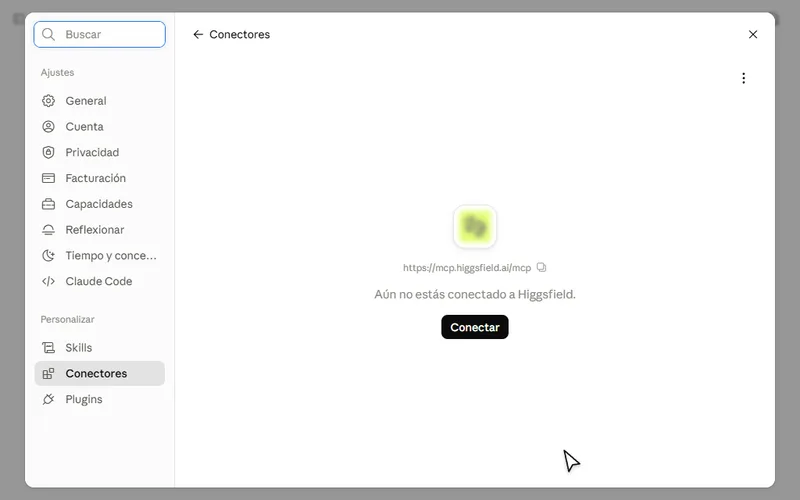
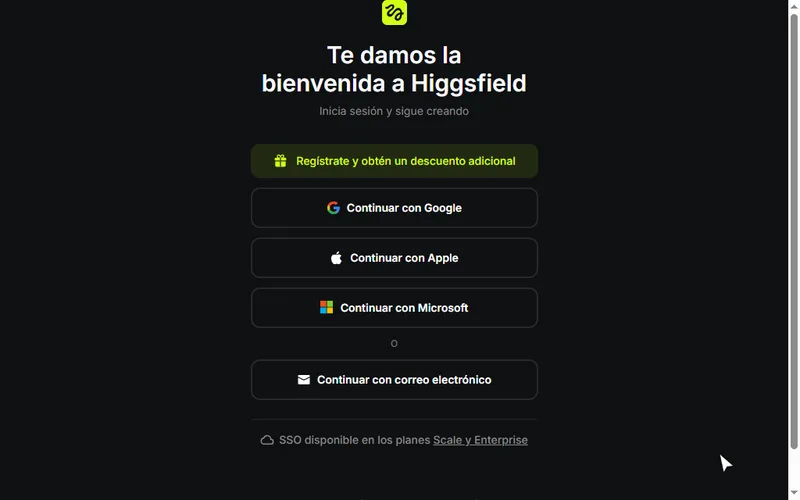
Select Connect. Create your Higgsfield account or sign in if you already have one.
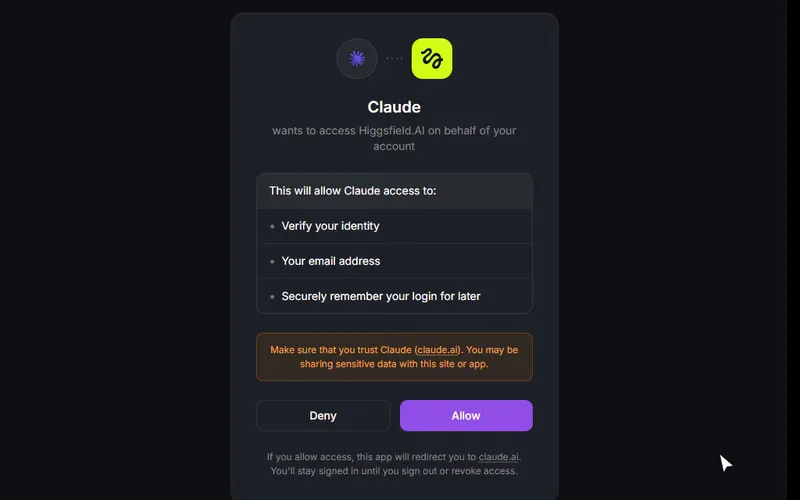
Review the permissions, select Allow, and confirm that Higgsfield appears connected in Claude.
Higgsfield tools remain set to Ask every time. Keep that setting so you can review each generation before using credits.
- Enable both connectors in the chat
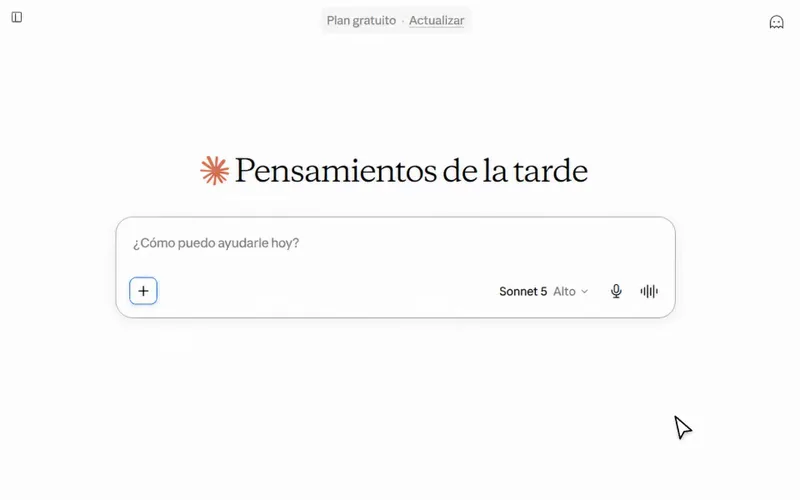
Start a new conversation, select +, and open Connectors. Make sure HeyMark and Higgsfield are enabled for that conversation.
Select +, open Connectors, and enable HeyMark for this conversation.
In the same menu, select Higgsfield and make sure its switch is on.
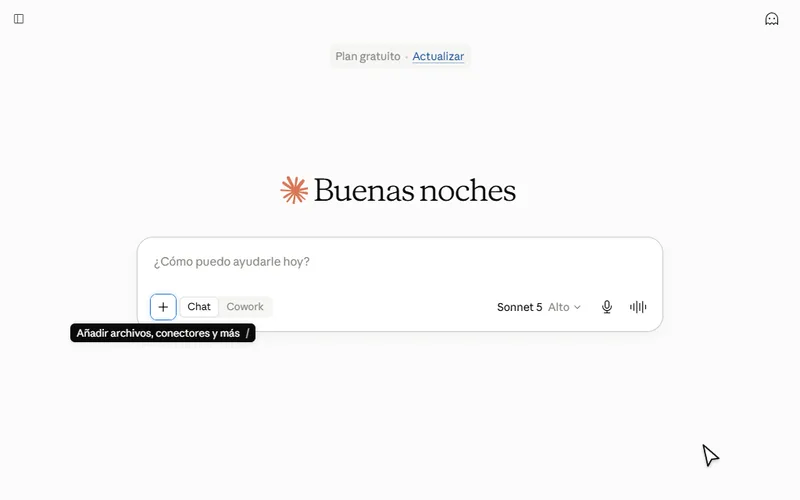
Seeing a connector in Settings is not enough. Both need to be active in the chat where you will work.
Prepare the video
We will use the same case as the example: a sportswear photo that needs to become a vertical video consistent with the Instagram account.
- Attach the reference
Upload the product photo, campaign image, or frame that should guide the piece. If anything must remain unchanged, such as the logo, color, or product shape, list it in the message.
- Ask for the plan before the video
Copy the prompt below. Claude must inspect HeyMark, separate real data from creative decisions, and stop before generating.
Creative plan using your brand context
Review HeyMark before preparing the plan. Use only the information you can consult from my account to understand how my brand communicates, how my posts look, and which content patterns work best.

I want to promote the product in the attached image with an 8 second vertical video for Instagram Reels.

Prepare a creative plan that includes:
1. Three specific findings from HeyMark that you will use as context.
2. One central idea and a hook for the first second.
3. A shot list with framing, action, camera movement, lighting, and duration.
4. Editing pace and transitions.
5. On screen copy and the ending.
6. A technical proposal for Higgsfield in 9:16 using the model you consider most appropriate. Prioritize Seedance 2.5. If it is unavailable in my account or through the Higgsfield connector, use Seedance 2.0 and tell me before generating.

Separate real HeyMark data from your creative decisions. If information is unavailable, say so and do not invent it.

Do not generate the video yet. Show me the complete plan first and wait for my approval.
- Adjust anything that does not feel like you yet
Review the hook, shots, and copy. If the plan could work for any brand, ask Claude to connect each decision to a real pattern from your account.
Generate with Higgsfield
Once the plan represents you, approve it in a separate message. This makes it clear which version Higgsfield should produce.
Approve and generate
I approve the previous plan with these final changes: [write your changes here or enter "no changes"].

Use Higgsfield to generate the video from the attached image, the approved version of the plan, and the recommended model. Keep the video at 8 seconds in 9:16 and preserve the product's real appearance.

Before starting, confirm in one sentence which model you will use and which product details you will preserve. Then generate the video.
Claude may ask you to confirm a Higgsfield action. Review it before accepting, especially if it uses credits. Once it is ready, watch the full video, not only the first frame.
A useful second version
Do not change ten things at once. Pick the difference that matters most and generate a comparable variation.
Create a controlled variation
Create a second version with the same product, duration, format, and visual direction.

Change only [the hook / the camera movement / the ending]. Keep everything else the same so I can compare which version works better.
What to expect
The flow worked if the video preserves the product and also feels recognizable as a piece from your account. Before publishing, check:
- The product keeps its shape, color, logo, and important details.
- The first second has a clear action or composition.
- The shots follow the plan you approved.
- The copy remains readable on a small screen.
- The piece feels like your brand because of specific decisions, not just similar colors.
Common problems
Claude does not use HeyMark to prepare the plan
Open the chat, select +, go to Connectors, and confirm that HeyMark is active. Then ask Claude to cite three specific findings from your account before proposing the idea.
Higgsfield is connected but does not generate a video
Confirm that Higgsfield is also enabled in that chat and that you signed in. Claude may ask for one more approval before running the tool.
The result looks like a generic ad
Return to the plan. Ask Claude to justify the hook, pace, and visual treatment with posts or patterns it consulted through HeyMark.
The product changes between shots
Reduce the amount of movement and specify which details must stay intact. If needed, generate fewer shots and approve them separately before combining them.
Useful links
- HeyMark: connect Instagram and copy your URL.
- Claude: prepare the plan and coordinate both connectors.
- Higgsfield MCP: official connector URL and instructions.