News Instagram
Edits adds a carousel editor for photos and videos
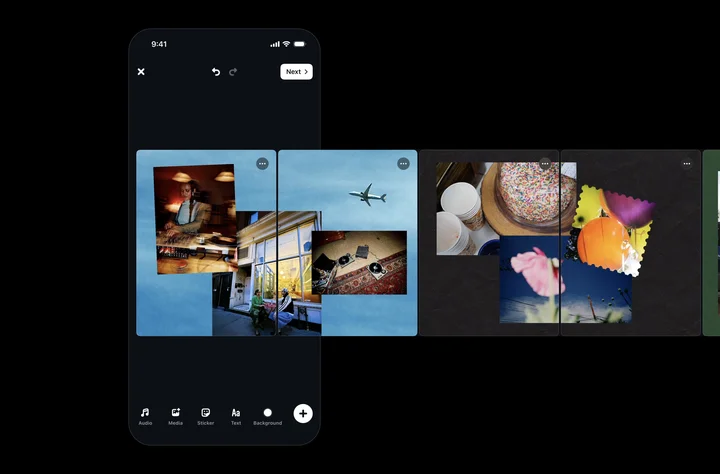
Edits lets you combine photos and videos in a carousel and arrange them on one continuous canvas. Instagram announced the feature on October 7: it is available on iOS, with Android support coming later. The announcement gives no Android release date.
How to create the carousel, step by step
Here’s how to make a carousel, following Instagram’s announcement:
Open Projects
In Edits, open the Projects tab.
Choose Carousel
Tap the (+) button and select Carousel.
Select your photos and videos
Choose one or more files to include in the carousel.
Arrange the slides
Lay out your files on the canvas. A photo can continue across two slides. To add a slide, use the plus button or pull the canvas’s right edge.
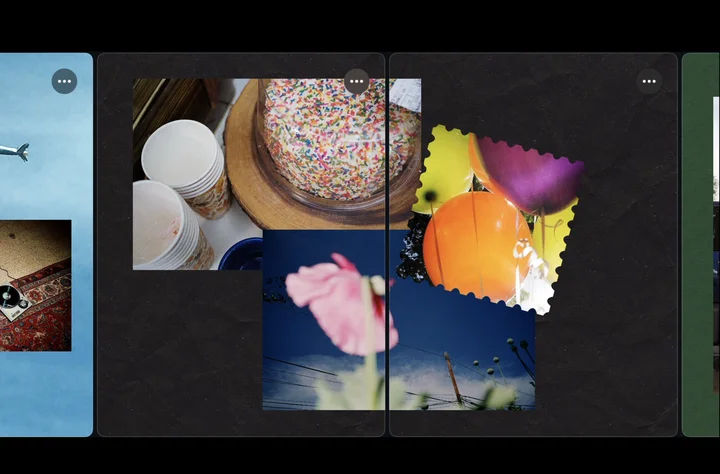
Image from Instagram: a photo can continue across slides. Edit the design
Add audio, text, filters, adjustments or cutouts. You can also reuse colors, audio and text styles saved in other projects.
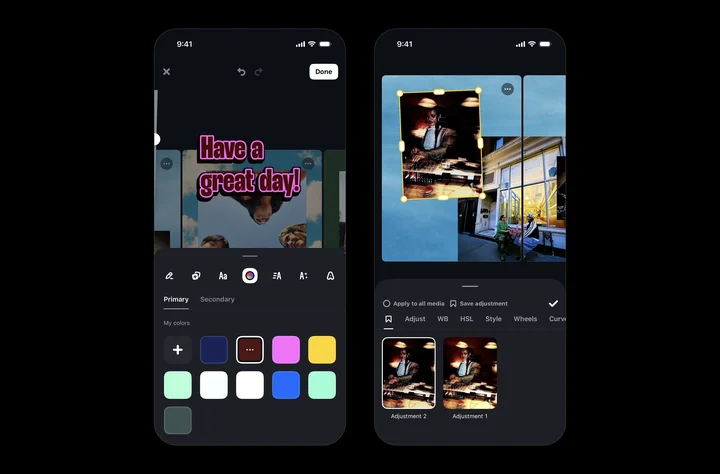
Image from Instagram: filters, colors and saved styles. Share the carousel
Share the finished carousel directly to Instagram. You can also download it to publish later.
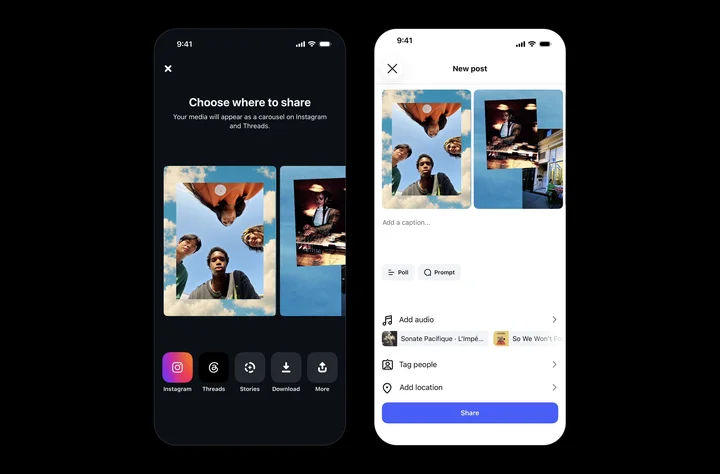
Image from Instagram: share or download the finished carousel.
Steps and images from Instagram’s announcement
The three-dot menu lets you duplicate, insert and reorder slides. The layout tool provides preset arrangements and spacing controls.
Source
Plan your next post in HeyMark.
Keep the idea, review the draft with your team, and see how it performed in the accounts you connected.