News Google Gemini Notebook
Gemini Notebook creates interactive sites from your sources
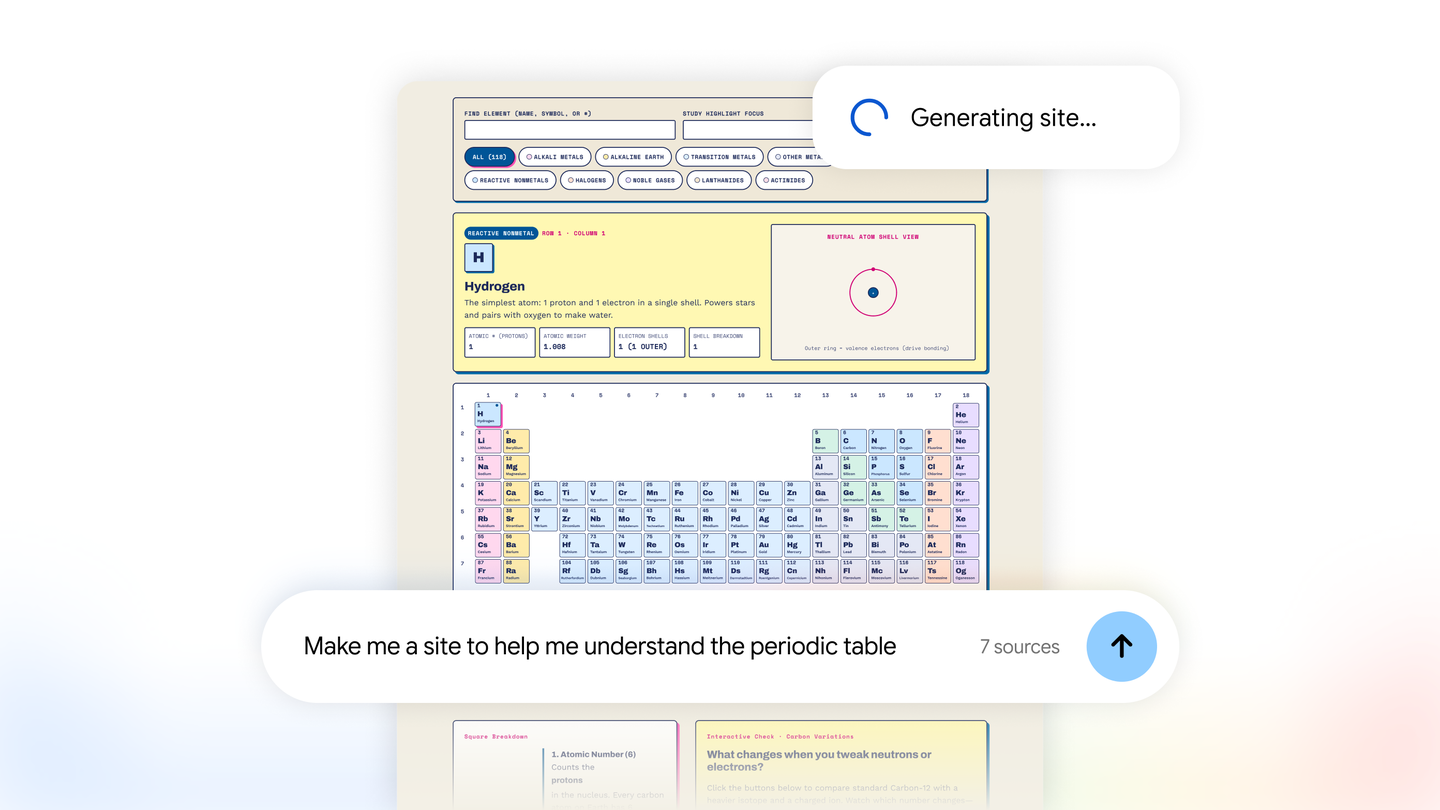
On November 16, 2026, Google announced that Gemini Notebook can turn the sources gathered in a notebook into interactive sites. Google Labs software engineer Maria Ines Aranguren introduced the feature, which can generate, for example, a dashboard for exploring quarterly sales performance data. (Google)
From notebook sources to a site
The result is built from sources already in the notebook and a description of what you want to create. Google lists visual explainers and project management trackers, as well as data dashboards, as possible results. The interactive experience involves opening and exploring the generated site; the sales example lets users navigate information rather than just read a response in chat. (Google)
Availability
The feature was announced as available starting November 16 on the Gemini Notebook web version, with a global rollout for users 18 and older, including Google Workspace subscribers. Google said the mobile app will arrive soon, without specifying a date. (Google)
How to create an interactive site from a notebook
Available on the Gemini Notebook website for users 18 and older, including Google Workspace subscribers. The mobile app was announced as coming soon.
- In Gemini Notebook chat, type “make me a site” and describe what you want to build.
- Once the site is created, select “Open in a new tab” to explore or share it.
Source
Plan your next post in HeyMark.
Keep the idea, review the draft with your team, and see how it performed in the accounts you connected.