By clicking “Accept”, you agree that HeyMark and third parties store cookies on your device to measure its ads and show you advertising based on your browsing. Cookie policy (in Spanish)
From the idea to the numbers, on Instagram, TikTok, LinkedIn, Facebook, YouTube and X. Here is the full list, stage by stage, of what your team does or you ask Mark, Claude or ChatGPT to do.
MONTUEWEDTHUFRISATSUNLast week19202122232425This week2627282930311Next week2345678Lighting the fireArtichokeWhat the kitchen asksSunday embersBehind the grillOur house breadThis week's winesAfter dinner
What worked best
Casa Lumbre context · last 90 days
Casa LumbreLighting the fire at 7Lighting the fire at 752.4k plays
Casa LumbreArtichoke, start to finishArtichoke, start to finish38.9k plays
Casa LumbreWhat the kitchen asks for on a FridayWhat the kitchen asks for on a Friday31.2k plays
Process videos under 30 seconds, with the kitchen up close, perform best.
The fire at 7 a.m.
Artichoke, farm to plate
3 cuts you didn't know
A day at the grill
The wood we use, and why
Ember-roasted dessert
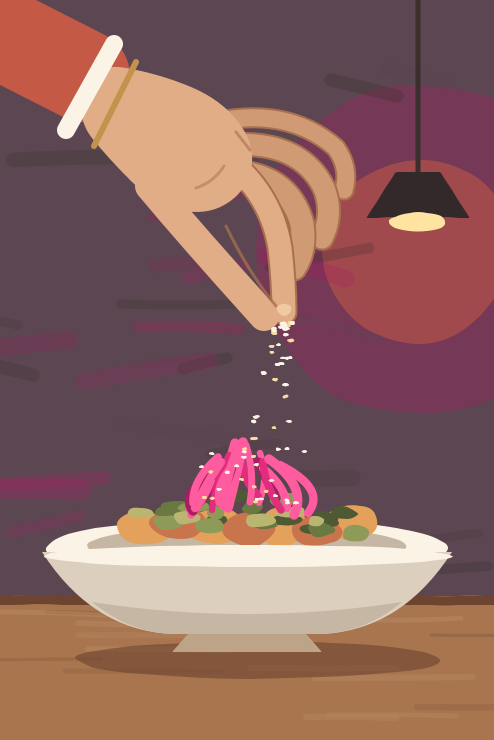
The final touch of the new dishReelRocíoThe final touch of the new dish
What to order the first time
House pairings
Your Saturday table
Publish date
Fri, Nov 67:00 PM
Schedule
Schedule
The final touch of the new dishUntitled
StatusIdeaDraftPublish dateNo dateFri, Nov 6 · tentativeOwnerRocíoTagsProcess
PlanningRefined by Mark
A benchmark blew up showing the last touch on a dish. We could do the same with the new dish, right as the chef finishes it.Write something, or '/' for commands…
I'll shoot it on Thursday, before lunch.
A reel under 30 seconds: the chef finishes the new dish up close, no cuts.
Tone: warm, the way we talk in the kitchen.
Why: process videos are what works best for you.
Close: invite people to comment MENU to get the menu.
Reel
Casa LumbreThe final touch of the new dishV1Casa LumbreThe final touch of the new dishV2Casa LumbreThe final touch of the new dishV3CopyWrite the caption that ships with this postVideo versions
Version 1yesterday
Version 23 hours ago
Version 3nowFinal
The fire at 7 a.m.Artichoke, farm to plate3 cuts you didn't know3 cuts you didn't know3 cuts you didn't knowA day at the grillThe wood we use, and whyEmber-roasted dessertEmber-roasted dessertEmber-roasted dessertThe final touch of the new dishThe final touch of the new dishThe final touch of the new dishWhat to order the first timeHouse pairingsYour Saturday tableYour Saturday tableYour Saturday table
Share calendar
New link
NameCasa Lumbre · November
DatesNext 2 weeks
StatusesScheduled
Networks and formatsAll
Include planning
Create link
app.heymark.ai/c/7Kq2xCopyCopied
The idea
Every piece starts on its own page.
A post is a single page, from the first line to the analytics. Nothing gets scattered across other tools.
One page per piece
It holds the idea, the script, the references, the copy, the files and the comments. You open it from the calendar and it stays the same page from start to finish.
Title, status, date, owner and tags always in view
Planning is separate from the copy: the idea and the script never get published
Copy, files and settings for each network on the same page
The piece's activity records who did what
Content@casalumbreNew postBoardCalendar
Oct – Nov 2026
PublishedScheduledDraftIdea
MONTUEWEDTHUFRISATSUNLast week19202122232425This week2627282930311Next week2345678Lighting the fireArtichokeWhat the kitchen asksSunday embersBehind the grillOur house breadThis week's winesAfter dinner
What worked best
Casa Lumbre context · last 90 days
Casa LumbreLighting the fire at 7Lighting the fire at 752.4k plays
Casa LumbreArtichoke, start to finishArtichoke, start to finish38.9k plays
Casa LumbreWhat the kitchen asks for on a FridayWhat the kitchen asks for on a Friday31.2k plays
Process videos under 30 seconds, with the kitchen up close, perform best.
The fire at 7 a.m.
Artichoke, farm to plate
3 cuts you didn't know
A day at the grill
The wood we use, and why
Ember-roasted dessert
The final touch of the new dishReelRocíoThe final touch of the new dish
What to order the first time
House pairings
Your Saturday table
Publish date
Fri, Nov 67:00 PM
Schedule
Schedule
The final touch of the new dishUntitled
StatusIdeaDraftPublish dateNo dateFri, Nov 6 · tentativeOwnerRocíoTagsProcess
PlanningRefined by Mark
A benchmark blew up showing the last touch on a dish. We could do the same with the new dish, right as the chef finishes it.Write something, or '/' for commands…
I'll shoot it on Thursday, before lunch.
A reel under 30 seconds: the chef finishes the new dish up close, no cuts.
Tone: warm, the way we talk in the kitchen.
Why: process videos are what works best for you.
Close: invite people to comment MENU to get the menu.
Reel
Casa LumbreThe final touch of the new dishV1Casa LumbreThe final touch of the new dishV2Casa LumbreThe final touch of the new dishV3CopyWrite the caption that ships with this postVideo versions
Version 1yesterday
Version 23 hours ago
Version 3nowFinal
The fire at 7 a.m.Artichoke, farm to plate3 cuts you didn't know3 cuts you didn't know3 cuts you didn't knowA day at the grillThe wood we use, and whyEmber-roasted dessertEmber-roasted dessertEmber-roasted dessertThe final touch of the new dishThe final touch of the new dishThe final touch of the new dishWhat to order the first timeHouse pairingsYour Saturday tableYour Saturday tableYour Saturday table
Share calendar
New link
NameCasa Lumbre · November
DatesNext 2 weeks
StatusesScheduled
Networks and formatsAll
Include planning
Create link
app.heymark.ai/c/7Kq2xCopyCopied
Mark refines what your team writes
Write the idea however it comes out and Mark shapes it with your brand's voice and what has worked best for you. It proposes the changes and you decide whether to apply them.
A brand profile built from what you've already published
Your best-performing posts as context
Writes ideas and copy in your voice
Doesn't generate images or videos: that's your team or your tools
Content@casalumbreNew postBoardCalendar
Oct – Nov 2026
PublishedScheduledDraftIdea
MONTUEWEDTHUFRISATSUNLast week19202122232425This week2627282930311Next week2345678Lighting the fireArtichokeWhat the kitchen asksSunday embersBehind the grillOur house breadThis week's winesAfter dinner
What worked best
Casa Lumbre context · last 90 days
Casa LumbreLighting the fire at 7Lighting the fire at 752.4k plays
Casa LumbreArtichoke, start to finishArtichoke, start to finish38.9k plays
Casa LumbreWhat the kitchen asks for on a FridayWhat the kitchen asks for on a Friday31.2k plays
Process videos under 30 seconds, with the kitchen up close, perform best.
The fire at 7 a.m.
Artichoke, farm to plate
3 cuts you didn't know
A day at the grill
The wood we use, and why
Ember-roasted dessert
The final touch of the new dishReelRocíoThe final touch of the new dish
What to order the first time
House pairings
Your Saturday table
Publish date
Fri, Nov 67:00 PM
Schedule
Schedule
The final touch of the new dishUntitled
StatusIdeaDraftPublish dateNo dateFri, Nov 6 · tentativeOwnerRocíoTagsProcess
PlanningRefined by Mark
A benchmark blew up showing the last touch on a dish. We could do the same with the new dish, right as the chef finishes it.Write something, or '/' for commands…
I'll shoot it on Thursday, before lunch.
A reel under 30 seconds: the chef finishes the new dish up close, no cuts.
Tone: warm, the way we talk in the kitchen.
Why: process videos are what works best for you.
Close: invite people to comment MENU to get the menu.
Reel
Casa LumbreThe final touch of the new dishV1Casa LumbreThe final touch of the new dishV2Casa LumbreThe final touch of the new dishV3CopyWrite the caption that ships with this postVideo versions
Version 1yesterday
Version 23 hours ago
Version 3nowFinal
The fire at 7 a.m.Artichoke, farm to plate3 cuts you didn't know3 cuts you didn't know3 cuts you didn't knowA day at the grillThe wood we use, and whyEmber-roasted dessertEmber-roasted dessertEmber-roasted dessertThe final touch of the new dishThe final touch of the new dishThe final touch of the new dishWhat to order the first timeHouse pairingsYour Saturday tableYour Saturday tableYour Saturday table
Share calendar
New link
NameCasa Lumbre · November
DatesNext 2 weeks
StatusesScheduled
Networks and formatsAll
Include planning
Create link
app.heymark.ai/c/7Kq2xCopyCopied
Calendar and board
View the month or the week, or switch to the board with one column per status. An idea can have a tentative date without being scheduled.
Filter by status, format, tag and person
Drag a piece to move it to another day
Statuses: idea, draft, scheduled, published and failed
What you've already published on your networks shows up in the calendar too
Content@casalumbreNew postBoardCalendar
Oct – Nov 2026
PublishedScheduledDraftIdea
MONTUEWEDTHUFRISATSUNLast week19202122232425This week2627282930311Next week2345678Lighting the fireArtichokeWhat the kitchen asksSunday embersBehind the grillOur house breadThis week's winesAfter dinner
What worked best
Casa Lumbre context · last 90 days
Casa LumbreLighting the fire at 7Lighting the fire at 752.4k plays
Casa LumbreArtichoke, start to finishArtichoke, start to finish38.9k plays
Casa LumbreWhat the kitchen asks for on a FridayWhat the kitchen asks for on a Friday31.2k plays
Process videos under 30 seconds, with the kitchen up close, perform best.
The fire at 7 a.m.
Artichoke, farm to plate
3 cuts you didn't know
A day at the grill
The wood we use, and why
Ember-roasted dessert
The final touch of the new dishReelRocíoThe final touch of the new dish
What to order the first time
House pairings
Your Saturday table
Publish date
Fri, Nov 67:00 PM
Schedule
Schedule
The final touch of the new dishUntitled
StatusIdeaDraftPublish dateNo dateFri, Nov 6 · tentativeOwnerRocíoTagsProcess
PlanningRefined by Mark
A benchmark blew up showing the last touch on a dish. We could do the same with the new dish, right as the chef finishes it.Write something, or '/' for commands…
I'll shoot it on Thursday, before lunch.
A reel under 30 seconds: the chef finishes the new dish up close, no cuts.
Tone: warm, the way we talk in the kitchen.
Why: process videos are what works best for you.
Close: invite people to comment MENU to get the menu.
Reel
Casa LumbreThe final touch of the new dishV1Casa LumbreThe final touch of the new dishV2Casa LumbreThe final touch of the new dishV3CopyWrite the caption that ships with this postVideo versions
Version 1yesterday
Version 23 hours ago
Version 3nowFinal
The fire at 7 a.m.Artichoke, farm to plate3 cuts you didn't know3 cuts you didn't know3 cuts you didn't knowA day at the grillThe wood we use, and whyEmber-roasted dessertEmber-roasted dessertEmber-roasted dessertThe final touch of the new dishThe final touch of the new dishThe final touch of the new dishWhat to order the first timeHouse pairingsYour Saturday tableYour Saturday tableYour Saturday table
Share calendar
New link
NameCasa Lumbre · November
DatesNext 2 weeks
StatusesScheduled
Networks and formatsAll
Include planning
Create link
app.heymark.ai/c/7Kq2xCopyCopied
Production
Every version comes back to the same piece.
Design or shoot wherever you like. The result, the changes and the comments stay in HeyMark.
Your tools, connected to your agent
HeyMark doesn't replace your design tools. If you connect them to your Claude or ChatGPT, your agent can work with them and leave the file on the piece.
Upload your files straight to the piece, or let your agent do it
Canva, Figma, Photoshop, Illustrator, Google Drive, Higgsfield and more
Those connections live in your assistant, not in HeyMark; uploading files depends on what each one allows
Casa Lumbre · NovemberUploading to HeyMarkExport
Casa LumbreThe final touch of the new dish
Casa LumbreThe fire at 7 a.m.Casa LumbreArtichoke, farm to plate3Casa Lumbre3 cuts you didn't knowCasa LumbreA day at the grillCasa LumbreThe wood we use, and whyCasa LumbreEmber-roasted dessertCasa LumbreThe final touch of the new dishCasa LumbreWhat to order the first timeCasa LumbreHouse pairingsCasa LumbreYour Saturday table
Every video you upload becomes a numbered version, and you can go back to an earlier one. Team comments stay right there and never reach the network.
Version history for videos
Private comments on each piece, with replies and reactions
A look before production, if your team uses one; if you work alone, you keep going
Internal approvals on the Company and Platform plans
Content@casalumbreNew postBoardCalendar
Oct – Nov 2026
PublishedScheduledDraftIdea
MONTUEWEDTHUFRISATSUNLast week19202122232425This week2627282930311Next week2345678Lighting the fireArtichokeWhat the kitchen asksSunday embersBehind the grillOur house breadThis week's winesAfter dinner
What worked best
Casa Lumbre context · last 90 days
Casa LumbreLighting the fire at 7Lighting the fire at 752.4k plays
Casa LumbreArtichoke, start to finishArtichoke, start to finish38.9k plays
Casa LumbreWhat the kitchen asks for on a FridayWhat the kitchen asks for on a Friday31.2k plays
Process videos under 30 seconds, with the kitchen up close, perform best.
The fire at 7 a.m.
Artichoke, farm to plate
3 cuts you didn't know
A day at the grill
The wood we use, and why
Ember-roasted dessert
The final touch of the new dishReelRocíoThe final touch of the new dish
What to order the first time
House pairings
Your Saturday table
Publish date
Fri, Nov 67:00 PM
Schedule
Schedule
The final touch of the new dishUntitled
StatusIdeaDraftPublish dateNo dateFri, Nov 6 · tentativeOwnerRocíoTagsProcess
PlanningRefined by Mark
A benchmark blew up showing the last touch on a dish. We could do the same with the new dish, right as the chef finishes it.Write something, or '/' for commands…
I'll shoot it on Thursday, before lunch.
A reel under 30 seconds: the chef finishes the new dish up close, no cuts.
Tone: warm, the way we talk in the kitchen.
Why: process videos are what works best for you.
Close: invite people to comment MENU to get the menu.
Reel
Casa LumbreThe final touch of the new dishV1Casa LumbreThe final touch of the new dishV2Casa LumbreThe final touch of the new dishV3CopyWrite the caption that ships with this postVideo versions
Version 1yesterday
Version 23 hours ago
Version 3nowFinal
The fire at 7 a.m.Artichoke, farm to plate3 cuts you didn't know3 cuts you didn't know3 cuts you didn't knowA day at the grillThe wood we use, and whyEmber-roasted dessertEmber-roasted dessertEmber-roasted dessertThe final touch of the new dishThe final touch of the new dishThe final touch of the new dishWhat to order the first timeHouse pairingsYour Saturday tableYour Saturday tableYour Saturday table
Share calendar
New link
NameCasa Lumbre · November
DatesNext 2 weeks
StatusesScheduled
Networks and formatsAll
Include planning
Create link
app.heymark.ai/c/7Kq2xCopyCopied
Team comments
RocíoMartín, can you take a look before we shoot it?
MarkProcess videos are what works best for you. This one looks good.
MartínI like it. I'll pass it to Ignacio.
Martín shared it with Ignacio
RocíoBigger title. Leave the ending as it is.
MartínDone, it's in version 3.
RocíoThat's the one.
Version 3 · final
Casa LumbreThe final touch of the new dishV3
Scheduling
Schedule it, automate it, duplicate it.
With the piece ready, you set the day and time, what happens when someone comments, and which other networks it goes to.
Schedule or publish now
Confirm the day and time and HeyMark publishes it on the network you chose. If you change your mind, move it or unschedule it.
Day, time and time zone for each post
Moving a scheduled piece asks you to confirm the new time
Unscheduling returns it to its status and keeps the date
Cover, video title and first comment, depending on the network
Content@casalumbreNew postBoardCalendar
Oct – Nov 2026
PublishedScheduledDraftIdea
MONTUEWEDTHUFRISATSUNLast week19202122232425This week2627282930311Next week2345678Lighting the fireArtichokeWhat the kitchen asksSunday embersBehind the grillOur house breadThis week's winesAfter dinner
What worked best
Casa Lumbre context · last 90 days
Casa LumbreLighting the fire at 7Lighting the fire at 752.4k plays
Casa LumbreArtichoke, start to finishArtichoke, start to finish38.9k plays
Casa LumbreWhat the kitchen asks for on a FridayWhat the kitchen asks for on a Friday31.2k plays
Process videos under 30 seconds, with the kitchen up close, perform best.
The fire at 7 a.m.
Artichoke, farm to plate
3 cuts you didn't know
A day at the grill
The wood we use, and why
Ember-roasted dessert
The final touch of the new dishReelRocíoThe final touch of the new dish
What to order the first time
House pairings
Your Saturday table
Publish date
Fri, Nov 67:00 PM
Schedule
Schedule
The final touch of the new dishUntitled
StatusIdeaDraftPublish dateNo dateFri, Nov 6 · tentativeOwnerRocíoTagsProcess
PlanningRefined by Mark
A benchmark blew up showing the last touch on a dish. We could do the same with the new dish, right as the chef finishes it.Write something, or '/' for commands…
I'll shoot it on Thursday, before lunch.
A reel under 30 seconds: the chef finishes the new dish up close, no cuts.
Tone: warm, the way we talk in the kitchen.
Why: process videos are what works best for you.
Close: invite people to comment MENU to get the menu.
Reel
Casa LumbreThe final touch of the new dishV1Casa LumbreThe final touch of the new dishV2Casa LumbreThe final touch of the new dishV3CopyWrite the caption that ships with this postVideo versions
Version 1yesterday
Version 23 hours ago
Version 3nowFinal
The fire at 7 a.m.Artichoke, farm to plate3 cuts you didn't know3 cuts you didn't know3 cuts you didn't knowA day at the grillThe wood we use, and whyEmber-roasted dessertEmber-roasted dessertEmber-roasted dessertThe final touch of the new dishThe final touch of the new dishThe final touch of the new dishWhat to order the first timeHouse pairingsYour Saturday tableYour Saturday tableYour Saturday table
Share calendar
New link
NameCasa Lumbre · November
DatesNext 2 weeks
StatusesScheduled
Networks and formatsAll
Include planning
Create link
app.heymark.ai/c/7Kq2xCopyCopied
Automatic replies on every piece
You define what happens when someone comments: whether a keyword triggers the reply, what gets said in public and what arrives by DM.
With AI, using your brand's context, or with rules only
A reply on the post and a DM with a button and a link
Also for comments that already exist: review which ones and start
DMs to commenters work on Instagram and Facebook
Content@casalumbreNew postBoardCalendar
Oct – Nov 2026
PublishedScheduledDraftIdea
MONTUEWEDTHUFRISATSUNLast week19202122232425This week2627282930311Next week2345678Lighting the fireArtichokeWhat the kitchen asksSunday embersBehind the grillOur house breadThis week's winesAfter dinner
What worked best
Casa Lumbre context · last 90 days
Casa LumbreLighting the fire at 7Lighting the fire at 752.4k plays
Casa LumbreArtichoke, start to finishArtichoke, start to finish38.9k plays
Casa LumbreWhat the kitchen asks for on a FridayWhat the kitchen asks for on a Friday31.2k plays
Process videos under 30 seconds, with the kitchen up close, perform best.
The fire at 7 a.m.
Artichoke, farm to plate
3 cuts you didn't know
A day at the grill
The wood we use, and why
Ember-roasted dessert
The final touch of the new dishReelRocíoThe final touch of the new dish
What to order the first time
House pairings
Your Saturday table
Publish date
Fri, Nov 67:00 PM
Schedule
Schedule
The final touch of the new dishUntitled
StatusIdeaDraftPublish dateNo dateFri, Nov 6 · tentativeOwnerRocíoTagsProcess
PlanningRefined by Mark
A benchmark blew up showing the last touch on a dish. We could do the same with the new dish, right as the chef finishes it.Write something, or '/' for commands…
I'll shoot it on Thursday, before lunch.
A reel under 30 seconds: the chef finishes the new dish up close, no cuts.
Tone: warm, the way we talk in the kitchen.
Why: process videos are what works best for you.
Close: invite people to comment MENU to get the menu.
Reel
Casa LumbreThe final touch of the new dishV1Casa LumbreThe final touch of the new dishV2Casa LumbreThe final touch of the new dishV3CopyWrite the caption that ships with this postVideo versions
Version 1yesterday
Version 23 hours ago
Version 3nowFinal
The fire at 7 a.m.Artichoke, farm to plate3 cuts you didn't know3 cuts you didn't know3 cuts you didn't knowA day at the grillThe wood we use, and whyEmber-roasted dessertEmber-roasted dessertEmber-roasted dessertThe final touch of the new dishThe final touch of the new dishThe final touch of the new dishWhat to order the first timeHouse pairingsYour Saturday tableYour Saturday tableYour Saturday table
Share calendar
New link
NameCasa Lumbre · November
DatesNext 2 weeks
StatusesScheduled
Networks and formatsAll
Include planning
Create link
app.heymark.ai/c/7Kq2xCopyCopied
Duplicate to other networks
Copy a piece to another network with its video, copy and tags. It becomes a linked draft, ready to adjust and schedule.
You can ask your agent, for a whole week
Changes to copy, files or cover can carry over to the copies
It doesn't adapt the copy per network: you adjust it or ask your agent
From Reel to TikTok, the automatic DM stays off
Content@casalumbreNew postBoardCalendar
Oct – Nov 2026
PublishedScheduledDraftIdea
MONTUEWEDTHUFRISATSUNLast week19202122232425This week2627282930311Next week2345678Lighting the fireArtichokeWhat the kitchen asksSunday embersBehind the grillOur house breadThis week's winesAfter dinner
What worked best
Casa Lumbre context · last 90 days
Casa LumbreLighting the fire at 7Lighting the fire at 752.4k plays
Casa LumbreArtichoke, start to finishArtichoke, start to finish38.9k plays
Casa LumbreWhat the kitchen asks for on a FridayWhat the kitchen asks for on a Friday31.2k plays
Process videos under 30 seconds, with the kitchen up close, perform best.
The fire at 7 a.m.
Artichoke, farm to plate
3 cuts you didn't know
A day at the grill
The wood we use, and why
Ember-roasted dessert
The final touch of the new dishReelRocíoThe final touch of the new dish
What to order the first time
House pairings
Your Saturday table
Publish date
Fri, Nov 67:00 PM
Schedule
Schedule
The final touch of the new dishUntitled
StatusIdeaDraftPublish dateNo dateFri, Nov 6 · tentativeOwnerRocíoTagsProcess
PlanningRefined by Mark
A benchmark blew up showing the last touch on a dish. We could do the same with the new dish, right as the chef finishes it.Write something, or '/' for commands…
I'll shoot it on Thursday, before lunch.
A reel under 30 seconds: the chef finishes the new dish up close, no cuts.
Tone: warm, the way we talk in the kitchen.
Why: process videos are what works best for you.
Close: invite people to comment MENU to get the menu.
Reel
Casa LumbreThe final touch of the new dishV1Casa LumbreThe final touch of the new dishV2Casa LumbreThe final touch of the new dishV3CopyWrite the caption that ships with this postVideo versions
Version 1yesterday
Version 23 hours ago
Version 3nowFinal
The fire at 7 a.m.Artichoke, farm to plate3 cuts you didn't know3 cuts you didn't know3 cuts you didn't knowA day at the grillThe wood we use, and whyEmber-roasted dessertEmber-roasted dessertEmber-roasted dessertThe final touch of the new dishThe final touch of the new dishThe final touch of the new dishWhat to order the first timeHouse pairingsYour Saturday tableYour Saturday tableYour Saturday table
Share calendar
New link
NameCasa Lumbre · November
DatesNext 2 weeks
StatusesScheduled
Networks and formatsAll
Include planning
Create link
app.heymark.ai/c/7Kq2xCopyCopied
Six networks, each with its own rules.
HeyMark does what each network allows. Here's what you can do on each one today.
Network
Formats
Comments
DMs
DM to commenters
Instagram
Reel, story, post and carousel
Yes
Yes
Yes
Facebook
Reel, story and post
Yes
Yes
Yes
TikTok
Video and photo carousel
With a Business account
With a Business account
No
LinkedIn
Post and document
On company pages
No
No
YouTube
Video and Short
Yes
No
No
X
Post
Yes
No
No
One account per network on each brand. X is billed separately, per account.
Review
Your client reviews it with a link.
No account needed, with the dates and networks you choose.
A link to your calendar
You build the link with what you want to show. Whoever opens it sees the calendar read-only, without entering your workspace.
By dates, statuses, networks and formats, and tags
You decide whether it includes the planning
Viewed as a calendar or as a list
Revoke or replace it whenever you want
Content@casalumbreNew postBoardCalendar
Oct – Nov 2026
PublishedScheduledDraftIdea
MONTUEWEDTHUFRISATSUNLast week19202122232425This week2627282930311Next week2345678Lighting the fireArtichokeWhat the kitchen asksSunday embersBehind the grillOur house breadThis week's winesAfter dinner
What worked best
Casa Lumbre context · last 90 days
Casa LumbreLighting the fire at 7Lighting the fire at 752.4k plays
Casa LumbreArtichoke, start to finishArtichoke, start to finish38.9k plays
Casa LumbreWhat the kitchen asks for on a FridayWhat the kitchen asks for on a Friday31.2k plays
Process videos under 30 seconds, with the kitchen up close, perform best.
The fire at 7 a.m.
Artichoke, farm to plate
3 cuts you didn't know
A day at the grill
The wood we use, and why
Ember-roasted dessert
The final touch of the new dishReelRocíoThe final touch of the new dish
What to order the first time
House pairings
Your Saturday table
Publish date
Fri, Nov 67:00 PM
Schedule
Schedule
The final touch of the new dishUntitled
StatusIdeaDraftPublish dateNo dateFri, Nov 6 · tentativeOwnerRocíoTagsProcess
PlanningRefined by Mark
A benchmark blew up showing the last touch on a dish. We could do the same with the new dish, right as the chef finishes it.Write something, or '/' for commands…
I'll shoot it on Thursday, before lunch.
A reel under 30 seconds: the chef finishes the new dish up close, no cuts.
Tone: warm, the way we talk in the kitchen.
Why: process videos are what works best for you.
Close: invite people to comment MENU to get the menu.
Reel
Casa LumbreThe final touch of the new dishV1Casa LumbreThe final touch of the new dishV2Casa LumbreThe final touch of the new dishV3CopyWrite the caption that ships with this postVideo versions
Version 1yesterday
Version 23 hours ago
Version 3nowFinal
The fire at 7 a.m.Artichoke, farm to plate3 cuts you didn't know3 cuts you didn't know3 cuts you didn't knowA day at the grillThe wood we use, and whyEmber-roasted dessertEmber-roasted dessertEmber-roasted dessertThe final touch of the new dishThe final touch of the new dishThe final touch of the new dishWhat to order the first timeHouse pairingsYour Saturday tableYour Saturday tableYour Saturday table
Share calendar
New link
NameCasa Lumbre · November
DatesNext 2 weeks
StatusesScheduled
Networks and formatsAll
Include planning
Create link
app.heymark.ai/c/7Kq2xCopyCopied
Send the link however you like
Copy it and paste it into a WhatsApp message, an email or wherever you talk to your client. If you have Gmail connected to Claude or ChatGPT, they leave the draft ready for you to review and send.
On WhatsApp, you paste it into the chat with your client
In Gmail, the draft already carries the link, ready to open
That connection lives in your assistant, not in HeyMark
Claude's draft in your Gmail
ToCLCasa Lumbre team
What's coming next week
Hi team, here's what's coming next week. You can review it and comment on each piece here, no account needed:
app.heymark.ai/c/7Kq2x
Talk soon!
SendSentDraft saved
Ignacio · Casa Lumbreonline
Hi Ignacio, here's what's coming next week. You can comment on each piece here, no account needed 👇app.heymark.ai/c/7Kq2x10:42
Love it! I'll review it today 🙌10:45
Message
Your client's comments
Whoever opens the link comments under their name and your team gets notified. There's no approve button: the go-ahead is what they write to you.
Each comment stays on its piece, marked as a guest
Your team adjusts whatever's needed on the same piece
Ignacio(guest)
Casa LumbreThe final touch of the new dishThe final touch of the new dish
Wow! Really good, publish all of this.
Your client's go-ahead
app.heymark.ai/c/7Kq2x
CLCasa Lumbre shared their calendar with youNext 2 weeks
CalendarListNo account
Casa LumbreThe final touch of the new dishThe final touch of the new dishFri, Nov 6CommentIgnacio (guest)Wow! Really good, publish all of this. Comment sent
Casa LumbreThe fire at 7 a.m.The fire at 7 a.m.Mon, Nov 2Comment
3Casa Lumbre3 cuts you didn't know3 cuts you didn't knowTue, Nov 3Comment
Mail
CLCasa LumbreWhat's coming next week
Hi team, here's what's coming next week. You can review it and comment on each piece here, no account needed:
Casa LumbreThe final touch of the new dishCasa LumbreThe fire at 7 a.m.3Casa Lumbre3 cuts you didn't knowCasa Lumbre shared their calendar with youapp.heymark.ai/c/7Kq2xOpen link
Talk soon!
Publishing
Once it's out, the conversation lands in one inbox.
Messages and comments from all your accounts, with Mark replying and telling you when it needs you.
Messages and comments in one place
Reply from HeyMark without opening each network. You can search, filter and tag conversations.
Filters: all, unread, escalated and by tag
Reply to, hide or delete comments, depending on what each network allows
Automatic comment moderation
Comment sentiment on each post
Comments on your Meta ads, on Company and Platform
Messages1Comments
Mark in DMs
CSCamila SotoAIYes! On Saturday we're open from 7 p.m. to…now
THTomás HerreraAIYes, three dishes on the menu are gluten-free…8 min
FRFernanda RuizEscalatedMy order arrived incomplete 😕26 min
JVJoaquín VeraAIWe're open until 11:30 p.m. today 🔥1 h
Pick a conversation
CSCamila Soto@camisoto, answered by MarkMark active
TodayHi Camila! Here's the menu you asked for on the reel 🔥 This month: fire-roasted artichokes, smoked leeks and the new sesame dish.10:58 PMThanks! Are you open this Saturday night? There are 4 of us and one is vegetarian 🙏11:04 PMYes! On Saturday we're open from 7 p.m. to midnight. For anyone who doesn't eat meat there are the artichokes and the leeks 🔥 Bookings are through the link in our bio.Mark AI11:04 PM
Write your reply…
Mark replies and tells you
Mark carries DM conversations with your business information and in your voice. Turn it on for everyone and pause it in any conversation you want.
If someone is upset, it notifies you by WhatsApp or email
When they're very upset, it pauses the conversation so a person can take over
If it doesn't know what to answer, it hands it to you and pauses for 3 hours
It replies again once you turn it back on
Messages1Comments
Mark in DMs
CSCamila SotoAIYes! On Saturday we're open from 7 p.m. to…now
THTomás HerreraAIYes, three dishes on the menu are gluten-free…8 min
FRFernanda RuizEscalatedMy order arrived incomplete 😕26 min
JVJoaquín VeraAIWe're open until 11:30 p.m. today 🔥1 h
Pick a conversation
CSCamila Soto@camisoto, answered by MarkMark active
TodayHi Camila! Here's the menu you asked for on the reel 🔥 This month: fire-roasted artichokes, smoked leeks and the new sesame dish.10:58 PMThanks! Are you open this Saturday night? There are 4 of us and one is vegetarian 🙏11:04 PMYes! On Saturday we're open from 7 p.m. to midnight. For anyone who doesn't eat meat there are the artichokes and the leeks 🔥 Bookings are through the link in our bio.Mark AI11:04 PM
Write your reply…
HeyMarkWhatsApp · now[Casa Lumbre, Instagram] Upset customer Message: My order arrived incomplete 😕Open in HeyMark
Results
You understand what worked and why.
The numbers for each piece next to what it actually says and shows, and what your benchmarks are doing.
Mark watches the whole piece
It watches the video, listens to what's said and leaves a summary next to that piece's numbers. Your agents read the same thing when you ask them.
Video, audio, image, carousel, document and story
Each piece compared with your recent posts
Videos up to 7 minutes; TikTok is out because its files can't be downloaded
Earlier posts, from the last 12 months and on a paid plan
The final touch of the new dishReel · Published Fri, Nov 6Published
Mark is watching the video…Full video
Video summary
The chef finishes the new dish up close: oil, sea salt and out to the pass. No cuts, in 24 seconds, closing with an invitation to ask for the menu.
Close-upProcess24 seconds
What's said“A little oil, sea salt and done. Want to try it? Comment MENU.”
Compared to the last 30 days
52.4k+38%Views
3,910+24%Interactions
412+61%Shares
It performed 2.3 times better than your carousels: the close-up of the dish holds to the end.
Analytics and reports
The whole brand, by network and for the period you choose, ready to read or to send to someone.
Followers, views and interactions, by network and in total
Your best posts of the period
Follower history, day by day
Your audience by age, gender, country and city
Export to CSV or PDF, by network, tags and period
A public, read-only link to share your reports
Benchmarks
Follow public Instagram accounts and compare them with your brand. When a post gets three times or more what's normal for that account, you get notified, and your next idea can come from there.
Followers, average likes and engagement, side by side
The alert is turned on per account
Checked once a day; the notice arrives in the app's notifications
For now, Instagram accounts only
Benchmarks
How your benchmarks have evolved
FollowersAvg. likesEngagement
CLCasa LumbreYour brand18.2k1,2407.1%
NGNeighborhood grill48.1k2,3104.9%
SSSeafood spot22.7k1,7808.2%
CTChef's table91.3k3,0503.4%
Alert me when a post by Seafood spot takes off
HeyMark detected that a post by one of your benchmarks took off: “Fire-grilled ceviche” (Seafood spot, 4.2x)now
Agents
Built for agents. Designed for social media.
Connect Claude or ChatGPT so they can work on your real data, with your permissions, and manage your social media.