How to create a game with GPT Astra and Paint
In this guide, you will learn how to ask Astra to draw a character in Paint and turn it into a ski game. You will race down a mountain, dodge obstacles and do flips off ramps.
On Windows, we will use Paint. On Mac, you can draw in Piskel, a browser-based pixel art editor. Open the ChatGPT desktop app, switch to Codex and select Astra, if available on your account. Your session needs to control the drawing editor, save files and run commands. A regular web chat does not have that access to your computer.
Open a folder for this project and grant the permissions it needs. You can also use Codex in a terminal with Astra on medium; drawing requires mouse and keyboard control, for example through Python and pyautogui. The first run may take time to download the tools for building the game and its application: .exe on Windows or .app on Mac.
From drawing to game
- Draw your skier
Send this first message. Your AI will draw the same character in three poses: standing, crouching and airborne. You will also ask for a preview to check how it moves.
1. The character and its movements
Let's create a small ski game. First create a new folder called ski-rush inside the folder I have open and work there. If it already exists, use a new name without replacing anything. If no folder is selected, ask me to open one. Create assets and originals subfolders inside it.

Detect my operating system. On Windows, open Microsoft Paint; on Mac, open the Piskel editor at https://www.piskelapp.com/. Use the editor's drawing tools with the mouse to draw a little 2D person in profile, facing right: helmet, goggles, red jacket, dark pants and skis. Use 2D pixel art inspired by retro 16-bit RPGs: a large head, small body, clear silhouette, one-pixel dark outline, limited palette and flat colors with simple shading. Square pixels and crisp edges, without antialiasing or gradients. Take inspiration from the proportions of 16 × 16 RPG characters, but use a 32 × 32 canvas per pose to fit the skis. Design an original skier in profile. I want to see you draw it by hand with the editor's tools, using zoom and the grid; do not generate the character with code or paste a premade image. First check how you can control the app. If this session has no direct desktop tool, you can use mouse and keyboard automation with Python and pyautogui; check whether they are available and tell me if anything needs installing. If you have no way to control the editor, tell me before continuing.

Draw three poses of the same character: standing while sliding, crouching and jumping with knees tucked. Keep the colors and proportions consistent. Save them as PNGs in assets, named ski-standing.png, ski-crouch.png and ski-jump.png. You can draw them on one sheet and crop them afterward. Preserve the original drawing from the editor in originals and prepare copies with transparent backgrounds, equally sized canvases and a consistent ski contact point.

Create a small local HTML and JavaScript preview using those drawings: gentle sliding, a transition into a crouch and a jump with takeoff and landing. Animate the motion in the preview using the poses. Open it and check that the character is not cropped and does not change size as it moves. When finished, show me the three poses and where you saved them. Do not build the game yet.
Result
Sliding Crouching
 Jumping
The three poses Astra drew in Paint during our test. Check that all three poses are recognizable and that the background does not cover anything behind the character. If you want to change the drawing, do it before continuing.
- Turn the drawing into a game
Send the second message in the same conversation and folder. It will use the character it just drew to build the game and put it on your desktop.
2. The ski game
Now turn the character you drew into a game called Ski Rush. Work in this same folder and reuse the PNGs in assets and their animations.

Build a side-view 2D game with HTML, CSS and JavaScript using Canvas. The skier automatically slides down a snowy mountain to the right, with the camera following. Include background mountains, snow particles while sliding, ramps and a small interface showing distance and points.

Controls: Space or up arrow to jump from the ground; hold down arrow to crouch and release to stand. In the air, holding left arrow rotates backward and right arrow rotates forward. Ramps should launch the skier high enough for flips. When the arrow keys are released, keep the current angle so the player has to prepare the landing.

Add rocks to jump over and raised branches to duck under. Match collisions to each pose so crouching actually works. Leave room to react and land; avoid impossible combinations. Increase difficulty gradually. A full flip earns points only when landing on the skis, aligned with the slope; landing on your head or hitting an obstacle ends the run. Include a start screen with controls, P to pause, automatic pause when the window loses focus, and R or a button to restart.

First open and test the game: jumping, ducking under branches, ramp launches, flips in both directions, collisions and restarting. Fix failures. Use elapsed time so speed does not depend on FPS.

Then detect this computer's operating system and architecture. Package the game with Electron: a portable .exe on Windows, or a .app on Mac for Apple Silicon or Intel as appropriate. Build and test the application on the operating system I am using. Bundle all drawings and resources so it runs offline without Node installed. Keep the JavaScript source and instructions for rebuilding the executable. Detect the actual desktop location and put Ski Rush.exe there on Windows or Ski Rush.app on Mac without replacing existing files. Open that application and check that it works outside the development environment. If a tool or permission is missing, tell me what you need; if you cannot complete a test or build the application for my system, say so. When finished, show me where the game is.
Result
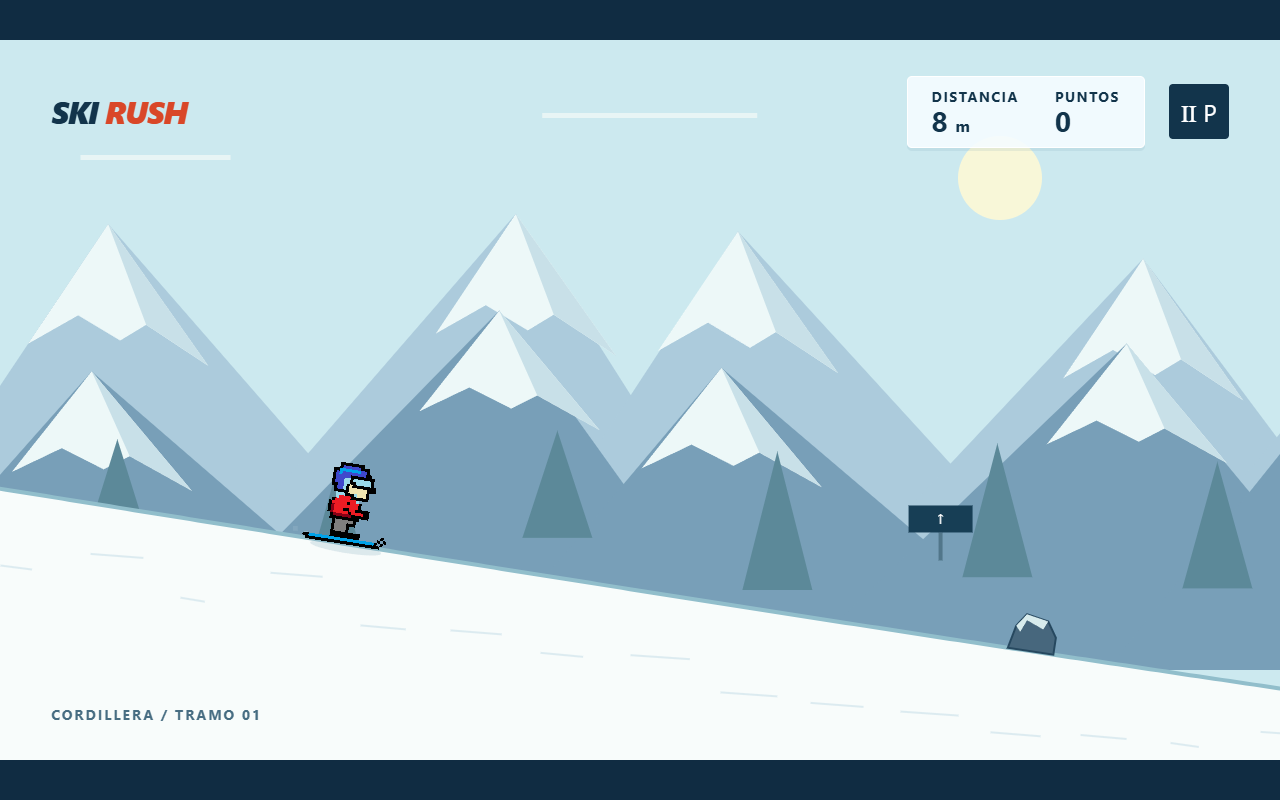
The game after the second prompt, before adding the pines. Wait for it to finish building and testing. These messages may lead to questions or corrections along the way.
- Draw the snowy pines
With the game working, send the third message in the same conversation. It will replace the background trees with pines drawn in the same style as the character.
3. The mountain pines
Give Ski Rush its final touch: replace the triangular pine trees in the background with a snowy mountain pine asset drawn by hand using the editor's tools.

Work in the same game folder. On Windows, open Paint; on Mac, use Piskel. Use the available mouse and keyboard control as you did for the character. Before drawing, save any pending drawing to its original file.

Draw an original 32 × 48 pixel pine tree in 2D pixel art that matches the skier. Use a brown trunk, irregular tiers of dark green branches, blue-tinted shadows and white snow with pale blue shading piled on the branches. Make the branch tiers, trunk and snow piles distinct. Avoid a plain triangular silhouette. Use a small palette and crisp pixels without antialiasing. Draw with the pencil and fill tools in the editor; do not generate the drawing with code or paste a premade image.

Save the original in originals and export a copy with a transparent background as assets/snow-pine.png. After saving, you may use code to crop and prepare transparency while preserving the drawing.

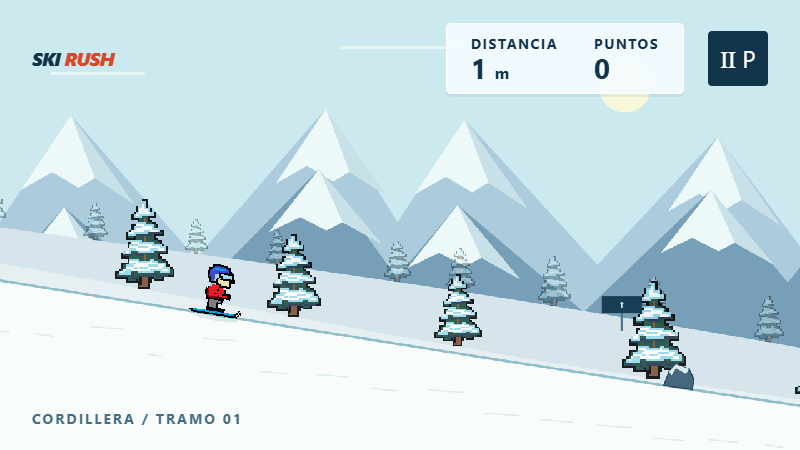
Integrate that asset into the game to replace the triangular background trees. Repeat it at varied sizes and intervals on two layers: small and faint in the distance, larger and clearer near the slope. Keep the mountains and leave the skier, ramps and obstacles visible. These pines are decoration: do not add collisions or change the controls or physics.

Open the game, check for white boxes around the trees or jumps in the scrolling scenery, and show me a gameplay screenshot. Then rebuild the application for my system, .exe on Windows or .app on Mac. Close only this game's instance if needed and update its desktop copy; preserve the code and originals. Open the updated version and check that it includes the pines and that jumping, crouching and restarting still work. Tell me if anything could not be completed or tested.
Result
Our test result: jumping, crouching and a flip among the snowy pines. Wait for it to update the desktop application to see the new scenery.
- Head down the mountain
Open Ski Rush.exe on Windows or Ski Rush.app on Mac from your desktop and start a run. Try jumping and crouching first, then find a ramp and attempt a full flip.
The controls
| Key | Action |
|---|---|
| Space or ↑ | Jump from the ground |
| Hold ↓ | Crouch |
| ← in the air | Rotate backward |
| → in the air | Rotate forward |
| P | Pause or resume |
| R | Restart |
To change something, stay in the same conversation. Ask for a faster descent, taller ramps or different character colors. Ask it to rebuild the executable after making changes.