Reference case: UNDRR · #GetToHighGround ↘ Disaster Risk Reduction Day International · Sustainability · Services
Brings disaster prevention and preparedness into the conversation.
An idea for your brand Show how your team prepares a service for an emergency and share official contacts.
Helps customers and staff find preparedness information when they need it.
Sensitive topic: review the piece with someone who knows the subject and link to a useful resource.
Plan this day with Mark Reference for a related topic UNDRR · #GetToHighGround Evacuation walks and local activities turn prevention advice into an action people can practise.
This is a tsunami-prevention campaign. Adapt evacuation practice to local risks; it was not created for October 13.
What they wanted to achieve Engage the public in tsunami preparedness through drills, runs or walks along local evacuation routes.
What they did Launched in 2022, #GetToHighGround invited governments and organizations to hold activities and provided adaptable cards, posters and leaflets with space for routes.
What the evidence tells us UNDRR’s toolkit offers adaptable materials and space for a local route; it does not demonstrate risk reduction. The competent authority should validate the route.
What you could try in your business HeyMark’s suggestion based on this case
A small coastal guesthouse could link the official route provided by its municipality, confirm it with civil protection, and plan a staff walk. Recording attendance and questions can guide future guest communications.
Image: tsunamiday.undrr.org
Reference case: PepsiCo + CARE · Closing the Crop Gap ↘ Thursday, 15 October 2026
International Day of Rural Women International · Food & drink · Sustainability
Recognizes women's work in rural communities.
An idea for your brand Introduce a producer in your supply chain with her permission and in her own words.
Shows who makes your products possible and recognizes their work.
Plan this day with Mark Reference for a related topic PepsiCo + CARE · Closing the Crop Gap Women farmers tell their own stories; the brand provides a platform and a way to support them.
The connection is women farmers’ work and the opportunity gap; this is not an October 15 post.
What they wanted to achieve Highlight gender inequality in agriculture and connect women farmers’ stories with PepsiCo’s grant to CARE.
What they did Across three phases, it shared women farmers’ stories from five countries in videos made by female filmmakers, invited votes with a US$25 Kiva credit per vote, then showed PepsiCo’s grant to CARE.
What the evidence tells us Over 11 million video views across the campaign, reported by PepsiCo in its Shorty Awards entry.
PepsiCo’s Shorty Awards entry reports self-declared campaign metrics; video views alone do not verify loans, changes in farming opportunities or social impact.
What you could try in your business HeyMark’s suggestion based on this case
A local market can share a producer’s story in her own words, with permission, and link to a verified support organization. Track clicks or contributions; review the story with her before publishing.
Image: shortyawards.com
Reference case: WFP Japón · Zero Hunger Challenge (2021) ↘ World Food Day International · Food & drink · Sustainability
FAO invites discussion about access to food and its production.
An idea for your brand Film an ingredient's journey from supplier to plate. Explain how you avoid wasting it.
Your suppliers and recipes can give the topic a concrete expression.
Plan this day with Mark Reference for this occasion WFP Japón · Zero Hunger Challenge (2021) A challenge invites people to share ways to reduce food waste and links participation to school-meal support.
The challenge ran for World Food Day 2021 in Japan. The image shows a participant’s recipe selected by WFP.
What they wanted to achieve Connect food-waste reduction actions with school meals for children in developing countries.
What they did WFP Japan invited people to publicly share a food-waste reduction action on Instagram, Twitter or Facebook with #食品ロスWFP2021; partner companies donated per post toward WFP school meals.
What the evidence tells us WFP Japan recorded 111,000 actions: campaign posts, reposts and shares. This is not a count of unique participants.
WFP Japan defines the total as posts, reposts and shares and credits donor companies with the school meal support. It does not report unique participants.
What you could try in your business HeyMark’s suggestion based on this case
A bakery can invite recipes using edible trimmings and agree with a food-aid organization on a donation per qualifying post, with a stated cap. Afterward, report how many eligible posts were counted and how much money was transferred.
Image: jawfp.org
Same day Teachers’ Day in Chile Reference case: Participant · Radical ↘ Teachers’ Day in Chile Chile · Education · Services
Chile recognizes the people who teach and support students.
An idea for your brand Invite a teacher in your community to share what they learned from students this year.
Gives the people who teach in your community a voice.
Plan this day with Mark Reference for a related topic Participant · Radical The film campaign connects teachers’ stories with discussions, screenings and an educator guide.
The film draws on an education story in Mexico. Use its teacher-focused approach without presenting it as a campaign for Chile’s occasion.
What they wanted to achieve Build word of mouth for the film Radical and support more equitable educational opportunities for Latino youth.
What they did Participant combined #MyRadicalTeacher posts featuring educators’ stories with post-screening discussions through NEA and AFT, a discussion guide and a fund with Hispanics in Philanthropy.
What the evidence tells us Participant reported 2 million video views and 47,000 engagements across the campaign.
Participant’s Shorty Awards entry reports digital reach and impact activity; views and engagements do not demonstrate educational improvement or participation caused by the content.
What you could try in your business HeyMark’s suggestion based on this case
A tutoring center can invite a teacher to share a specific teaching moment, with her permission, and share a local resource. Track sign-ups for a discussion and review whose voices were missing.
Image: shortyawards.com
Reference case: Feeding America · The Full Effect ↘ Saturday, 17 October 2026
International Day for the Eradication of Poverty International · Services · Sustainability
Calls for action on poverty and exclusion.
An idea for your brand Explain an existing collaboration with a local organization and how to take part.
An existing collaboration can make it easier for others to join.
Sensitive topic: review the piece with someone who knows the subject and link to a useful resource.
Plan this day with Mark Reference for a related topic Feeding America · The Full Effect Everyday stories show how food insecurity affects people’s lives and offer a way to help.
The campaign addresses food insecurity in the U.S., one dimension of poverty. Adapt the storytelling to a verifiable local initiative.
What they wanted to achieve Feeding America sought to turn hunger awareness into conversation and support action by showing how food insecurity shapes everyday lives.
What they did After qualitative and quantitative research that included people with lived experience of food insecurity, the team launched a bilingual campaign across TV, video, radio, print, digital banners and outdoor advertising.
What the evidence tells us The Feeding America and fluent360 entry reports US$1.5 million in donated media support for the campaign; this is not fundraising revenue.
The Feeding America/fluent360 entry documents donated partner media; it does not measure money raised, unique people reached, or changes in food insecurity.
What you could try in your business HeyMark’s suggestion based on this case
A neighborhood bakery that supports a meal program can invite its partner team to share, with consent, what a reliable meal makes possible in a workday. Add service hours and a way to help; track inquiries and volunteer interest.
Image: shortyawards.com
Reference case: Nestlé Professional · Food Explorers (2026) ↘ International Chefs Day International · Food & drink · Education
Worldchefs celebrates chefs and their role in food education.
An idea for your brand Your chef demonstrates a technique people can try at home and explains how to choose the ingredient.
Your chef’s technique and voice can distinguish your kitchen from a generic photo.
Plan this day with Mark Reference for this occasion Nestlé Professional · Food Explorers (2026) A workshop brings ingredients and preparation to the community.
Food Explorers is part of the International Chefs Day 2026 programme and its workshops for children.
What they wanted to achieve Help children explore ingredients, where they come from, how they are grown or harvested, and why they matter.
What they did For International Chefs Day on October 20, 2026, Worldchefs and Nestlé Professional propose workshops using 13 featured ingredients. They provide recipes, step-by-step guides, posters and certificates to help organize them.
What the evidence tells us Worldchefs publishes an invitation and resources ahead of October 20; they describe proposed activities but do not yet document delivery, participation or 2026 outcomes.
What you could try in your business HeyMark’s suggestion based on this case
A neighborhood restaurant can invite a local grower to introduce a seasonal ingredient and lead a simple preparation, with allergens clearly listed. Track sign-ups and attendance; ask families what they learned and review the workshop.
Image: worldchefs.org
Reference case: UNDP · Don’t Choose Extinction ↘ Saturday, 24 October 2026
United Nations Day International · Education · Sustainability
Marks the entry into force of the United Nations Charter.
An idea for your brand Choose one operational commitment and show progress with your own evidence.
An occasion to explain commitments through examples from your operation.
Plan this day with Mark Reference for a related topic UNDP · Don’t Choose Extinction An unexpected character opens a conversation about climate; the campaign continues through actions and public appearances.
The campaign belongs to the United Nations Development Programme and addresses climate; it was not created for the October 24 anniversary.
What they wanted to achieve Extend #DontChooseExtinction through appearances by Frankie the dinosaur from May 2022 to April 2023.
What they did A life-sized puppet visited Climate Week NYC, COP27 and schools; the team staged public appearances and posted content in real time with local offices.
What the evidence tells us The UNDP and campaign team entry reports 4.2 million digital engagements for the Frankie activation. This is not a single video’s total.
The UNDP and Social Revolt entry attributes digital engagements to Frankie’s activation from May 2022 to April 2023; it does not measure one video or emissions reductions.
What you could try in your business HeyMark’s suggestion based on this case
A bike shop could show a specific repair with its mechanic and a local school, linking to a reliable climate source. Review comments and workshop enquiries to choose the next technical topic.
Image: shortyawards.com
Reference case: Barilla · While the Water Boils (2016) ↘ World Pasta Day International · Food & drink · Retail
Celebrates pasta and the traditions people share around it.
An idea for your brand Your chef prepares an original recipe and explains the pasta shape. Invite people to try it.
A recipe and its maker show what makes your kitchen distinctive.
Plan this day with Mark Reference for a related topic Barilla · While the Water Boils (2016) Cooking time becomes a series of conversations with guests, connecting the product with curiosity.
The series uses pasta and its cooking time as its starting point. It ran in May–July 2016, rather than for October 25.
What they wanted to achieve Renew millennials’ cultural interest in pasta and increase social conversation around the category.
What they did In a YouTube series, Hannah Hart talked with guests such as Bill Nye in her kitchen while pasta cooked; the campaign added recipes, behind-the-scenes content, and paid and organic distribution.
What the evidence tells us Barilla and Edelman reported over 24 million video views in the May–July 2016 campaign.
The Barilla and Edelman entry covers the series from May 19 to July 24, 2016; total views include paid distribution and do not show attributable sales.
What you could try in your business HeyMark’s suggestion based on this case
A neighborhood trattoria could film its cook interviewing a local producer while preparing seasonal pasta. Post a short clip and review completed views and bookings to choose the next guest.
Image: shortyawards.com
Reference case: BFI · Heritage Open Day (2023) ↘ World Day for Audiovisual Heritage International · Culture & entertainment · Education
Highlights the value of preserving recordings, films and sounds.
An idea for your brand Bring back a video from your brand archive and explain what changed since it was recorded.
Your archive can tell a brand story the audience has not heard.
Plan this day with Mark Reference for a related topic BFI · Heritage Open Day (2023) Opening the archive and showing how material is preserved makes usually unseen work understandable.
The audiovisual archive invites people to learn about preservation during Heritage Open Day. This is a different occasion with the same preservation theme.
What they wanted to achieve Open the national archive to the public and explain the skills and technology used to preserve its audiovisual collection.
What they did For September 17, 2023, it announced demonstrations of film inspection, digital preservation, vaults and projection, with archive specialists available to speak with visitors.
What the evidence tells us The announcement documents the open day’s schedule, activities and specialists; it reports no figures for attendance, reach or campaign results.
What you could try in your business HeyMark’s suggestion based on this case
A small repair shop could invite its technician to demonstrate how they diagnose a common fault, with a test bench and audience questions. Count attendees and enquiries to learn which explanation is worth repeating.
Image: bfi.org.uk
Reference case: IBM · A Boy and His Atom (2013) ↘ Wednesday, 28 October 2026
International Animation Day International · Culture & entertainment · Technology
ASIFA celebrates storytelling through animation.
An idea for your brand Show how an animation for your brand develops from sketch to finished work.
Showing the process helps explain the work behind a piece.
Plan this day with Mark Reference for a related topic IBM · A Boy and His Atom (2013) Animation makes a scientific capability visible and is accompanied by an accessible explanation of how it was made.
The film combines stop-motion animation and science. Study how it explains its technique; it was not made for October 28.
What they wanted to achieve Explore the atomic scale and show, in a playful way, the technique of moving atoms in a film.
What they did IBM Research moved atoms with a scanning tunnelling microscope to create 242 frames and a one-minute animated story; Guinness recognized the technical record.
What the evidence tells us Guinness World Records recognized it as the smallest stop-motion animated film. This is technical recognition, not a reach metric.
In 2013, Guinness verified the record for the smallest stop-motion animation. IBM described it as a way to share science; the recognition provides no commercial results.
What you could try in your business HeyMark’s suggestion based on this case
An electronics workshop can film its technician repairing a tiny connection in close-up, with a ruler to show scale. Explain a single operation and review viewers’ questions before filming the next video.
Image: youtube.com
Reference case: Coding Dojo · Tech for America ↘ Thursday, 29 October 2026
World Coding Day International · Technology · Education
Invites more people to engage with coding.
An idea for your brand Demonstrate an automation your team uses and the specific problem it solves.
A concrete demonstration makes technical work accessible to customers and potential collaborators.
Plan this day with Mark Reference for a related topic Coding Dojo · Tech for America Technical knowledge becomes practical help for small businesses, with concrete tasks and examples of improvements.
The programme mobilizes coding skills to help businesses. The connection is the craft, not an October 29 celebration.
What they wanted to achieve Coding Dojo organized alumni to provide web development help to small businesses hit by the COVID-19 pandemic.
What they did In 2020, it opened a volunteer form, invited businesses to apply and matched projects by expertise, location and technical needs. Work included enabling takeout orders and automating digital content delivery.
What the evidence tells us Coding Dojo reported over 220 volunteers from 30 U.S. states and 11 countries in the programme. This measures participation, not a post’s reach.
Coding Dojo reports volunteer participation, not a count of businesses served; the entry also does not show that the support prevented closures.
What you could try in your business HeyMark’s suggestion based on this case
A small web agency can offer a nearby shop a session to identify one problem, agree on a focused task and document the before and after with permission. Track requests, completed projects and turnaround time. Ask the shop to verify the change.
Image: shortyawards.com
Reference case: Heinz · Tomato Blood (2022) ↘ Saturday, 31 October 2026
Halloween International · Food & drink · Retail
A popular celebration of costumes, stories and themed activities.
An idea for your brand Turn a recognizable product into a Halloween edition. Film its preparation and ask the community to name it.
A themed preparation can invite people to try a product and contribute ideas.
Plan this day with Mark Reference for this occasion Heinz · Tomato Blood (2022) Turn an everyday product into part of the celebration.
Tomato Blood launched for Halloween. The case and its results concern the 2022 edition.
What they wanted to achieve Build buzz and engagement for Heinz Tomato Blood’s third year during Halloween.
What they did Heinz created Toby, a vegetarian vampire played by E.J. Marcus. It released a 90-second video and night-time social content, then brought the character to Six Flags and other platforms.
What the evidence tells us Heinz and Wieden+Kennedy reported over 457 million earned-media impressions for the 2022 Halloween campaign.
Kraft Heinz and Wieden+Kennedy supplied the figures in their Shorty Awards entry. Earned-media impressions measure exposure; they are not unique people or sales.
What you could try in your business HeyMark’s suggestion based on this case
A bakery can create a seasonal character tied to one of its own recipes and feature it in a Reel, menu and counter sign with a clear invitation. Log special orders and customer questions, then review which format explained the idea best.
Image: news.kraftheinzcompany.com
Same day Evangelical and Protestant Churches Day Reference case: YouVersion · Verse of the Year (2024) ↘ Saturday, 31 October 2026
Evangelical and Protestant Churches Day Chile · Services · Culture & entertainment
A Chilean holiday recognizing Evangelical and Protestant churches.
An idea for your brand Share opening hours. If you are part of a community, share an activity and how to attend.
Hours and activity information help your community organize the day.
Plan this day with Mark Reference for a related topic YouVersion · Verse of the Year (2024) The community connects through shared content and an invitation to reflect on its own reading habits.
This is content from a Bible-reading community, not a campaign for Chile’s Protestant Churches holiday.
What they wanted to achieve Present Philippians 4:6 as the Bible App verse with the highest engagement in 2024, according to YouVersion usage data.
What they did The article brings together 2024 prayer and search data, links to prayer features in the app, and quotes YouVersion and a partner organization.
What the evidence tells us YouVersion reports that Philippians 4:6 had the highest engagement among verses in 2024. This reflects use of its app; it is not clinical evidence or representative of all religions.
What you could try in your business HeyMark’s suggestion based on this case
A neighborhood Christian bookshop could ask its club to recommend a Bible reading for the month and share what it means to them. Review comments, attendance and enquiries to choose the next meeting’s theme.
Image: youversion.com
Reference case: The Vegan Society · Live Vegan for Less ↘ World Vegan Day International · Food & drink · Sustainability
The Vegan Society opens a month of conversation about veganism.
An idea for your brand Prepare a vegan recipe from your menu and explain its ingredients and price.
Helps people seeking vegan options recognize what your brand offers.
Plan this day with Mark Reference for a related topic The Vegan Society · Live Vegan for Less Affordable recipes address a real difficulty in the community.
The campaign offers affordable vegan recipes throughout the year. The connection is veganism, without attributing it to a November 1 edition.
What they wanted to achieve Help people who are vegan or just starting out manage their food budget with practical recipes and resources.
What they did The Vegan Society offers free three-course menus for under £20 for up to six people, dietitian-developed weekly shopping baskets, recipes and budget tips.
What the evidence tells us The Vegan Society lists prices in pounds and servings for its menus; the page gives no independent cost comparison and cannot guarantee the same budget for everyone.
What you could try in your business HeyMark’s suggestion based on this case
A café can post its own vegan option with a photo, ingredients and price per serving. Track orders and leftovers for a week; review customer questions before deciding whether to keep it on the menu.
Image: vegansociety.com
Reference case: Vatican News · Todos los Santos (2025) ↘ All Saints’ Day Chile · Services · Culture & entertainment
A holiday in Chile and a day of remembrance for many families.
An idea for your brand Share opening hours and, if relevant to your brand, a local tradition respectfully.
Your hours and traditions help your community prepare visits and gatherings.
Plan this day with Mark Reference for this occasion Vatican News · Todos los Santos (2025) The coverage combines images of the gathering with an explanation of its meaning for the community.
The coverage concerns November 1, 2025. It is an institutional example of the celebration, with no public performance metrics.
What they wanted to achieve Document the 2025 All Saints’ Mass and the proclamation of John Henry Newman as a Doctor of the Church.
What they did Vatican News published a report with homily excerpts on education, details of the celebration and Vatican Media photographs.
What the evidence tells us The editorial report gives context for the celebration and religious message; it describes no brand campaign and publishes no marketing metrics or commercial results.
What you could try in your business HeyMark’s suggestion based on this case
A parish bookshop could share its own reading recommendation on Christian education, if its community observes the solemnity, and invite questions. Review local enquiries and attendance to plan another activity.
Image: vaticannews.va
International Day for Biosphere Reserves International · Sustainability · Travel
Highlights places where conservation and human activity coexist.
An idea for your brand Introduce a nearby reserve and its administrator's visitor guidelines.
A practice from your operation can explain your commitment through concrete facts.
Plan this day with Mark Reference case: UNDRR · #GetToHighGround ↘ Thursday, 5 November 2026
World Tsunami Awareness Day International · Travel · Education
Promotes risk awareness and community preparedness.
An idea for your brand If you operate on the coast, point to official evacuation routes and the local authority.
If your work relates to this topic, you can bring a reliable resource to people who need it.
Sensitive topic: review the piece with someone who knows the subject and link to a useful resource.
Plan this day with Mark Reference for this occasion UNDRR · #GetToHighGround Evacuation walks and local activities turn prevention advice into an action people can practise.
#GetToHighGround was created for World Tsunami Awareness Day. The reference shows a campaign activity.
Image: tsunamiday.undrr.org
Reference case: INACH · Feria Antártica Escolar ↘ Chilean Antarctic Day Chile · Travel · Education
Chile dedicates this date to its relationship with Antarctica.
An idea for your brand Collaborate with someone researching the territory and explain a finding with authorized images.
A research story can bring this territory closer to your audience.
Plan this day with Mark Reference for a related topic INACH · Feria Antártica Escolar The programme brings Antarctic research to students through projects, meetings and field experiences.
The Chilean programme works with students throughout the year. The INACH photo concerns a 2024 experience, not November 6, 2026.
What they wanted to achieve Invite students in years 1–4 of Chilean secondary school to submit research projects to the 2026 School Antarctic Fair.
What they did The rules set eligibility and offered selected teams a place on the School Antarctic Expedition at Professor Julio Escudero Base. Applications closed on June 8, 2026.
What the evidence tells us INACH’s website retains the 2026 rules and results. Applications are closed; the page gives no participation figures or evidence of educational impact.
What you could try in your business HeyMark’s suggestion based on this case
A school bookshop could host an exhibit of student-created science questions, publish the age range, format and current deadline, then present selected projects. Track completed entries and attendance to shape the next edition.
Image: site.inach.cl
Reference case: IBM · A Boy and His Atom (2013) ↘ Tuesday, 10 November 2026
World Science Day for Peace and Development International · Technology · Education
Connects science to everyday life and community development.
An idea for your brand Ask a team member to demonstrate a test performed before launching a product.
An experience from your team gives the conversation a relatable example your community can use.
Plan this day with Mark Reference for a related topic IBM · A Boy and His Atom (2013) Animation makes a scientific capability visible and is accompanied by an accessible explanation of how it was made.
IBM makes a scientific technique visible through animation. This is a science-communication example, without a link to this observance’s edition.
Image: youtube.com
Reference case: Omnipod + Marvel · Dyasonic ↘ Saturday, 14 November 2026
World Diabetes Day International · Health & wellbeing · Food & drink
WHO dedicates November 14 to diabetes awareness.
An idea for your brand With a professional, prepare FAQs and link to official health resources. Review the copy before posting.
If your work relates to this topic, you can bring a reliable resource to people who need it.
Sensitive topic: review the piece with someone who knows the subject and link to a useful resource.
Plan this day with Mark Reference for a related topic Omnipod + Marvel · Dyasonic A hero living with type 1 diabetes brings representation into a comic developed with the community.
The story represents life with type 1 diabetes. It does not represent all types of diabetes and is not a November 14 campaign.
What they wanted to achieve Insulet and Marvel sought to represent the teenage experience of type 1 diabetes through a comic-book hero.
What they did Dyasonic follows Omnya, a student living with type 1 diabetes, through school and friendship scenes. Its London launch combined printed comics, a pop-up newsstand and social content.
What the evidence tells us Omnipod reported over 1,400 visitors to the London launch. This measures attendance, not health outcomes.
Omnipod reported attendance at the London launch; attendance does not demonstrate clinical improvement, device adoption or reduced stigma. A health professional should review every medical claim.
What you could try in your business HeyMark’s suggestion based on this case
A local health center can create, with consent, a comic about a school day with type 1 diabetes and have every line clinically reviewed. Link official resources; track reads and collect audience questions to improve future explanations.
Image: shortyawards.com
Reference case: International Rescue Committee · Dear Refugees (2019) ↘ International Day for Tolerance International · Education · Services
Invites respect for diversity and people's rights.
An idea for your brand Show one concrete practice that helps people from different backgrounds participate in your community.
An experience from your team gives the conversation a relatable example your community can use.
Plan this day with Mark Reference for a related topic International Rescue Committee · Dear Refugees (2019) Letters and stories from refugees make the invitation to welcome people and support their rights concrete.
The campaign invites people to welcome refugees. It ran for World Refugee Day on June 20, 2019.
What they wanted to achieve In 2019, the IRC invited the public to renew its commitment to supporting and welcoming refugees.
What they did For World Refugee Day week, it shared films honoring refugees, museum activations in the United States and United Kingdom, newspaper ads and an open letter people could sign to thank them for their contributions.
What the evidence tells us IRC and Big Spaceship reported 9 million video views across the campaign’s channels.
IRC and Big Spaceship report video views across owned, celebrity and partner channels. That does not measure unique people or changed views; the story centers refugees, not all migration.
What you could try in your business HeyMark’s suggestion based on this case
An independent bookstore can work with a local organization to share the story of a refugee who is part of its community, with consent and joint editing. Add a way to help and track inquiries or people interested in taking part.
Image: shortyawards.com
Reference case: Domestos · #SanitationUnblocked (2020) ↘ Thursday, 19 November 2026
World Toilet Day International · Sustainability · Health & wellbeing
Brings access to sanitation into the public agenda.
An idea for your brand Explain a verifiable improvement in access or water use at your facilities.
A practice from your operation can explain your commitment through concrete facts.
Plan this day with Mark Reference for this occasion Domestos · #SanitationUnblocked (2020) The campaign brings specialists into a discussion about school sanitation and connects it to support actions.
The #SanitationUnblocked discussion was convened for World Toilet Day 2020.
What they wanted to achieve For World Toilet Day 2020, Domestos brought school sanitation into the public conversation.
What they did The brand asked five water, sanitation and hygiene specialists to share lessons on school toilets and actions toward water and sanitation for all by 2030.
What the evidence tells us Unilever reported 28 million people with improved sanitation access by 2019 through its multi-year programme; this is not a result of the 2020 post.
Unilever separates its multi-year sanitation programme from the World Toilet Day expert discussion. The article does not attribute the programme total to that activation or show that the discussion changed practices.
What you could try in your business HeyMark’s suggestion based on this case
A local maintenance business can interview a school staff member, with the school’s approval, about a cleaning routine and an unmet need. Invite contact with school leadership; track requests and agreements; confirm the summary with school staff.
Image: unilever.co.uk
Same day Women’s Entrepreneurship Day Reference case: Goldman Sachs · 10,000 Women Portraits ↘ Thursday, 19 November 2026
Women’s Entrepreneurship Day International · Retail · Services
WEDO promotes this date to recognize and support women entrepreneurs.
An idea for your brand A founder in your community shares a decision that changed her business. Include how people can support her work.
A firsthand experience helps people meet the person behind a brand.
Plan this day with Mark Reference for a related topic Goldman Sachs · 10,000 Women Portraits Portraits give names, businesses and stories to women taking part in the training programme.
The portraits tell women entrepreneurs’ stories. The campaign does not correspond to November 19.
What they wanted to achieve Goldman Sachs introduced 10,000 Women graduates to mark the program’s tenth anniversary and raise awareness of their businesses.
What they did It portrayed graduates as CEOs in oil paintings framed in gold, then combined print and TV with organic and paid social, newsletters, podcasts and mobile ads. One film followed Lagos entrepreneur Ayodeji Megbope.
What the evidence tells us The campaign team reported 13 million video views and 1.1 million engagements on social media.
Goldman Sachs and its campaign team report performance across paid and organic media. Those measures describe distribution and engagement, not business growth caused by the portraits.
What you could try in your business HeyMark’s suggestion based on this case
A neighborhood shop can introduce a supplier who runs her own business, with her approval, by showing one specific decision and an available product. Add a contact link and track clicks and inquiries.
Image: shortyawards.com
Reference case: LEGO · Build the Change ↘ World Children’s Day International · Education · Retail
Highlights the rights of children and young people.
An idea for your brand Share an activity children can lead and listen to their ideas. Protect identities and obtain permission.
An experience from your team gives the conversation a relatable example your community can use.
Plan this day with Mark Reference for a related topic LEGO · Build the Change Children imagine solutions for their surroundings and explain their builds; the process matters as much as the result.
The programme gives children a voice about their future. It is an ongoing initiative, not a campaign for this observance.
What they wanted to achieve Build the Change invites children to use play to propose solutions to real-world sustainability challenges.
What they did With educator materials and activities in schools, at events and at home, the program invites children to build creative responses to challenges such as climate change and biodiversity loss.
What the evidence tells us LEGO reported over 2 million children participating in 2023. This measures programme participation, not social engagements.
LEGO cites external classroom research using interviews and a survey of nearly 500 children, reporting topic knowledge and increased agency. It does not document environmental improvements resulting from their ideas.
What you could try in your business HeyMark’s suggestion based on this case
A neighborhood bakery can ask a class, with school and family permission, to draw ways to reduce packaging waste. Share one selected idea alongside a concrete business trial and compare the count with a baseline and share the result with the class.
Image: lego.com
Reference case: Looney Tunes · ACME Fools ↘ Saturday, 21 November 2026
World Television Day International · Culture & entertainment · Technology
Recognizes television's role in public communication.
An idea for your brand Revisit a historical ad for your brand and explain how you would produce it today.
An experience from your team gives the conversation a relatable example your community can use.
Plan this day with Mark Reference for a related topic Looney Tunes · ACME Fools Characters take over the brand’s channels with recognizable jokes and collaborations that fit their world.
The example brings familiar television characters to social media. The activation began for April Fools, not November 21.
What they wanted to achieve Warner Bros marked its centennial with an April Fools takeover that honored its catalog and sparked social conversation.
What they did Across 12 hours on April 1, 2023, the team posted 23 clips every half hour on Instagram, Twitter, Facebook and TikTok, recasting scenes from Warner Bros titles in Looney Tunes voices.
What the evidence tells us Looney Tunes and Movement Strategy reported 8 million video views and 500,000 engagements during the April campaign.
Looney Tunes and Movement Strategy reported platform views and engagements across April. Those totals measure activity, not unique people or lasting brand affinity.
What you could try in your business HeyMark’s suggestion based on this case
A local bookstore can mark Holy Innocents’ Day with a ridiculous cover for a fictional title, then reveal the joke in the same post. Use original art, make clear it is fiction, and compare completed views and replies with regular posts.
Image: shortyawards.com
Reference case: L’Oréal Paris · Stand Up ↘ Wednesday, 25 November 2026
Day for the Elimination of Violence against Women International · Services · Education
Opens the 16 days of activism against gender-based violence.
An idea for your brand Share a verified local resource and an action your organization supports throughout the year.
If your work relates to this topic, you can bring a reliable resource to people who need it.
Sensitive topic: review the piece with someone who knows the subject and link to a useful resource.
Plan this day with Mark Reference for a related topic L’Oréal Paris · Stand Up The campaign offers training to respond to street harassment.
Stand Up addresses street harassment with practical training. It is an ongoing initiative, not a post attributed to November 25.
What they wanted to achieve Bring StandUp training to Brazil to help people respond safely to sexual harassment in public spaces.
What they did In Brazil in 2021, L’Oréal Paris introduced training developed with Hollaback using the 5 Ds of bystander intervention. WMcCann supported the launch with a campaign centered on self-esteem.
What the evidence tells us L’Oréal Brazil describes the training and cites a university experiment. That result does not measure the Brazilian campaign or establish a global effect.
What you could try in your business HeyMark’s suggestion based on this case
A community venue can invite a trained local organization to lead a practical workshop on safe ways to intervene when harassment happens. Track attendance and questions, then review the material with that organization before offering the session again.
Image: loreal.com
Reference case: Lime · Ride Replay (2024) ↘ Thursday, 26 November 2026
World Sustainable Transport Day International · Travel · Sustainability
Invites reflection on mobility and its impact.
An idea for your brand Compare real routes to your location on foot, by bike and by public transit.
A recommendation from your team can answer questions for people planning a trip.
Plan this day with Mark Reference for a related topic Lime · Ride Replay (2024) A personal recap of journeys connects mobility habits with a story the user can share.
The recap shows micromobility habits in 2024. It is a year-end campaign, not a November 26 campaign.
What they wanted to achieve Celebrate riders’ 2024 journeys with a personalized year-end recap inspired by Y2K school yearbooks.
What they did Ride Replay turned each rider’s data into superlatives, was available in 21 languages, and added trophies made from reclaimed parts and a group ride in London.
What the evidence tells us Lime’s article describes a campaign in 21 languages. Its 175 million trips in 2024 are operational data, not Ride Replay results; the article reports no campaign performance metrics.
What you could try in your business HeyMark’s suggestion based on this case
A bike shop could send opt-in customers a personalized year-end recap of repairs, accessories and community rides. Review opens, replies and service bookings as separate signals to evaluate this piece.
Image: li.me
Reference case: Patagonia · Don’t Buy This Jacket (2011) ↘ Black Friday United States · Retail · Technology
The Friday after U.S. Thanksgiving brings international retail campaigns.
An idea for your brand Explain an offer's contents, previous price, stock and validity. If your brand promotes repair or reuse, show how.
An advance explanation answers questions before someone decides to buy.
Plan this day with Mark Reference for this occasion Patagonia · Don’t Buy This Jacket (2011) A brand position is backed by repair and reuse actions.
The ad appeared on Black Friday 2011. Its approach is responsible consumption; it is not a 2026 offer.
What they wanted to achieve Challenge Black Friday consumption and ask customers to buy only what they need.
What they did Patagonia ran a “Don’t Buy This Jacket” ad in The New York Times on Black Friday 2011 and tied it to Common Threads: reduce, repair, reuse, recycle and reimagine.
What the evidence tells us Patagonia explains the ad’s purpose and Common Threads actions; its 2022-updated article gives no sales data and does not show that the campaign reduced consumption.
What you could try in your business HeyMark’s suggestion based on this case
A clothing shop can host a repair day on Black Friday, explain how to book and show a mended item with its owner’s permission. Track requests and completed repairs; review questions and capacity before repeating it.
Image: patagonia.com
Reference case: American Express · Shop Small (2026) ↘ Saturday, 28 November 2026
Small Business Saturday United States · Retail · Services
American Express promotes local businesses on the Saturday after U.S. Thanksgiving.
An idea for your brand Introduce the people behind your business and recommend another local shop.
You can introduce the people and local relationships behind your business.
Plan this day with Mark Reference for this occasion American Express · Shop Small (2026) An invitation brings visibility to businesses in a community.
The official Shop Small kit identifies Small Business Saturday on November 28, 2026. It is invitation material, with no results for that edition yet.
What they wanted to achieve Give U.S. small businesses ready-to-use resources to invite local shopping on Small Business Saturday and other occasions.
What they did AmEx’s 2026 kit groups social posts, Stories, banners, posters and suggested captions by season, milestone and event; it lists Small Business Saturday on November 28.
What the evidence tells us American Express’s materials target U.S. merchants and provide promotional assets; they report no Small Business Saturday 2026 results because the event has not happened yet.
What you could try in your business HeyMark’s suggestion based on this case
A bakery can feature a regular customer with their permission and recommend another neighborhood shop. Include opening hours and an invitation to visit. Use a dedicated code to track redemptions and review sales during that period.
Image: americanexpress.com
Reference case: Jordan Brand · DJ Khaled x Jordan (2022) ↘ International Cyber Monday United States · Retail · Technology
The Monday after Black Friday brings online offers. It is separate from Chile's CCS-organized CyberMonday.
An idea for your brand Use a carousel to answer questions about shipping, returns and availability for your online offer.
Clear terms help people compare an offer and understand delivery.
Plan this day with Mark Reference for this occasion Jordan Brand · DJ Khaled x Jordan (2022) The launch connects the product with basketball culture and a local community, with creative built for different channels.
The global release was on Cyber Monday, November 28, 2022. The 2026 date is different and does not concern Chile’s CCS Cyber event.
What they wanted to achieve Introduce DJ Khaled’s Jordan collection and its Keep Going message to young people and families through a global launch.
What they did The rollout combined Camp Khaled, videos, gifts to artists and athletes, editorial partnerships, and a global release on Cyber Monday, November 28, 2022.
What the evidence tells us Jordan Brand describes the launch as successful, but the entry provides no public numerical results. It documents a product campaign, not a measured sales increase.
What you could try in your business HeyMark’s suggestion based on this case
A sneaker shop could launch a limited collection with a local illustrator: share sketches, state the release date and show the product. Track product-page visits, enquiries and sales by channel to plan future inventory.
Image: shortyawards.com
Reference case: Apple + (RED) · World AIDS Day (2023) ↘ World AIDS Day International · Health & wellbeing · Education
Invites discussion of HIV, access to care and stigma.
An idea for your brand Share official resources with a specialist organization and review the wording together.
If your work relates to this topic, you can bring a reliable resource to people who need it.
Sensitive topic: review the piece with someone who knows the subject and link to a useful resource.
Plan this day with Mark Reference for this occasion Apple + (RED) · World AIDS Day (2023) Products, content and contributions to a long-term partnership come together in one invitation.
The invitation brings together actions for World AIDS Day on December 1, 2023.
What they wanted to achieve In 2023, Apple linked HIV/AIDS awareness with its (RED) partnership and support for the Global Fund.
What they did It combined HIV/AIDS editorial collections, (PRODUCT)RED products and time-limited App Store and Apple Pay offers supporting the Global Fund; each offer had its own date, country and cap conditions.
What the evidence tells us Apple reported over US$250 million contributed to the Global Fund over 17 years of its (RED) partnership, through 2023. This is the partnership’s cumulative total.
Apple presents a long-running partnership total alongside its 2023 offers. That context does not isolate contributions generated by that campaign or make its historical promotions current.
What you could try in your business HeyMark’s suggestion based on this case
An independent bookstore can agree with a local HIV organization on a fixed contribution per sale during published dates and recommend vetted reading. State the dates and cap; report the amount transferred and clicks to official resources afterward. Keep the transfer receipt for reporting.
Image: apple.com
Reference case: LEGO · Build the Change ↘ Wednesday, 2 December 2026
World Futures Day International · Technology · Education
UNESCO opens a conversation about the futures we can imagine and build.
An idea for your brand Ask what change your community expects next year and show what you are preparing.
An experience from your team gives the conversation a relatable example your community can use.
Plan this day with Mark Reference for a related topic LEGO · Build the Change Children imagine solutions for their surroundings and explain their builds; the process matters as much as the result.
The programme uses play to imagine future solutions. It is a participation example, without attributing it to December 2.
Image: lego.com
Reference case: Nike · GO FlyEase (2021) ↘ Thursday, 3 December 2026
International Day of Persons with Disabilities International · Technology · Services
Centers rights, participation and accessibility.
An idea for your brand Demonstrate an accessibility improvement in your service and ask users for feedback.
If your work relates to this topic, you can bring a reliable resource to people who need it.
Sensitive topic: review the piece with someone who knows the subject and link to a useful resource.
Plan this day with Mark Reference for a related topic Nike · GO FlyEase (2021) The product demonstration explains how it works without using hands.
The demonstration explains a design that can be used hands-free. This is an accessible product, not a December 3 campaign.
What they wanted to achieve Present GO FlyEase as a shoe that can be put on and taken off hands-free.
What they did Nike explained a bi-stable hinge that holds the shoe fully open or closed, plus a midsole tensioner that helps the wearer step in and out.
What the evidence tells us The source explains and demonstrates the product’s mechanism. It provides no campaign results or usability evaluation across audiences that would establish universal accessibility.
What you could try in your business HeyMark’s suggestion based on this case
A footwear shop can film its own close-up demonstration of one product feature, showing the item and how to use it. Ask customers what was clear, log their questions and revise the explanation afterward.
Image: about.nike.com
Same day Doctors’ Day in Chile Thursday, 3 December 2026
Doctors’ Day in Chile Chile · Health & wellbeing · Education
Chile’s Medical Association recognizes doctors’ work every December 3.
An idea for your brand A member of your health team explains what working with the community taught them, without disclosing patient data.
You can recognize your team and bring their everyday work closer to the people you serve.
Plan this day with Mark Same day International Day of Persons with Disabilities Reference case: Goldman Sachs · 10,000 Women Portraits ↘ International Day of Banks International · Services · Technology
Recognizes banks' role in sustainable development.
An idea for your brand Use a transparent example to explain costs and requirements of a financial service. Have a specialist review it.
An experience from your team gives the conversation a relatable example your community can use.
Plan this day with Mark Reference for a related topic Goldman Sachs · 10,000 Women Portraits Portraits give names, businesses and stories to women taking part in the training programme.
A financial institution shows the people in its training programme. This is a programme campaign, not a December 4 campaign.
Image: shortyawards.com
Reference case: Coding Dojo · Tech for America ↘ Saturday, 5 December 2026
International Volunteer Day International · Services · Sustainability
Recognizes people who contribute their time and work to a community.
An idea for your brand Give a partner organization the floor and share its current call for volunteers.
An experience from your team gives the conversation a relatable example your community can use.
Plan this day with Mark Reference for a related topic Coding Dojo · Tech for America Technical knowledge becomes practical help for small businesses, with concrete tasks and examples of improvements.
The programme shows which tasks volunteers solved and for whom. It is not presented as a December 5 campaign.
Image: shortyawards.com
Reference case: The Lexicon · Reawakened ↘ Saturday, 5 December 2026
World Soil Day International · Food & drink · Sustainability
FAO highlights soil care and its relationship to food.
An idea for your brand Ask your supplier to explain a soil-care practice and show where it is used.
A practice from your operation can explain your commitment through concrete facts.
Plan this day with Mark Reference for a related topic The Lexicon · Reawakened Photography, recipes and farmers’ stories explain agrobiodiversity through local experiences.
The stories connect farmers, biodiversity and food systems. Use the local approach without presenting it as a World Soil Day campaign.
What they wanted to achieve The Lexicon invited creatives from different countries to tell local stories about agrobiodiversity and lesser-known crops.
What they did The call selected storytellers from different countries for five virtual classes; with mentoring, they produced stories in formats including photography, video, recipes, illustration, audio and writing.
What the evidence tells us The Lexicon reported 27 stories produced in 20 countries. This measures the project’s content output, not audience performance.
The Lexicon describes content produced, not its audience or changes in farming practices. The entry also does not demonstrate biodiversity effects caused by the stories.
What you could try in your business HeyMark’s suggestion based on this case
A small café can ask a farming supplier to explain how she grows a local variety and uses it in a dish. Check each fact, credit her story, feature it in a seasonal dish and track questions and orders.
Image: shortyawards.com
Same day International Volunteer Day Reference case: Emirates · Burj Khalifa / Expo (2022) ↘ International Civil Aviation Day International · Travel · Services
Highlights civil aviation and its connections between people and places.
An idea for your brand Answer a travel-preparation question your team receives frequently.
A recommendation from your team can answer questions for people planning a trip.
Plan this day with Mark Reference for a related topic Emirates · Burj Khalifa / Expo (2022) An extraordinary production is accompanied by a behind-the-scenes account of the filming and safety work that made it possible.
The campaign belongs to an airline and explains its aerial production. It was created for Expo and travel to Dubai, not December 7.
What they wanted to achieve Promote Expo 2020 Dubai and travel to Dubai through a global ad featuring an Emirates A380 and the Burj Khalifa.
What they did A professional stuntwoman held signs at the summit as an Expo-liveried A380 flew past; the making-of explains planning, permits and safety measures.
What the evidence tells us Emirates announced planned distribution in 12 languages and 19 countries, alongside rehearsals and flight coordination. The release does not confirm that full rollout or provide visits or conversions attributable to the ad.
What you could try in your business HeyMark’s suggestion based on this case
A local travel agency could film its team preparing a regular excursion, show its permits and procedures, and explain the route. Track enquiries and bookings through a dedicated link to prioritize routes and formats.
Image: emirates.com
Reference case: Vatican News · Inmaculada Concepción (2025) ↘ Immaculate Conception Chile · Retail · Travel
A holiday in Chile that falls on a Tuesday in 2026.
An idea for your brand Post your opening hours and prepare a useful recommendation for visitors to your area.
Your hours and traditions help your community prepare visits and gatherings.
Plan this day with Mark Reference for this occasion Vatican News · Inmaculada Concepción (2025) Editorial content explains the tradition with context and imagery from the celebration.
The article explains the Immaculate Conception in December 2025; its photograph documents the 2024 tribute. This is not a commercial promotion.
What they wanted to achieve Explain the Catholic solemnity of the Immaculate Conception through a historical review of papal reflections.
What they did Published on December 8, 2025, the article reviews the history, the Marian dogma proclaimed in 1854 and papal reflections on Mary.
What the evidence tells us This is an editorial piece from Vatican News, not a campaign. It explains Catholic doctrine about Mary’s conception, not Jesus’ conception, and reports no communication metrics.
What you could try in your business HeyMark’s suggestion based on this case
A Catholic bookshop could publish its own timeline of the Marian dogma, clarify that it concerns Mary and link to sources from its tradition. Use it only if relevant to its community; use questions to plan a follow-up explainer.
Image: vaticannews.va
Reference case: ACE Award · Anti-Corruption Excellence Award ↘ Wednesday, 9 December 2026
International Anti-Corruption Day International · Services · Technology
Promotes corruption prevention and transparency.
An idea for your brand Explain how you select suppliers or how people can report misconduct in your organization.
An experience from your team gives the conversation a relatable example your community can use.
Plan this day with Mark Reference for this occasion ACE Award · Anti-Corruption Excellence Award Profiles of people and projects explain anti-corruption work and lead to information about the award.
The award and its campaign are linked to International Anti-Corruption Day on December 9.
What they wanted to achieve Al Jazeera and ROLACC used a multilingual football ad to encourage nominations for an anti-corruption award.
What they did In 2022, a footballer tries to get past goalkeepers labeled with forms of corruption. The spot ran in six languages across social media and digital and print ads, inviting people to nominate role models.
What the evidence tells us The Al Jazeera and organizing centre entry reports 3.9 million video impressions and over 130,000 clicks to the award website.
Al Jazeera and ROLACC reported ad impressions and clicks to the award site. Traffic does not equal completed nominations or less corruption.
What you could try in your business HeyMark’s suggestion based on this case
A small distributor can show how it compares quotes, who approves purchases and where to raise confidential questions. Publish the process, invite questions and review policy visits and inquiries. Review the channel with staff each month.
Image: shortyawards.com
Reference case: International Rescue Committee · Dear Refugees (2019) ↘ Thursday, 10 December 2026
Human Rights Day International · Education · Services
Marks the adoption of the Universal Declaration of Human Rights.
An idea for your brand Describe a policy your team already applies and how staff or customers can use it.
If your work relates to this topic, you can bring a reliable resource to people who need it.
Sensitive topic: review the piece with someone who knows the subject and link to a useful resource.
Plan this day with Mark Reference for a related topic International Rescue Committee · Dear Refugees (2019) Letters and stories from refugees make the invitation to welcome people and support their rights concrete.
The campaign addresses refugees’ rights and welcome. It ran for June 20, not December 10.
Image: shortyawards.com
International Mountain Day International · Travel · Sustainability
Highlights mountains, their ecosystems and communities.
An idea for your brand A local guide explains how to prepare a responsible visit to a specific trail.
A recommendation from your team can answer questions for people planning a trip.
Plan this day with Mark Reference case: Médecins Sans Frontières · #AskPharma (2015) ↘ Saturday, 12 December 2026
Universal Health Coverage Day International · Health & wellbeing · Services
Invites discussion of access to health services.
An idea for your brand Explain the requirements and access channels for a service available to your community.
If your work relates to this topic, you can bring a reliable resource to people who need it.
Sensitive topic: review the piece with someone who knows the subject and link to a useful resource.
Plan this day with Mark Reference for a related topic Médecins Sans Frontières · #AskPharma (2015) A visual people can easily replicate invites questions about vaccine pricing and access to healthcare.
The initiative asks for transparency and pricing that supports vaccine access. It is a healthcare-access case, not a December 12 campaign.
What they wanted to achieve Ask Pfizer and GSK for transparency on pneumonia vaccine pricing and push for lower prices.
What they did MSF posted questions to Pfizer and GSK on Twitter. Tweets with text partly obscured in ASCII and #AskPharma invited the public to demand answers.
What the evidence tells us The MSF entry reports over 8,000 original tweets in the initiative. This counts posts, not vaccines delivered.
The MSF and Atmosphere Proximity entry describes original Twitter posts over several weeks in 2015: conversation participation, not vaccines delivered or medical effects.
What you could try in your business HeyMark’s suggestion based on this case
An independent veterinary clinic could use a carousel to explain what a service includes, what it costs and where to ask questions. Review incoming questions and price-list clicks to decide which details to clarify next.
Image: shortyawards.com
International Migrants Day International · Services · Culture & entertainment
Highlights the rights and experiences of migrants.
An idea for your brand Invite a community member to share a tradition without asking them to represent an entire country.
If your work relates to this topic, you can bring a reliable resource to people who need it.
Sensitive topic: review the piece with someone who knows the subject and link to a useful resource.
Plan this day with Mark Reference case: LEGO · Build to Give (2023) ↘ International Human Solidarity Day International · Services · Sustainability
Promotes cooperation and solidarity between people.
An idea for your brand Share a collaboration between businesses in your community and explain how to join.
An experience from your team gives the conversation a relatable example your community can use.
Plan this day with Mark Reference for a related topic LEGO · Build to Give (2023) One simple action — building and sharing a heart — lets people take part in a set-donation initiative.
Participation connects with donations to children. The initiative concerns the holiday season, not December 20.
What they wanted to achieve LEGO invited families to build and share hearts to trigger donations of play sets.
What they did For its 2023 holiday campaign, LEGO offered to donate one set for each heart built with its bricks and shared on social media with #BuildtoGive, up to an annual cap of 1.5 million sets.
What the evidence tells us LEGO reported over 6.5 million sets donated from 2017 through its 2023 announcement. This is the programme’s cumulative total, not a single Christmas.
LEGO reports a programme total accumulated over several years; it does not belong to 2023 posts alone. The hashtag by itself also does not prove a set was donated.
What you could try in your business HeyMark’s suggestion based on this case
A small toy shop can invite families to draw an inclusive game and donate a kit per post within a set period, up to a stated cap. Explain how entries count, then report kits delivered.
Image: lego.com
Reference case: Jordan Brand · DJ Khaled x Jordan (2022) ↘ World Basketball Day International · Health & wellbeing · Culture & entertainment
Recognizes sport as a space for participation and connection.
An idea for your brand Tell the story of a local team and let its members show how they train.
An experience from your team gives the conversation a relatable example your community can use.
Plan this day with Mark Reference for a related topic Jordan Brand · DJ Khaled x Jordan (2022) The launch connects the product with basketball culture and a local community, with creative built for different channels.
The launch connects Jordan with basketball and Miami’s community. It is a product campaign, not a December 21 campaign.
Image: shortyawards.com
Reference case: LEGO · Build to Give (2023) ↘ Thursday, 24 December 2026
Christmas Eve International · Food & drink · Retail
Many communities prepare Christmas gatherings and celebrations.
An idea for your brand Your team shares a recipe or personal tradition and reminds people of opening hours.
Your hours and traditions help your community prepare visits and gatherings.
Plan this day with Mark Reference for a related topic LEGO · Build to Give (2023) One simple action — building and sharing a heart — lets people take part in a set-donation initiative.
The initiative belongs to the holiday season and offers an action to share. It is not attributed to a December 24 post.
Image: lego.com
Reference case: LEGO · Build to Give (2023) ↘ Christmas Day Chile · Food & drink · Retail
Christmas celebration and a holiday in Chile.
An idea for your brand Thank your community for a specific contribution. Prepare the post before your team closes for the holiday.
Your hours and traditions help your community prepare visits and gatherings.
Plan this day with Mark Reference for this occasion LEGO · Build to Give (2023) One simple action — building and sharing a heart — lets people take part in a set-donation initiative.
Build to Give is part of LEGO’s 2023 holiday campaign. Cumulative figures concern the whole programme.
Image: lego.com
Reference case: Looney Tunes · ACME Fools ↘ Día de los Inocentes International · Culture & entertainment · Retail
A tradition of jokes in parts of the Spanish-speaking world.
An idea for your brand Make a recognizable joke about a habit in your sector. Clarify it in the post and avoid fake price or service changes.
An experience from your team gives the conversation a relatable example your community can use.
Plan this day with Mark Reference for a related topic Looney Tunes · ACME Fools Characters take over the brand’s channels with recognizable jokes and collaborations that fit their world.
ACME Fools began for April Fools on April 1. Adapt its humour to December 28 without presenting both celebrations as the same date.
Image: shortyawards.com
Reference case: Spotify · Wrapped (2025) ↘ Thursday, 31 December 2026
New Year’s Eve International · Food & drink · Retail
Closes the year and opens a conversation about what comes next.
An idea for your brand Build your brand's year in review with your own data and the people behind it. Ask the community for their favorite moment.
Your own memories and data give the community something specific to discuss and share.
Plan this day with Mark Reference for a related topic Spotify · Wrapped (2025) Personal data becomes stories people can share.
Wrapped recaps each user’s year and launched in December 2025. It is an annual-review reference, not a New Year’s Eve post.
What they wanted to achieve Turn listeners’ 2025 audio habits into a personal, interactive year-end story they can share.
What they did Wrapped 2025 added a monthly Top Artist Sprint, a song quiz, album rankings and share cards; its AI-powered Listening Archive was limited to English and select markets.
What the evidence tells us Spotify reported over 300 million users engaging with Wrapped 2025 and over 630 million shares across social media.
Spotify describes the features and eligibility; its CFO reports engaged users and sharing actions. Those actions are not unique people and do not prove Wrapped caused subscriptions.
What you could try in your business HeyMark’s suggestion based on this case
A bookshop can make a year-end recap of its monthly bestsellers, without individual reading histories, and add a short staff recommendation. Track opens, visits and stock-check clicks; review the data for accuracy and context.
Image: newsroom.spotify.com
Reference case: Spotify · Wrapped (2025) ↘ New Year's Day Chile · Retail · Services
January 1 begins the Gregorian civil year. In Chile it is a public holiday and, for most retail employees, a mandatory, non-waivable day of rest, subject to legal exceptions.
An idea for your brand Share a short recap using aggregated 2026 data: one decision, one lesson and one concrete priority for 2027. State the period and method; do not frame future goals as achievements.
A recap with a clear period and data helps start the year with a concrete priority without overstating the record.
Plan this day with Mark Reference for a related topic Spotify · Wrapped (2025) Personal data becomes stories people can share.
Wrapped 2025 turned listening habits into a personal recap with games, rankings and share cards. For New Year, it offers a model for a brand recap with a clearly stated time period.
Image: newsroom.spotify.com
World Braille Day International · Education · Services
The UN recognizes Braille as a means of communication and access for people who are blind or have low vision.
An idea for your brand Invite a blind person, with compensation and consent, to review how products can be identified or your service used; publish only changes you can implement and verify.
Shows a specific access improvement your team can review with the affected community.
Sensitive topic: review the piece with someone who knows the subject and link to a useful resource.
Plan this day with Mark Reference case: IBM · A Boy and His Atom (2013) ↘ Thursday, 14 January 2027
World Logic Day International · Technology · Education
UNESCO dedicates this day to explaining logical reasoning and its uses in science and technology.
An idea for your brand Break one product function into three “if this happens, then that happens” steps and add an example any customer can check.
A short explanation of the mechanism helps people assess how a tool works.
Plan this day with Mark Reference for a related topic IBM · A Boy and His Atom (2013) Animation makes a scientific capability visible and is accompanied by an accessible explanation of how it was made.
IBM Research turned the movement of atoms into a 242-frame animation. The case shows how a clear sequence can make an abstract concept visible.
Image: youtube.com
Reference case: Participant · Radical ↘ International Day of Education International · Education · Services
The day recognizes education as a right and a foundation for development and peace.
An idea for your brand Ask a teacher to explain one useful skill they teach and link to a local place to learn more; review the content with them before publishing.
A teacher’s voice and a local next step make the topic actionable.
Plan this day with Mark Reference for a related topic Participant · Radical The film campaign connects teachers’ stories with discussions, screenings and an educator guide.
Participant built #MyRadicalTeacher around teachers’ stories, post-screening conversations, a discussion guide and a fund with Hispanics in Philanthropy. Its link is listening to educators and opening a conversation about educational opportunity.
Image: shortyawards.com
International Day of Clean Energy International · Sustainability · Technology
The UN invites discussion of a just and inclusive energy transition.
An idea for your brand Show one specific energy decision in your operation and explain what the team measures. If you lack a comparable measure, describe the process without claiming savings or reductions.
A verifiable practice is more useful than a broad environmental promise.
Plan this day with Mark World Wetlands Day International · Sustainability · Food & drink
The day highlights the value of wetlands and the need to conserve and restore them.
An idea for your brand Locate a nearby wetland using a local conservation source and share a responsible visit or an authorized community action.
Connecting the local landscape to a specific place helps explain where food and resources come from.
Plan this day with Mark Thursday, 4 February 2027
World Cancer Day International · Health & wellbeing · Services
UICC’s 2025–2027 campaign puts people and their needs at the center of cancer care.
An idea for your brand Share health-team-reviewed information about where to find prevention, screening or support in your area. Do not diagnose or promise outcomes.
A validated local pathway can help people find trustworthy care.
Sensitive topic: review the piece with someone who knows the subject and link to a useful resource.
Plan this day with Mark Wednesday, 10 February 2027
World Pulses Day International · Food & drink · Sustainability
FAO highlights pulses’ contribution to varied diets and sustainable agrifood systems.
An idea for your brand Prepare an original recipe with a locally grown or sold pulse, such as dried beans, lentils or chickpeas. Introduce its producer and explain one preparation step without making unverified nutrition claims.
A specific recipe connects a food idea with something the business already knows how to prepare.
Plan this day with Mark Thursday, 11 February 2027
International Day of Women and Girls in Science International · Education · Technology
The day promotes women’s and girls’ full and equal participation in science and technology.
An idea for your brand Invite a researcher to explain one decision or question in her work, credit her contribution and confirm the facts and technical terms with her.
A specific professional story shows who creates knowledge and what the work involves.
Plan this day with Mark Reference case: Ooni · Valentine’s Heart-Shaped Pizza ↘ Valentine's Day International · Food & drink · Retail
February 14 is an occasion to celebrate relationships and share gifts or experiences with people who celebrate Valentine’s Day.
An idea for your brand Show how to prepare something to share: a recipe, a personalized gift or an experience for two. Include the steps and booking deadline.
A demonstration helps people picture the gift and answers questions before they buy.
Plan this day with Mark Reference for this occasion Ooni · Valentine’s Heart-Shaped Pizza A recipe turns the product into an experience to share.
Ooni published a Valentine’s heart-shaped pizza recipe with a template for making it at home.
What they wanted to achieve Interpretation: connect Valentine’s Day with a visual, customizable recipe that invites people to share a heart-shaped pizza.
What they did Ooni publishes a heart-shaped pizza recipe with a printable template and dough-shaping guidance. It suggests marinara and other toppings, and invites readers to tag the brand on Instagram, Twitter or Facebook.
What the evidence tells us The page supports a practical recipe and an invitation to share. It states no campaign objective, performance figures or 2027 activation.
What you could try in your business HeyMark’s suggestion based on this case
A pizzeria or bakery can adapt the format to its own recipe: show how to shape the product, explain its ingredients and invite customers to share their versions. If it will take orders, state the deadline and channel; afterward, review enquiries and bookings to decide whether to repeat the idea.
Image: ooni.com
Saturday, 20 February 2027
World Day of Social Justice International · Services · Education
The UN and ILO connect this day with decent work, inclusion and reducing inequality.
An idea for your brand Explain one workplace practice in concrete terms—for example, how a job opening is shared or an accessibility request is handled—and say what still needs improvement.
A verifiable internal action offers more than a broad statement of values.
Sensitive topic: review the piece with someone who knows the subject and link to a useful resource.
Plan this day with Mark International Mother Language Day International · Culture & entertainment · Education
UNESCO promotes linguistic diversity and the right to learn and participate in languages people understand.
An idea for your brand Ask a speaker to review how you present a name or service in their language; agree on credit and payment, and also publish the validated Spanish version.
Communication reviewed by a speaker avoids treating translation as decoration.
Plan this day with Mark World Wildlife Day International · Sustainability · Travel
The UN day calls attention to understanding and protecting wild fauna and flora.
An idea for your brand Share a local species using facts confirmed by a museum, park or conservation organization; observe without capturing, feeding or disturbing wildlife.
A well-documented local observation connects the business with its surroundings.
Plan this day with Mark Reference case: Goldman Sachs · 10,000 Women Portraits ↘ International Women’s Day International · Retail · Services
The day recognizes women’s achievements and keeps attention on equal rights and opportunities.
An idea for your brand Introduce a supplier, colleague or business owner with her permission; let her choose what to share and show one specific decision in her work.
A contextualized, consented story recognizes someone’s work without reducing it to a generic greeting.
Plan this day with Mark Reference for a related topic Goldman Sachs · 10,000 Women Portraits Portraits give names, businesses and stories to women taking part in the training programme.
10,000 Women Portraits told the stories of Goldman Sachs programme graduates and their businesses. The portraits give their experiences a name and a voice.
Image: shortyawards.com
World Down Syndrome Day International · Services · Education
The UN calls for the participation and rights of people with Down syndrome.
An idea for your brand With support and consent from a person with Down syndrome, test one part of your service experience and share the barrier you changed. Do not present them as speaking for everyone.
An access test can turn inclusion into an observable service change.
Sensitive topic: review the piece with someone who knows the subject and link to a useful resource.
Plan this day with Mark Same day International Day of Forests International Day of Forests International · Sustainability · Food & drink
FAO highlights the importance of forests and encourages local activities.
An idea for your brand Show a product or ingredient with a forest origin you can document; link a responsible-management source and avoid calling it “sustainable” without evidence.
Tracing an ingredient or material helps customers understand its relationship with the environment.
Plan this day with Mark Same day World Down Syndrome Day World Water Day International · Sustainability · Services
UN-Water coordinates this day to bring a current water challenge into public discussion.
An idea for your brand Explain one water-use decision in your operation and link to the local authority or service provider. If you do not measure consumption, do not claim how much you save.
A practice described with its limits invites discussion without overstating its impact.
Plan this day with Mark World Meteorological Day International · Technology · Education
WMO celebrates the work of meteorological services and the observation of weather, climate and water.
An idea for your brand Use a forecast from your country’s meteorological authority to explain how it changes an everyday business decision; distinguish a forecast from an observation.
Showing a source and how to interpret it makes technical data practically useful.
Plan this day with Mark World Tuberculosis Day International · Health & wellbeing · Education
WHO uses this date to inform people about tuberculosis and strengthen efforts to end the epidemic.
An idea for your brand Share a health-professional-approved resource about symptoms, care and where to seek help in your area; direct clinical questions to a medical service.
A health source and a place to seek care are more useful than improvised social media advice.
Sensitive topic: review the piece with someone who knows the subject and link to a useful resource.
Plan this day with Mark Reference case: Patagonia · Don’t Buy This Jacket (2011) ↘ International Day of Zero Waste International · Sustainability · Retail
The UN promotes initiatives to reduce waste and move toward more circular production and consumption.
An idea for your brand Film a repair or reuse service your business actually offers and explain how to book it. If you do not offer one, show a verifiable way to care for or reuse a product.
A repair action shows customers what they can do with a product they already own.
Plan this day with Mark Reference for a related topic Patagonia · Don’t Buy This Jacket (2011) A brand position is backed by repair and reuse actions.
Patagonia’s 2011 Black Friday ad paired a call to buy less with Common Threads’ five actions: reduce, repair, reuse, recycle and reimagine. It turns an environmental stance into practical steps.
Image: patagonia.com
World Autism Awareness Day International · Services · Education
The UN highlights autistic people’s contributions and rights and promotes their inclusion.
An idea for your brand Invite an autistic person, with compensation and consent, to review one specific service barrier; share the agreed change without generalizing their experience to the whole community.
Listening to people who encounter a barrier helps prioritize a real improvement.
Sensitive topic: review the piece with someone who knows the subject and link to a useful resource.
Plan this day with Mark Reference case: Médecins Sans Frontières · #AskPharma (2015) ↘ World Health Day International · Health & wellbeing · Services
WHO dedicates each edition to a public health topic; a 2027 theme was not yet listed on the source consulted.
An idea for your brand Publish a reliable way to find a health service related to your work and leave clinical recommendations to professionals. Update the copy when WHO announces the 2027 theme.
A reliable care link helps distinguish useful information from improvised advice.
Sensitive topic: review the piece with someone who knows the subject and link to a useful resource.
Plan this day with Mark Reference for a related topic Médecins Sans Frontières · #AskPharma (2015) A visual people can easily replicate invites questions about vaccine pricing and access to healthcare.
With #AskPharma, MSF directed public questions to Pfizer and GSK about the price and access to pneumonia vaccines. The case can inform health content that answers questions and points to expert sources.
Image: shortyawards.com
Reference case: UNDP · Don’t Choose Extinction ↘ International Mother Earth Day International · Sustainability · Food & drink
The UN uses this day to recognize the interdependence of people, other species and the planet.
An idea for your brand Show one concrete environmental practice in your operation and link the source behind it; say what you still cannot measure.
A bounded practice lets people assess the work without relying on a broad promise.
Plan this day with Mark Reference for a related topic UNDP · Don’t Choose Extinction An unexpected character opens a conversation about climate; the campaign continues through actions and public appearances.
For #DontChooseExtinction, UNDP brought life-size dinosaur Frankie to climate events and schools, while local offices added real-time posts. The character gave a visible form to a conversation about climate change.
Image: shortyawards.com
Reference case: Médecins Sans Frontières · #AskPharma (2015) ↘ World Immunization Week (24–30 April) International · Health & wellbeing · Education
WHO sets aside the last full week of April to promote immunization. In 2027, the period runs from April 24 to 30.
An idea for your brand Link to your country’s official vaccination schedule and say where to find it. Do not recommend a vaccine or schedule without professional guidance.
A link to a health authority helps each person check their current schedule.
Sensitive topic: review the piece with someone who knows the subject and link to a useful resource.
Plan this day with Mark Reference for a related topic Médecins Sans Frontières · #AskPharma (2015) A visual people can easily replicate invites questions about vaccine pricing and access to healthcare.
For #AskPharma, MSF used questions directed at Pfizer and GSK to spotlight pneumonia vaccine prices and access. The useful connection is explaining barriers to vaccination with current health information.
Image: shortyawards.com
Reference case: REI · #OptOutside (2025) ↘ National Day of Work in Chile Chile · Retail · Services
Chile’s Labour Code sets May 1 as National Day of Work and a public holiday. Law 19.973 requires a mandatory, non-waivable rest day for retail employees, subject to legal exceptions.
An idea for your brand If you publish that day, explain one specific workplace practice with verifiable facts and voluntary staff participation. Retail businesses should check the legal exceptions first; do not turn the day into a promotion that ignores the rest requirement.
The date invites an organization to discuss work through a real decision, rather than presenting wellbeing as a slogan.
Sensitive topic: review the piece with someone who knows the subject and link to a useful resource.
Plan this day with Mark Reference for a related topic REI · #OptOutside (2025) The invitation gives people a concrete action outside stores.
On Black Friday 2025, REI closed its 195 stores and gave 14,000 employees a paid day off. It is a concrete operational decision that can inform a conversation about rest at work.
What they wanted to achieve Invite people to spend Black Friday outdoors by closing stores and giving employees paid time off.
What they did For the tenth year of #OptOutside, REI announced that all 195 stores would close on Black Friday 2025 and 14,000 employees would get the day off with pay.
What the evidence tells us The announcement documents a concrete decision: close stores and pay employees for the day off. Its figures describe that policy; they do not establish changes in sales or habits.
What you could try in your business HeyMark’s suggestion based on this case
A small camping shop can host a free community walk on Black Friday and publish the route, duration and requirements. Track sign-ups and attendance, ask for feedback afterward, and review whether the timing and route worked for the group.
Image: rei.com
Reference case: American Express · Shop Small (2026) ↘ Mother’s Day in Chile Chile · Retail · Food & drink
Chile usually celebrates on the second Sunday in May: May 9 in 2027. This differs from the legal National Mother’s Day on May 10.
An idea for your brand With participating businesses’ permission, make a local guide to gifts, meals or activities with confirmed prices, hours and availability. Offer options and avoid assuming what mothers like or that every family celebrates.
The guide can help people who want to celebrate and give local businesses verifiable visibility without reducing the occasion to one kind of gift.
Sensitive topic: review the piece with someone who knows the subject and link to a useful resource.
Plan this day with Mark Reference for a related topic American Express · Shop Small (2026) An invitation brings visibility to businesses in a community.
AmEx’s Shop Small provides materials for small businesses to communicate local shopping, hours and offers. It is an organizational reference here; the Chilean date is verified separately.
Image: americanexpress.com
Reference case: LEGO · Build to Give (2023) ↘ International Day of Families International · Services · Education
The UN invites discussion of family well-being and the conditions that support it.
An idea for your brand Host an open activity where families share an idea for making a neighborhood space more accessible; state ages, materials and how to take part.
A shared activity can open a conversation between a business and its community.
Plan this day with Mark Reference for a related topic LEGO · Build to Give (2023) One simple action — building and sharing a heart — lets people take part in a set-donation initiative.
In its 2023 holiday campaign, LEGO tied each built and shared heart to a donated set, up to an annual cap of 1.5 million. The mechanism connects a simple activity to a defined contribution.
Image: lego.com
World Bee Day International · Food & drink · Sustainability
FAO highlights the role of bees and other pollinators in ecosystems and food production.
An idea for your brand Introduce a local pollinator-friendly plant and ask a beekeeping or gardening group how to care for it in your area.
Linking a local plant with the people who grow it gives a simple action context.
Plan this day with Mark Reference case: The Lexicon · Reawakened ↘ International Day for Biological Diversity International · Food & drink · Sustainability
The Convention on Biological Diversity invites people to understand and protect the variety of life and ecosystems.
An idea for your brand Show a local food or plant variety your business uses; verify its name with its producer and share one way to protect its habitat.
One specific species or crop makes nearby biodiversity visible.
Plan this day with Mark Reference for a related topic The Lexicon · Reawakened Photography, recipes and farmers’ stories explain agrobiodiversity through local experiences.
Reawakened trained local storytellers to share stories about lesser-known crops through photography, video, recipes, illustration, audio and writing. Its approach connects agrobiodiversity with stories rooted in place.
Image: shortyawards.com
Reference case: LEGO · Build to Give (2023) ↘ Global Day of Parents International · Services · Education
The UN recognizes parents’ role in the upbringing and development of children.
An idea for your brand Ask a family to share an everyday skill they learned together; publish with permission and offer a way to take part without showing children’s faces or personal details.
A privacy-conscious activity makes it easier for different families to take part.
Plan this day with Mark Reference for a related topic LEGO · Build to Give (2023) One simple action — building and sharing a heart — lets people take part in a set-donation initiative.
Build to Give invited people to build and share hearts to trigger set donations, up to an annual cap. It is a simple family activity; any adaptation involving children should set clear privacy safeguards.
Image: lego.com
World Bicycle Day International · Travel · Sustainability
The UN promotes cycling as an affordable, low-impact way to travel.
An idea for your brand Share a short route your team or customers can ride and include distance, road conditions and parking; confirm the details with the municipality.
A verified route turns interest in cycling into a local plan.
Plan this day with Mark Reference case: Patagonia · Don’t Buy This Jacket (2011) ↘ World Environment Day International · Sustainability · Food & drink
UNEP coordinates this annual day; Serbia will host the global 2027 observance.
An idea for your brand Show a repair, reuse or sourcing practice your business can demonstrate and link to its criteria; do not claim a “positive impact” without evidence.
A documented action lets people assess what the brand actually does.
Plan this day with Mark Reference for a related topic Patagonia · Don’t Buy This Jacket (2011) A brand position is backed by repair and reuse actions.
Patagonia’s 2011 Black Friday campaign linked its call to buy less with Common Threads’ practices of repairing, reusing and recycling. It shows how everyday actions can support an environmental stance.
Image: patagonia.com
World Food Safety Day International · Food & drink · Health & wellbeing
FAO and WHO use this day to promote evidence-based practices that prevent food risks.
An idea for your brand Ask the person responsible for food safety to explain one real kitchen or shop routine and check it against current guidance from the health authority.
A specific routine can clarify how food is handled during preparation or storage.
Plan this day with Mark World Day to Combat Desertification and Drought International · Sustainability · Food & drink
The UN calls for restoring land and sustainably managing soil and water.
An idea for your brand Share a soil-management practice used by a local producer, with their approval and an agronomic source that clarifies where it applies.
Local experience helps explain what depends on each area’s soil and climate.
Plan this day with Mark Reference case: American Express · Shop Small (2026) ↘ Father’s Day in Chile Chile · Retail · Food & drink
Chile usually celebrates on the third Sunday in June: June 20 in 2027. This differs from the legal National Father’s Day on June 19.
An idea for your brand Share local options for spending time, eating or learning together; confirm availability, prices and hours, and avoid associating all fathers with barbecues, tools or technology. Include a free or low-cost option if possible.
Concrete local options help people who want to celebrate compare plans without prescribing one way to do so.
Sensitive topic: review the piece with someone who knows the subject and link to a useful resource.
Plan this day with Mark Reference for a related topic American Express · Shop Small (2026) An invitation brings visibility to businesses in a community.
AmEx’s Shop Small provides materials for small businesses to communicate local shopping, hours and offers. It is an organizational reference here; the Chilean date is verified separately.
Image: americanexpress.com
Same day World Refugee Day Reference case: International Rescue Committee · Dear Refugees (2019) ↘ World Refugee Day International · Services · Culture & entertainment
UNHCR dedicates this day to honoring people forced to flee and promoting their rights and inclusion.
An idea for your brand Work with a refugee-led organization to share a story approved by the person featured; agree on compensation, editing and a concrete way to support.
Collaboration and consent make it possible to share stories without taking control from the people who live them.
Sensitive topic: review the piece with someone who knows the subject and link to a useful resource.
Plan this day with Mark Reference for a related topic International Rescue Committee · Dear Refugees (2019) Letters and stories from refugees make the invitation to welcome people and support their rights concrete.
Dear Refugees was an IRC campaign inviting people to renew their commitment to welcoming and supporting refugees. Work with an organization and participants; do not copy the campaign.
Image: shortyawards.com
Same day Father’s Day in Chile National Day of Indigenous Peoples in Chile Chile · Culture & entertainment · Education
Chile observes its National Day of Indigenous Peoples on the winter solstice. Under Law 21,357 and the USNO astronomical calculation, it falls on June 21 in 2027.
An idea for your brand Invite an Indigenous person or organization in your area to propose a story they want to share. Agree on the approach, credit and payment, and review the piece together.
A post agreed with a relevant organization can direct attention and resources to local voices while letting them decide what to share.
Sensitive topic: review the piece with someone who knows the subject and link to a useful resource.
Plan this day with Mark Reference case: Goldman Sachs · 10,000 Women Portraits ↘ Micro-, Small and Medium-sized Enterprises Day International · Retail · Services
The UN highlights the contribution of micro, small and medium-sized enterprises to employment and local development.
An idea for your brand Introduce one of your business suppliers, with permission: what they offer, how to contact them and one part of their work that is often overlooked.
A specific introduction can help local businesses connect.
Plan this day with Mark Reference for a related topic Goldman Sachs · 10,000 Women Portraits Portraits give names, businesses and stories to women taking part in the training programme.
10,000 Women Portraits shared stories of women who graduated from the programme. Study how to tell a business story through the person who runs it.
Image: shortyawards.com
International Day of Cooperatives International · Food & drink · Retail
The UN observes the day on the first Saturday in July; in 2027 it falls on July 3. It recognizes cooperatives’ contributions to sustainable development.
An idea for your brand If you work with a cooperative, ask a member to explain one collective decision that affects a product or service. Credit the cooperative and link to how people can learn about or buy from it.
A member’s voice makes decision-making and participation visible.
Plan this day with Mark World Population Day International · Education · Health & wellbeing
The UN designated July 11 as World Population Day to discuss population issues and their links to rights, development and the environment.
An idea for your brand If your organization has an education or health role, share a sexual and reproductive health resource or demographic data with its source, date and local context. Do not infer customer characteristics from population averages.
A local, official resource can help direct questions about services; explain its limits and avoid clinical advice.
Sensitive topic: review the piece with someone who knows the subject and link to a useful resource.
Plan this day with Mark World Youth Skills Day International · Education · Technology
The UN General Assembly set July 15 to highlight skills training that helps young people access decent work and entrepreneurship.
An idea for your brand With permission, invite a young person from your team or community to demonstrate a skill they learned and explain what practice helped. Pay them for their participation and do not present one experience as representative of all young people.
A learner’s own account gives a concrete example of education; validate each claim with them.
Plan this day with Mark Nelson Mandela International Day International · Culture & entertainment · Education
The UN marks this day every July 18, Nelson Mandela’s birthday, and highlights his legacy of public service and human rights.
An idea for your brand If your business has an ongoing community partnership, describe one specific task its participants completed and let the partner organization explain what it still needs. Do not turn other people’s work into a brand photo.
An ongoing partnership lets you explain what was done and what remains, with the partner organization in control of the story.
Sensitive topic: review the piece with someone who knows the subject and link to a useful resource.
Plan this day with Mark International Moon Day International · Education · Technology
The UN set July 20 to mark the first crewed Moon landing and promote peaceful and sustainable lunar exploration.
An idea for your brand Ask a local observatory or science communicator for one simple question to explore while looking at the Moon that night; publish their explanation and data source with credit.
A short visual explanation can make a scientific idea accessible without losing accuracy.
Plan this day with Mark World Hepatitis Day International · Health & wellbeing · Education
WHO observes July 28 to advance prevention, diagnosis and treatment of viral hepatitis.
An idea for your brand A health team can share where to ask about testing or care locally, with official links and clinical review. Do not interpret symptoms or promise outcomes on social media.
A route to verified information and care is more useful than improvised medical advice.
Sensitive topic: review the piece with someone who knows the subject and link to a useful resource.
Plan this day with Mark International Day of Friendship International · Culture & entertainment · Services
The UN General Assembly proclaimed July 30 as an occasion to strengthen friendship among people, countries and cultures.
An idea for your brand With permission, show how a collaboration between two local businesses or community groups solves a specific need. Name the other party and explain how to find them; do not turn a personal relationship into unagreed promotion.
A shared activity can show what each participant contributes and how others can join.
Plan this day with Mark International Day of the World’s Indigenous Peoples International · Culture & entertainment · Education
The UN and UNESCO mark this day each August 9 to recognize Indigenous Peoples’ rights, cultures and contributions.
An idea for your brand If there is a relevant partnership, agree with an Indigenous organization or creator on the topic, editing, attribution and payment; let them decide what can be shared. Without a real partnership, share a source from that community without adding a product promotion.
A story about a place needs the voice and permission of the people who live there; a brand should not speak for a community.
Sensitive topic: review the piece with someone who knows the subject and link to a useful resource.
Plan this day with Mark Reference case: Participant · Radical ↘ International Youth Day International · Education · Services
The UN dedicates each August 12 to youth participation and priorities.
An idea for your brand Invite a youth group to test a page, service or information actually intended for young people; publish one specific change you made after listening and credit the group as agreed.
Testing material with its intended audience can lead to specific improvements; say who took part and what changed.
Plan this day with Mark Reference for a related topic Participant · Radical The film campaign connects teachers’ stories with discussions, screenings and an educator guide.
The #MyRadicalTeacher campaign gathered teachers’ stories and connected the film with educational opportunities for young people. It offers a way to include youth and educator voices in a conversation about education.
Image: shortyawards.com
World Humanitarian Day International · Services · Health & wellbeing
The UN observes August 19 to recognize humanitarian workers and draw attention to people affected by crises.
An idea for your brand If you support a humanitarian organization, share a need or aid channel that it has confirmed and explain how contributions are used. Do not use images, stories or statistics about affected people without consent and context.
A public appeal backed by a responsible organization can explain how to help and how contributions are used.
Sensitive topic: review the piece with someone who knows the subject and link to a useful resource.
Plan this day with Mark International Day for the Remembrance of the Slave Trade and its Abolition International · Culture & entertainment · Education
UNESCO established August 23 to remember the transatlantic slave trade, its abolition and historical struggles for freedom.
An idea for your brand An educational institution can link to a specialist archive or museum source and add reviewed historical context. Do not use the observance to sell products or ask people to share family experiences without informed agreement.
Sharing a contextualized historical source can help people learn more without turning a solemn observance into promotion.
Sensitive topic: review the piece with someone who knows the subject and link to a useful resource.
Plan this day with Mark Wednesday, 8 September 2027
International Literacy Day International · Education · Services
UNESCO observes September 8 to recognize literacy’s role in dignity, participation and lifelong learning.
An idea for your brand Review a common service instruction with people from its intended audience: can they explain what to do after reading it? Share one specific improvement and publish the text in plain language.
A practical example can show what skill is learned and how its usefulness is checked.
Plan this day with Mark Reference case: ACE Award · Anti-Corruption Excellence Award ↘ Wednesday, 15 September 2027
International Day of Democracy International · Education · Services
The UN and UNESCO mark September 15 to promote participation, rights and accountability.
An idea for your brand A civic organization can explain how to participate in a local process or where to find official election information. Link the current source, separate facts from opinion and do not use the date to imply support for a candidate.
Explaining a verifiable transparency mechanism can help people seek accountability.
Sensitive topic: review the piece with someone who knows the subject and link to a useful resource.
Plan this day with Mark Reference for a related topic ACE Award · Anti-Corruption Excellence Award Profiles of people and projects explain anti-corruption work and lead to information about the award.
The ACE Award used a football video to explain forms of corruption and opened nominations in six languages. Its visual approach helps make an institutional topic easier to understand.
Image: shortyawards.com
Thursday, 16 September 2027
International Day for the Preservation of the Ozone Layer International · Sustainability · Technology
The UN marks September 16, the date of the Montreal Protocol, and agreements to protect the ozone layer.
An idea for your brand If your operation uses refrigeration or air conditioning, ask a technician to explain how equipment is maintained and which refrigerant it uses. Distinguish ozone depletion from climate change and do not claim reductions without measurements.
A specific product or process detail makes an environmental explanation verifiable and limited in scope.
Plan this day with Mark Friday, 17 September 2027
World Patient Safety Day International · Health & wellbeing · Education
WHO observes September 17 to reduce avoidable risks in health care and promote patient safety.
An idea for your brand A health center can show one step in its process for checking identity, medicines or results, reviewed by its clinical team. Do not include identifiable patient data or present it as individual advice.
Health content reviewed by professionals can make a process visible without replacing a clinical consultation.
Sensitive topic: review the piece with someone who knows the subject and link to a useful resource.
Plan this day with Mark Reference case: Barilla · While the Water Boils (2016) ↘ Saturday, 18 September 2027
Chile’s National Holidays (September 18–19) Chile · Culture & entertainment · Food & drink
In Chile, September 18 marks the First National Government Junta and September 19 the Glories of the Army. The observance spans both days; September 18, 2027 falls on Saturday.
An idea for your brand Before the holiday, publish confirmed opening hours and, if relevant to your brand, a recipe or tradition from someone in your community with credit and permission. Do not assume a shop will be open.
A local food story gains context when the person cooking explains their own choices and origins.
Plan this day with Mark Reference for a related topic Barilla · While the Water Boils (2016) Cooking time becomes a series of conversations with guests, connecting the product with curiosity.
In While the Water Boils, Hannah Hart talked with guests while cooking pasta. That structure can inspire a local business to tell the story of a Chilean recipe through someone from its community.
Image: shortyawards.com
Tuesday, 21 September 2027
International Day of Peace International · Education · Culture & entertainment
The UN General Assembly proclaimed September 21 as a day of non-violence and ceasefire dedicated to strengthening the ideals of peace.
An idea for your brand An educational institution can share a dialogue or mediation guide prepared with specialists and explain when to seek help. Do not trivialize conflict or turn the day into a commercial offer.
A useful source about rights and support can be more responsible than an abstract slogan.
Sensitive topic: review the piece with someone who knows the subject and link to a useful resource.
Plan this day with Mark Reference case: Emirates · Burj Khalifa / Expo (2022) ↘ Monday, 27 September 2027
World Tourism Day International · Travel · Services
UN Tourism marks September 27 each year with an observance on tourism’s social, cultural and economic contributions.
An idea for your brand Recommend a locally run place and confirm its hours, transit access and visitor rules with its operator. Include an accessible option when verified and avoid calling a destination sustainable without evidence.
A specific destination guide can answer real questions from someone planning a visit.
Plan this day with Mark Reference for a related topic Emirates · Burj Khalifa / Expo (2022) An extraordinary production is accompanied by a behind-the-scenes account of the filming and safety work that made it possible.
Emirates paired an aerial production about Dubai and Expo with destination promotion. Observe how the place and service form part of one visual story.
Image: emirates.com
International Coffee Day International · Food & drink · Retail
The International Coffee Organization observes the day every October 1 to celebrate the sector and recognize the millions of farmers whose livelihoods depend on coffee.
An idea for your brand Choose a coffee with a traceable origin and ask the roaster to explain one production choice. Show how two brewing methods change the cup, and credit the people who supplied it.
It helps people appreciate the work and choices behind a cup of coffee.
Plan this day with Mark World Animal Day International · Services · Education
World Animal Day brings people and organizations together every October 4 to improve animal welfare and mobilize action against cruelty, neglect and unfair treatment.
An idea for your brand Coordinate with a local shelter on a short list of supplies it needs; share the drop-off place and hours, then tell the community what the organization received.
It turns animal-welfare awareness into useful, verifiable support for a local organization.
Plan this day with Mark World Mental Health Day International · Health & wellbeing · Services
WHO marks October 10 as World Mental Health Day, with the aim of raising awareness and mobilizing support for mental health.
An idea for your brand Share a real team practice that protects breaks or focus, such as a meeting-free block. Invite people to try it for a week, then report whether it helped organize the workday.
A concrete change to the workday gives the team something they can try and evaluate together.
Sensitive topic: review the piece with someone who knows the subject and link to a useful resource.
Plan this day with Mark Reference case: UNDRR · #GetToHighGround ↘ Wednesday, 13 October 2027
Disaster Risk Reduction Day International · Sustainability · Services
Brings disaster prevention and preparedness into the conversation.
An idea for your brand Show how your team prepares a service for an emergency and share official contacts.
Helps customers and staff find preparedness information when they need it.
Sensitive topic: review the piece with someone who knows the subject and link to a useful resource.
Plan this day with Mark Reference for a related topic UNDRR · #GetToHighGround Evacuation walks and local activities turn prevention advice into an action people can practise.
#GetToHighGround offered cards, posters and leaflets for walks, runs or drills using local evacuation routes. The toolkit turns a preparedness message into an activity that should be checked with local authorities.
Image: tsunamiday.undrr.org
Reference case: PepsiCo + CARE · Closing the Crop Gap ↘ International Day of Rural Women International · Food & drink · Sustainability
Recognizes women's work in rural communities.
An idea for your brand Introduce a producer in your supply chain with her permission and in her own words.
Shows who makes your products possible and recognizes their work.
Plan this day with Mark Reference for a related topic PepsiCo + CARE · Closing the Crop Gap Women farmers tell their own stories; the brand provides a platform and a way to support them.
Closing the Crop Gap presents women farmers’ stories and opportunity gaps in PepsiCo’s supply chain, in partnership with CARE. The connection is making their work visible.
Image: shortyawards.com
Reference case: Participant · Radical ↘ Saturday, 16 October 2027
Teachers’ Day in Chile Chile · Education · Services
Chile recognizes the people who teach and support students.
An idea for your brand Invite a teacher in your community to share what they learned from students this year.
Gives the people who teach in your community a voice.
Plan this day with Mark Reference for a related topic Participant · Radical The film campaign connects teachers’ stories with discussions, screenings and an educator guide.
The #MyRadicalTeacher campaign shared teachers’ stories and added post-screening conversations, a discussion guide and a fund for educational opportunities. Its connection is recognizing educators through concrete spaces and resources.
Image: shortyawards.com
Reference case: WFP Japón · Zero Hunger Challenge (2021) ↘ Saturday, 16 October 2027
World Food Day International · Food & drink · Sustainability
FAO invites discussion about access to food and its production.
An idea for your brand Film an ingredient's journey from supplier to plate. Explain how you avoid wasting it.
Your suppliers and recipes can give the topic a concrete expression.
Plan this day with Mark Reference for this occasion WFP Japón · Zero Hunger Challenge (2021) A challenge invites people to share ways to reduce food waste and links participation to school-meal support.
WFP Japan linked public posts about reducing food waste with company donations for school meals. The case connects an everyday practice with support for school meals.
Image: jawfp.org
Same day Teachers’ Day in Chile Reference case: Feeding America · The Full Effect ↘ International Day for the Eradication of Poverty International · Services · Sustainability
Calls for action on poverty and exclusion.
An idea for your brand Explain an existing collaboration with a local organization and how to take part.
An existing collaboration can make it easier for others to join.
Sensitive topic: review the piece with someone who knows the subject and link to a useful resource.
Plan this day with Mark Reference for a related topic Feeding America · The Full Effect Everyday stories show how food insecurity affects people’s lives and offer a way to help.
The campaign addresses food insecurity in the U.S., one dimension of poverty. Adapt the storytelling to a verifiable local initiative.
Image: shortyawards.com
Reference case: Nestlé Professional · Food Explorers (2026) ↘ Wednesday, 20 October 2027
International Chefs Day International · Food & drink · Education
Worldchefs celebrates chefs and their role in food education.
An idea for your brand Your chef demonstrates a technique people can try at home and explains how to choose the ingredient.
Your chef’s technique and voice can distinguish your kitchen from a generic photo.
Plan this day with Mark Reference for this occasion Nestlé Professional · Food Explorers (2026) A workshop brings ingredients and preparation to the community.
For International Chefs Day 2026, Worldchefs and Nestlé Professional propose children’s workshops on 13 ingredients, with recipes, step-by-step guides, posters and certificates. It is an educational format to adapt once the 2027 theme is confirmed.
Image: worldchefs.org
Reference case: UNDP · Don’t Choose Extinction ↘ United Nations Day International · Education · Sustainability
Marks the entry into force of the United Nations Charter.
An idea for your brand Choose one operational commitment and show progress with your own evidence.
An occasion to explain commitments through examples from your operation.
Plan this day with Mark Reference for a related topic UNDP · Don’t Choose Extinction An unexpected character opens a conversation about climate; the campaign continues through actions and public appearances.
UNDP’s dinosaur Frankie visited Climate Week NYC, COP27 and schools to discuss climate change. Local offices extended the story through public appearances and real-time posts.
Image: shortyawards.com
Reference case: Barilla · While the Water Boils (2016) ↘ World Pasta Day International · Food & drink · Retail
Celebrates pasta and the traditions people share around it.
An idea for your brand Your chef prepares an original recipe and explains the pasta shape. Invite people to try it.
A recipe and its maker show what makes your kitchen distinctive.
Plan this day with Mark Reference for a related topic Barilla · While the Water Boils (2016) Cooking time becomes a series of conversations with guests, connecting the product with curiosity.
While the Water Boils used pasta’s cooking time as a conversation format: Hannah Hart cooked while talking with guests. The series shows how a familiar kitchen routine can carry a story.
Image: shortyawards.com
Reference case: BFI · Heritage Open Day (2023) ↘ Wednesday, 27 October 2027
World Day for Audiovisual Heritage International · Culture & entertainment · Education
Highlights the value of preserving recordings, films and sounds.
An idea for your brand Bring back a video from your brand archive and explain what changed since it was recorded.
Your archive can tell a brand story the audience has not heard.
Plan this day with Mark Reference for a related topic BFI · Heritage Open Day (2023) Opening the archive and showing how material is preserved makes usually unseen work understandable.
For Heritage Open Day 2023, the BFI announced demonstrations of film inspection, digital preservation, vaults and projection, plus conversations with specialists. It is a concrete way to bring an archive’s work closer to the public.
Image: bfi.org.uk
Reference case: IBM · A Boy and His Atom (2013) ↘ Thursday, 28 October 2027
International Animation Day International · Culture & entertainment · Technology
ASIFA celebrates storytelling through animation.
An idea for your brand Show how an animation for your brand develops from sketch to finished work.
Showing the process helps explain the work behind a piece.
Plan this day with Mark Reference for a related topic IBM · A Boy and His Atom (2013) Animation makes a scientific capability visible and is accompanied by an accessible explanation of how it was made.
IBM Research turned the movement of atoms into a one-minute stop-motion animation. The case shows how animation can explain a scientific process while making its technique visible.
Image: youtube.com
Reference case: Coding Dojo · Tech for America ↘ World Coding Day International · Technology · Education
UNESCO places World Coding Day on October 29 and highlights participation in coding.
An idea for your brand Demonstrate an automation your team uses and the specific problem it solves.
A concrete demonstration makes technical work accessible to customers and potential collaborators.
Plan this day with Mark Reference for a related topic Coding Dojo · Tech for America Technical knowledge becomes practical help for small businesses, with concrete tasks and examples of improvements.
Coding Dojo matched web-development projects with volunteers by experience, location and technical needs; some businesses needed online ordering and delivery automation. The programme connects digital skills with practical needs.
Image: shortyawards.com
Reference case: YouVersion · Verse of the Year (2024) ↘ Evangelical and Protestant Churches Day Chile · Services · Culture & entertainment
Chile’s law sets the holiday on October 31; in 2027 it falls on Sunday, so the statutory Tuesday/Wednesday shift rule does not apply.
An idea for your brand Share opening hours. If you are part of a community, share an activity and how to attend.
Hours and activity information help your community organize the day.
Plan this day with Mark Reference for a related topic YouVersion · Verse of the Year (2024) The community connects through shared content and an invitation to reflect on its own reading habits.
YouVersion shared 2024 search and prayer trends from Bible App and linked to prayer tools in the app. It offers a model for pairing usage data with practical resources for a faith community.
Image: youversion.com
Reference case: Heinz · Tomato Blood (2022) ↘ Halloween United States · Food & drink · Retail
The Library of Congress documents Halloween each October 31; customs and reach vary across communities.
An idea for your brand If your audience takes part, show how you prepare a themed version of a product and state its terms clearly. Do not assume every community celebrates Halloween.
A themed preparation can invite people to try a product and contribute ideas.
Plan this day with Mark Reference for this occasion Heinz · Tomato Blood (2022) Turn an everyday product into part of the celebration.
Tomato Blood launched for Halloween. The case and its results concern the 2022 edition.
Image: news.kraftheinzcompany.com
Same day Evangelical and Protestant Churches Day Reference case: Vatican News · Todos los Santos (2025) ↘ All Saints’ Day Chile · Services · Culture & entertainment
A holiday in Chile and a day of remembrance for many families.
An idea for your brand Share opening hours and, if relevant to your brand, a local tradition respectfully.
Your hours and traditions help your community prepare visits and gatherings.
Plan this day with Mark Reference for this occasion Vatican News · Todos los Santos (2025) The coverage combines images of the gathering with an explanation of its meaning for the community.
The coverage concerns November 1, 2025. It is an institutional example of the celebration, with no public performance metrics.
Image: vaticannews.va
Reference case: The Vegan Society · Live Vegan for Less ↘ World Vegan Day International · Food & drink · Sustainability
The Vegan Society observes World Vegan Day each November 1; the date does not imply a UN campaign.
An idea for your brand Prepare a vegan recipe from your menu, with no animal-derived ingredients, and explain its ingredients and price.
Helps people seeking vegan options, with no animal-derived ingredients, recognize what your brand offers.
Plan this day with Mark Reference for a related topic The Vegan Society · Live Vegan for Less Affordable recipes address a real difficulty in the community.
The Vegan Society offers three-course vegan menus, dietitian-prepared weekly shopping lists, recipes and budgeting advice. The case provides practical resources for planning vegan meals.
Image: vegansociety.com
Wednesday, 3 November 2027
International Day for Biosphere Reserves International · Sustainability · Travel
Highlights places where conservation and human activity coexist.
An idea for your brand Introduce a nearby reserve and its administrator's visitor guidelines.
A practice from your operation can explain your commitment through concrete facts.
Plan this day with Mark Reference case: UNDRR · #GetToHighGround ↘ World Tsunami Awareness Day International · Travel · Education
Promotes risk awareness and community preparedness.
An idea for your brand If you operate on the coast, point to official evacuation routes and the local authority.
If your work relates to this topic, you can bring a reliable resource to people who need it.
Sensitive topic: review the piece with someone who knows the subject and link to a useful resource.
Plan this day with Mark Reference for this occasion UNDRR · #GetToHighGround Evacuation walks and local activities turn prevention advice into an action people can practise.
#GetToHighGround links tsunami preparedness with evacuation activities and adaptable materials for local routes. The toolkit shows how to pair an awareness message with an action a community can practise.
Image: tsunamiday.undrr.org
Reference case: INACH · Feria Antártica Escolar ↘ Saturday, 6 November 2027
Chilean Antarctic Day Chile · Travel · Education
Chile dedicates this date to its relationship with Antarctica.
An idea for your brand Collaborate with someone researching the territory and explain a finding with authorized images.
A research story can bring this territory closer to your audience.
Plan this day with Mark Reference for a related topic INACH · Feria Antártica Escolar The programme brings Antarctic research to students through projects, meetings and field experiences.
INACH’s 2026 Antarctic School Expedition invited Chilean secondary students to submit projects and offered an experience at Professor Julio Escudero Base. It is an example of science outreach with student participation.
Image: site.inach.cl
Reference case: IBM · A Boy and His Atom (2013) ↘ Wednesday, 10 November 2027
World Science Day for Peace and Development International · Technology · Education
Connects science to everyday life and community development.
An idea for your brand Ask a team member to demonstrate a test performed before launching a product.
An experience from your team gives the conversation a relatable example your community can use.
Plan this day with Mark Reference for a related topic IBM · A Boy and His Atom (2013) Animation makes a scientific capability visible and is accompanied by an accessible explanation of how it was made.
IBM Research explained atomic movement through an animation made with a scanning tunneling microscope. The sequence turns a complex scientific technique into a short visual story.
Image: youtube.com
Reference case: Omnipod + Marvel · Dyasonic ↘ World Diabetes Day International · Health & wellbeing · Food & drink
WHO dedicates November 14 to diabetes awareness.
An idea for your brand With a professional, prepare FAQs and link to official health resources. Review the copy before posting.
If your work relates to this topic, you can bring a reliable resource to people who need it.
Sensitive topic: review the piece with someone who knows the subject and link to a useful resource.
Plan this day with Mark Reference for a related topic Omnipod + Marvel · Dyasonic A hero living with type 1 diabetes brings representation into a comic developed with the community.
Dyasonic follows Omnya, a teenager living with type 1 diabetes, at school and with friends; the launch combined comics, a pop-up and social content. The story brings daily experience closer, with medical claims reviewed by professionals.
Image: shortyawards.com
Reference case: International Rescue Committee · Dear Refugees (2019) ↘ Tuesday, 16 November 2027
International Day for Tolerance International · Education · Services
Invites respect for diversity and people's rights.
An idea for your brand Show one concrete practice that helps people from different backgrounds participate in your community.
An experience from your team gives the conversation a relatable example your community can use.
Plan this day with Mark Reference for a related topic International Rescue Committee · Dear Refugees (2019) Letters and stories from refugees make the invitation to welcome people and support their rights concrete.
For World Refugee Day week, the IRC shared tribute videos, museum activations and a signable open letter. The case makes room for refugees’ contributions and a public invitation to welcome them.
Image: shortyawards.com
Reference case: Goldman Sachs · 10,000 Women Portraits ↘ Women’s Entrepreneurship Day International · Retail · Services
Women’s Entrepreneurship Day Organization marks this observance each November 19 to recognize women entrepreneurs; it is not a UN-designated day.
An idea for your brand A founder in your community shares a decision that changed her business. Include how people can support her work.
A firsthand experience helps people meet the person behind a brand.
Plan this day with Mark Reference for a related topic Goldman Sachs · 10,000 Women Portraits Portraits give names, businesses and stories to women taking part in the training programme.
10,000 Women Portraits presented programme graduates as leaders of their businesses through portraits and stories across formats. It offers a way to tell business stories in the founders’ own voices.
Image: shortyawards.com
Reference case: Domestos · #SanitationUnblocked (2020) ↘ World Toilet Day International · Sustainability · Health & wellbeing
Brings access to sanitation into the public agenda.
An idea for your brand Explain a verifiable improvement in access or water use at your facilities.
A practice from your operation can explain your commitment through concrete facts.
Plan this day with Mark Reference for this occasion Domestos · #SanitationUnblocked (2020) The campaign brings specialists into a discussion about school sanitation and connects it to support actions.
For World Toilet Day 2020, Domestos brought together five water, sanitation and hygiene specialists to discuss school toilets and steps toward universal access. The case connects expert voices with an everyday challenge.
Image: unilever.co.uk
Same day Women’s Entrepreneurship Day Reference case: LEGO · Build the Change ↘ Saturday, 20 November 2027
World Children’s Day International · Education · Retail
Highlights the rights of children and young people.
An idea for your brand Share an activity children can lead and listen to their ideas. Protect identities and obtain permission.
An experience from your team gives the conversation a relatable example your community can use.
Plan this day with Mark Reference for a related topic LEGO · Build the Change Children imagine solutions for their surroundings and explain their builds; the process matters as much as the result.
Build the Change offers teacher resources and activities for schools, events and homes where children build ideas for challenges such as climate change and biodiversity loss. Play serves as a starting point for listening to their ideas.
Image: lego.com
Reference case: Looney Tunes · ACME Fools ↘ World Television Day International · Culture & entertainment · Technology
Recognizes television's role in public communication.
An idea for your brand Revisit a historical ad for your brand and explain how you would produce it today.
An experience from your team gives the conversation a relatable example your community can use.
Plan this day with Mark Reference for a related topic Looney Tunes · ACME Fools Characters take over the brand’s channels with recognizable jokes and collaborations that fit their world.
For April Fools 2023, Warner Bros released 23 clips in 12 hours, with actors reading familiar scenes in Looney Tunes voices across four social networks. The case shows how to reinterpret a TV catalogue in social formats.
Image: shortyawards.com
Reference case: L’Oréal Paris · Stand Up ↘ Thursday, 25 November 2027
Day for the Elimination of Violence against Women International · Services · Education
Opens the 16 days of activism against gender-based violence.
An idea for your brand Share a verified local resource and an action your organization supports throughout the year.
If your work relates to this topic, you can bring a reliable resource to people who need it.
Sensitive topic: review the piece with someone who knows the subject and link to a useful resource.
Plan this day with Mark Reference for a related topic L’Oréal Paris · Stand Up The campaign offers training to respond to street harassment.
In Brazil in 2021, L’Oréal Paris introduced Stand Up, training developed with Hollaback and based on the 5 Ds for responding to harassment in public spaces. It shows how awareness can be paired with practical tools.
Image: loreal.com
Reference case: Patagonia · Don’t Buy This Jacket (2011) ↘ Black Friday (U.S. calendar) United States · Retail · Technology
The date is calculated as the Friday after U.S. Thanksgiving. In 2027 it falls on November 26; promotions in other markets may run longer or follow local rules.
An idea for your brand Explain an offer's contents, previous price, stock and validity. If your brand promotes repair or reuse, show how.
An advance explanation answers questions before someone decides to buy.
Plan this day with Mark Reference for this occasion Patagonia · Don’t Buy This Jacket (2011) A brand position is backed by repair and reuse actions.
On Black Friday 2011, Patagonia published “Don’t Buy This Jacket” and linked it to Common Threads: reduce, repair, reuse, recycle and reimagine. It is a historical example of responsible-consumption positioning.
Image: patagonia.com
Same day World Sustainable Transport Day Reference case: Lime · Ride Replay (2024) ↘ World Sustainable Transport Day International · Travel · Sustainability
The UN set this observance on November 26 to highlight the role of sustainable transport in development.
An idea for your brand Compare real routes to your location on foot, by bike and by public transit.
A recommendation from your team can answer questions for people planning a trip.
Plan this day with Mark Reference for a related topic Lime · Ride Replay (2024) A personal recap of journeys connects mobility habits with a story the user can share.
Ride Replay turned 2024 trip data into personal superlatives, appeared in 21 languages and added trophies made from recovered parts and a group ride in London. The case combines micromobility, data and participation.
Image: li.me
Same day Black Friday (U.S. calendar) Reference case: American Express · Shop Small (2026) ↘ Saturday, 27 November 2027
Small Business Saturday United States · Retail · Services
American Express observes Small Business Saturday on the Saturday after Thanksgiving in the United States. In 2027 it falls on November 27.
An idea for your brand With permission, introduce someone who works in your business and recommend another local shop with its name, location and confirmed hours.
You can introduce the people and local relationships behind your business.
Plan this day with Mark Reference for this occasion American Express · Shop Small (2026) An invitation brings visibility to businesses in a community.
AmEx’s 2026 Shop Small kit organizes posts, Stories, banners, posters and suggested copy by season, milestones and events, including Small Business Saturday. A Chilean business can use it as a model for organizing assets and adapting the message to its own local date.
Image: americanexpress.com
Reference case: Jordan Brand · DJ Khaled x Jordan (2022) ↘ International Cyber Monday (U.S.-calendar date) International · Retail · Technology
The reference retail date falls on the Monday after U.S. Thanksgiving: November 29 in 2027. Retailers outside the U.S. may use other dates; this is not the CCS-organized CyberMonday in Chile.
An idea for your brand Use a carousel to answer questions about shipping, returns and availability for your online offer.
Clear terms help people compare an offer and understand delivery.
Plan this day with Mark Reference for this occasion Jordan Brand · DJ Khaled x Jordan (2022) The launch connects the product with basketball culture and a local community, with creative built for different channels.
The Jordan and DJ Khaled collection launched globally on Cyber Monday 2022 after a sequence of Camp Khaled, videos, gifts and editorial partnerships. It shows how a launch can be coordinated across formats and partners.
Image: shortyawards.com
Reference case: Apple + (RED) · World AIDS Day (2023) ↘ Wednesday, 1 December 2027
World AIDS Day International · Health & wellbeing · Education
Invites discussion of HIV, access to care and stigma.
An idea for your brand Share official resources with a specialist organization and review the wording together.
If your work relates to this topic, you can bring a reliable resource to people who need it.
Sensitive topic: review the piece with someone who knows the subject and link to a useful resource.
Plan this day with Mark Reference for this occasion Apple + (RED) · World AIDS Day (2023) Products, content and contributions to a long-term partnership come together in one invitation.
The invitation brings together actions for World AIDS Day on December 1, 2023.
Image: apple.com
Reference case: LEGO · Build the Change ↘ Thursday, 2 December 2027
World Futures Day International · Technology · Education
UNESCO opens a conversation about the futures we can imagine and build.
An idea for your brand Ask what change your community expects next year and show what you are preparing.
An experience from your team gives the conversation a relatable example your community can use.
Plan this day with Mark Reference for a related topic LEGO · Build the Change Children imagine solutions for their surroundings and explain their builds; the process matters as much as the result.
Build the Change uses building activities and resources to help children propose solutions to challenges such as climate change and biodiversity loss. For a conversation about the future, play makes ideas visible and open to discussion.
Image: lego.com
Doctors’ Day in Chile Chile · Health & wellbeing · Education
Chile’s Medical Association recognizes doctors’ work every December 3.
An idea for your brand A member of your health team explains what working with the community taught them, without disclosing patient data.
You can recognize your team and bring their everyday work closer to the people you serve.
Plan this day with Mark Same day International Day of Persons with Disabilities Reference case: Nike · GO FlyEase (2021) ↘ International Day of Persons with Disabilities International · Technology · Services
Centers rights, participation and accessibility.
An idea for your brand Demonstrate an accessibility improvement in your service and ask users for feedback.
If your work relates to this topic, you can bring a reliable resource to people who need it.
Sensitive topic: review the piece with someone who knows the subject and link to a useful resource.
Plan this day with Mark Reference for a related topic Nike · GO FlyEase (2021) The product demonstration explains how it works without using hands.
Nike explained how GO FlyEase’s bi-stable hinge keeps the shoe open or closed, while a tensioner makes it easier to put on and take off. The demonstration connects product design with an everyday task.
Image: about.nike.com
Same day Doctors’ Day in Chile Reference case: Goldman Sachs · 10,000 Women Portraits ↘ Saturday, 4 December 2027
International Day of Banks International · Services · Technology
Recognizes banks' role in sustainable development.
An idea for your brand Use a transparent example to explain costs and requirements of a financial service. Have a specialist review it.
An experience from your team gives the conversation a relatable example your community can use.
Plan this day with Mark Reference for a related topic Goldman Sachs · 10,000 Women Portraits Portraits give names, businesses and stories to women taking part in the training programme.
10,000 Women Portraits used portraits and profiles to present programme graduates as business leaders. It offers a Goldman Sachs example of putting people and their experience at the centre of a financial story.
Image: shortyawards.com
Reference case: Coding Dojo · Tech for America ↘ International Volunteer Day International · Services · Sustainability
Recognizes people who contribute their time and work to a community.
An idea for your brand Give a partner organization the floor and share its current call for volunteers.
An experience from your team gives the conversation a relatable example your community can use.
Plan this day with Mark Reference for a related topic Coding Dojo · Tech for America Technical knowledge becomes practical help for small businesses, with concrete tasks and examples of improvements.
Coding Dojo recruited alumni volunteers and matched web projects with small businesses by skills, location and technical needs. The model shows how to organize volunteer contributions around defined tasks.
Image: shortyawards.com
Reference case: The Lexicon · Reawakened ↘ World Soil Day International · Food & drink · Sustainability
FAO highlights soil care and its relationship to food.
An idea for your brand Ask your supplier to explain a soil-care practice and show where it is used.
A practice from your operation can explain your commitment through concrete facts.
Plan this day with Mark Reference for a related topic The Lexicon · Reawakened Photography, recipes and farmers’ stories explain agrobiodiversity through local experiences.
The stories connect farmers, biodiversity and food systems. Use the local approach without presenting it as a World Soil Day campaign.
Image: shortyawards.com
Same day International Volunteer Day Reference case: Emirates · Burj Khalifa / Expo (2022) ↘ International Civil Aviation Day International · Travel · Services
Highlights civil aviation and its connections between people and places.
An idea for your brand Answer a travel-preparation question your team receives frequently.
A recommendation from your team can answer questions for people planning a trip.
Plan this day with Mark Reference for a related topic Emirates · Burj Khalifa / Expo (2022) An extraordinary production is accompanied by a behind-the-scenes account of the filming and safety work that made it possible.
The campaign belongs to an airline and explains its aerial production. It was created for Expo and travel to Dubai, not December 7.
Image: emirates.com
Reference case: Vatican News · Inmaculada Concepción (2025) ↘ Wednesday, 8 December 2027
Immaculate Conception Chile · Retail · Travel
December 8 is a statutory holiday in Chile.
An idea for your brand Post your opening hours and prepare a useful recommendation for visitors to your area.
Your hours and traditions help your community prepare visits and gatherings.
Plan this day with Mark Reference for this occasion Vatican News · Inmaculada Concepción (2025) Editorial content explains the tradition with context and imagery from the celebration.
Vatican News’s December 8, 2025 article covers the background, the Marian dogma proclaimed in 1854 and papal messages; its image documents a 2024 tribute. It is an institutional source for the Catholic observance.
Image: vaticannews.va
Reference case: ACE Award · Anti-Corruption Excellence Award ↘ Thursday, 9 December 2027
International Anti-Corruption Day International · Services · Technology
Promotes corruption prevention and transparency.
An idea for your brand Explain how you select suppliers or how people can report misconduct in your organization.
An experience from your team gives the conversation a relatable example your community can use.
Plan this day with Mark Reference for this occasion ACE Award · Anti-Corruption Excellence Award Profiles of people and projects explain anti-corruption work and lead to information about the award.
The award and its campaign are linked to International Anti-Corruption Day on December 9.
Image: shortyawards.com
Reference case: International Rescue Committee · Dear Refugees (2019) ↘ Human Rights Day International · Education · Services
Marks the adoption of the Universal Declaration of Human Rights.
An idea for your brand Describe a policy your team already applies and how staff or customers can use it.
If your work relates to this topic, you can bring a reliable resource to people who need it.
Sensitive topic: review the piece with someone who knows the subject and link to a useful resource.
Plan this day with Mark Reference for a related topic International Rescue Committee · Dear Refugees (2019) Letters and stories from refugees make the invitation to welcome people and support their rights concrete.
The campaign addresses refugees’ rights and welcome. It ran for June 20, not December 10.
Image: shortyawards.com
Saturday, 11 December 2027
International Mountain Day International · Travel · Sustainability
Highlights mountains, their ecosystems and communities.
An idea for your brand A local guide explains how to prepare a responsible visit to a specific trail.
A recommendation from your team can answer questions for people planning a trip.
Plan this day with Mark Reference case: Médecins Sans Frontières · #AskPharma (2015) ↘ Universal Health Coverage Day International · Health & wellbeing · Services
Invites discussion of access to health services.
An idea for your brand Explain the requirements and access channels for a service available to your community.
If your work relates to this topic, you can bring a reliable resource to people who need it.
Sensitive topic: review the piece with someone who knows the subject and link to a useful resource.
Plan this day with Mark Reference for a related topic Médecins Sans Frontières · #AskPharma (2015) A visual people can easily replicate invites questions about vaccine pricing and access to healthcare.
MSF’s #AskPharma put public questions to Pfizer and GSK about pneumonia vaccine prices and access. The case helps explain that healthcare access also depends on availability and cost.
Image: shortyawards.com
Saturday, 18 December 2027
International Migrants Day International · Services · Culture & entertainment
Highlights the rights and experiences of migrants.
An idea for your brand Invite a community member to share a tradition without asking them to represent an entire country.
If your work relates to this topic, you can bring a reliable resource to people who need it.
Sensitive topic: review the piece with someone who knows the subject and link to a useful resource.
Plan this day with Mark Reference case: LEGO · Build to Give (2023) ↘ International Human Solidarity Day International · Services · Sustainability
Promotes cooperation and solidarity between people.
An idea for your brand Share a collaboration between businesses in your community and explain how to join.
An experience from your team gives the conversation a relatable example your community can use.
Plan this day with Mark Reference for a related topic LEGO · Build to Give (2023) One simple action — building and sharing a heart — lets people take part in a set-donation initiative.
In Build to Give, each built and shared heart triggered a set donation, up to LEGO’s stated annual cap. The mechanism turns solidarity into a participatory action with a defined contribution.
Image: lego.com
Reference case: Jordan Brand · DJ Khaled x Jordan (2022) ↘ Tuesday, 21 December 2027
World Basketball Day International · Health & wellbeing · Culture & entertainment
Recognizes sport as a space for participation and connection.
An idea for your brand Tell the story of a local team and let its members show how they train.
An experience from your team gives the conversation a relatable example your community can use.
Plan this day with Mark Reference for a related topic Jordan Brand · DJ Khaled x Jordan (2022) The launch connects the product with basketball culture and a local community, with creative built for different channels.
Jordan and DJ Khaled’s campaign introduced a basketball-linked collection through videos, gifts to artists and athletes, Camp Khaled and editorial partnerships. It offers a model for coordinating product, sport and collaborators.
Image: shortyawards.com
Reference case: LEGO · Build to Give (2023) ↘ Christmas Eve International · Food & drink · Retail
Many communities prepare Christmas gatherings and celebrations.
An idea for your brand Your team shares a recipe or personal tradition and reminds people of opening hours.
Your hours and traditions help your community prepare visits and gatherings.
Plan this day with Mark Reference for a related topic LEGO · Build to Give (2023) One simple action — building and sharing a heart — lets people take part in a set-donation initiative.
Build to Give invited people to build and share hearts to trigger set donations during the holiday season. Its participation mechanic pairs a clear action with a contribution defined by the brand.
Image: lego.com
Reference case: LEGO · Build to Give (2023) ↘ Saturday, 25 December 2027
Christmas Day Chile · Food & drink · Retail
Christmas celebration and a holiday in Chile.
An idea for your brand Thank your community for a specific contribution. Prepare the post before your team closes for the holiday.
Your hours and traditions help your community prepare visits and gatherings.
Plan this day with Mark Reference for this occasion LEGO · Build to Give (2023) One simple action — building and sharing a heart — lets people take part in a set-donation initiative.
In its 2023 holiday campaign, LEGO tied each built and shared heart to a donated set, up to an annual cap of 1.5 million. The case explains the participatory mechanic behind Build to Give.
Image: lego.com
Reference case: Spotify · Wrapped (2025) ↘ New Year’s Eve International · Food & drink · Retail
Closes the year and opens a conversation about what comes next.
An idea for your brand Build your brand's year in review with your own data and the people behind it. Ask the community for their favorite moment.
Your own memories and data give the community something specific to discuss and share.
Plan this day with Mark Reference for a related topic Spotify · Wrapped (2025) Personal data becomes stories people can share.
Wrapped 2025 recapped listening habits with interactive features and share cards. It offers a model for an annual review with a clear time period and elements audiences can make their own.
Image: newsroom.spotify.com
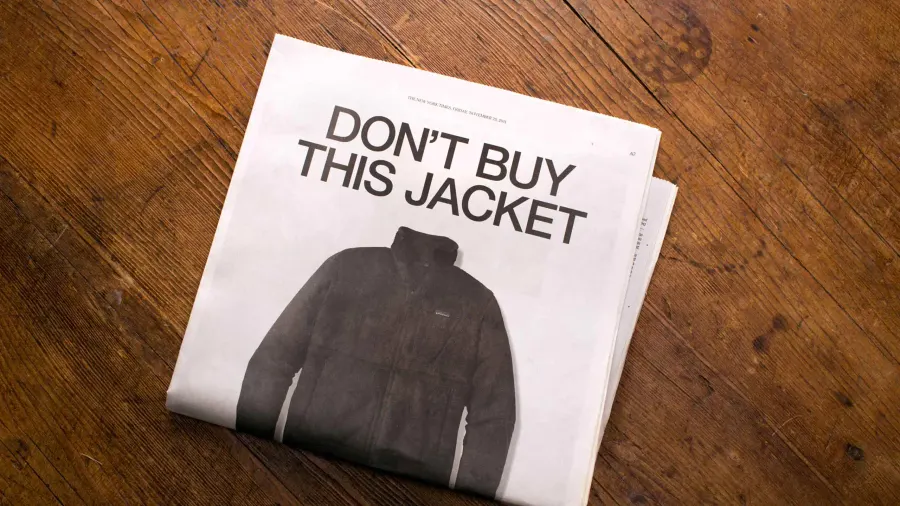
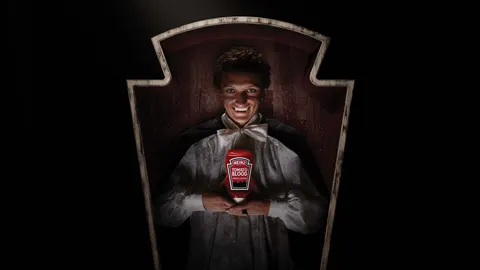
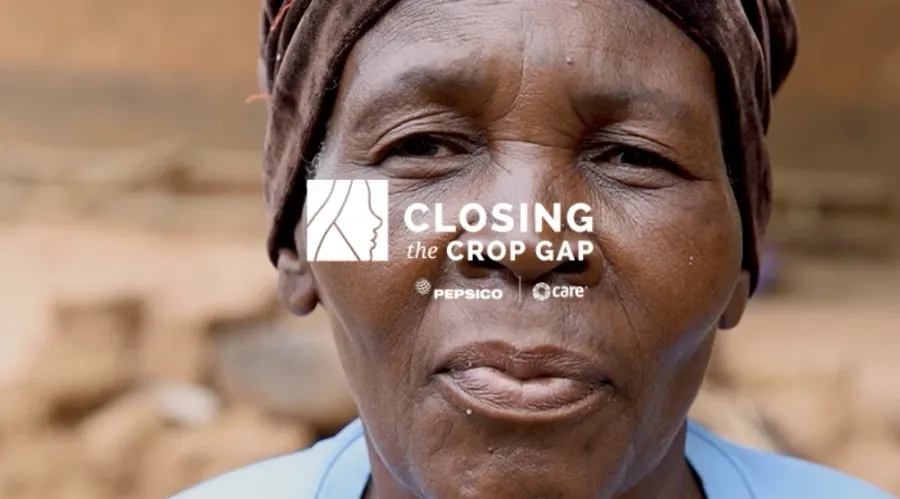
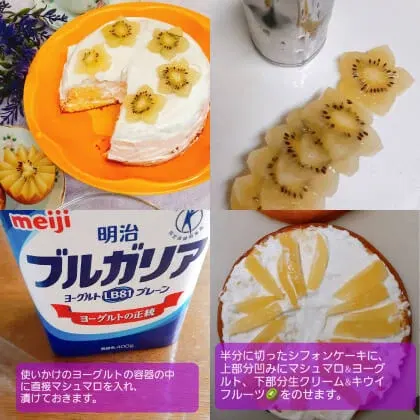


 REI · #OptOutside (2025) · Read the case
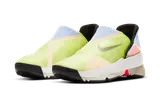 Nike · GO FlyEase (2021) · Read the case
 L’Oréal Paris · Stand Up · Read the case
 The Vegan Society · Live Vegan for Less · Read the case
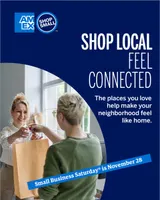 American Express · Shop Small (2026) · Read the case
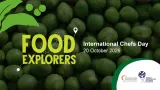 Nestlé Professional · Food Explorers (2026) · Read the case
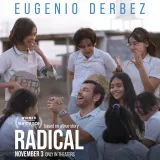 Participant · Radical · Read the case
 Feeding America · The Full Effect · Read the case
 Looney Tunes · ACME Fools · Read the case
 Coding Dojo · Tech for America · Read the case
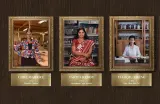 Goldman Sachs · 10,000 Women Portraits · Read the case
 International Rescue Committee · Dear Refugees (2019) · Read the case
 ACE Award · Anti-Corruption Excellence Award · Read the case
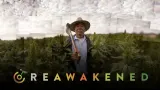 The Lexicon · Reawakened · Read the case
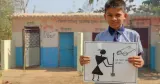 Domestos · #SanitationUnblocked (2020) · Read the case
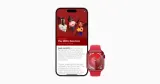 Apple + (RED) · World AIDS Day (2023) · Read the case
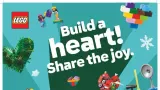 LEGO · Build to Give (2023) · Read the case
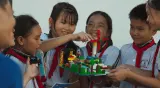 LEGO · Build the Change · Read the case
 YouVersion · Verse of the Year (2024) · Read the case
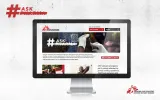 Médecins Sans Frontières · #AskPharma (2015) · Read the case
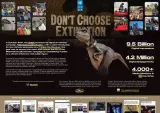 UNDP · Don’t Choose Extinction · Read the case
 Emirates · Burj Khalifa / Expo (2022) · Read the case
 IBM · A Boy and His Atom (2013) · Read the case
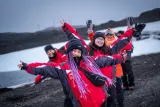 INACH · Feria Antártica Escolar · Read the case
 BFI · Heritage Open Day (2023) · Read the case
 UNDRR · #GetToHighGround · Read the case
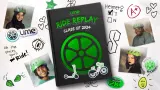 Lime · Ride Replay (2024) · Read the case
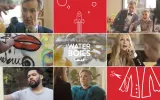 Barilla · While the Water Boils (2016) · Read the case
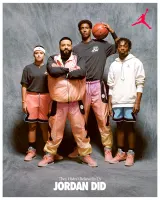 Jordan Brand · DJ Khaled x Jordan (2022) · Read the case
 Vatican News · Todos los Santos (2025) · Read the case
 Vatican News · Inmaculada Concepción (2025) · Read the case
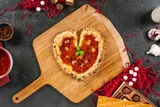 Ooni · Valentine’s Heart-Shaped Pizza · Read the case