News OpenAI
OpenAI Introduces Images 2.6 With Editing and GIFs
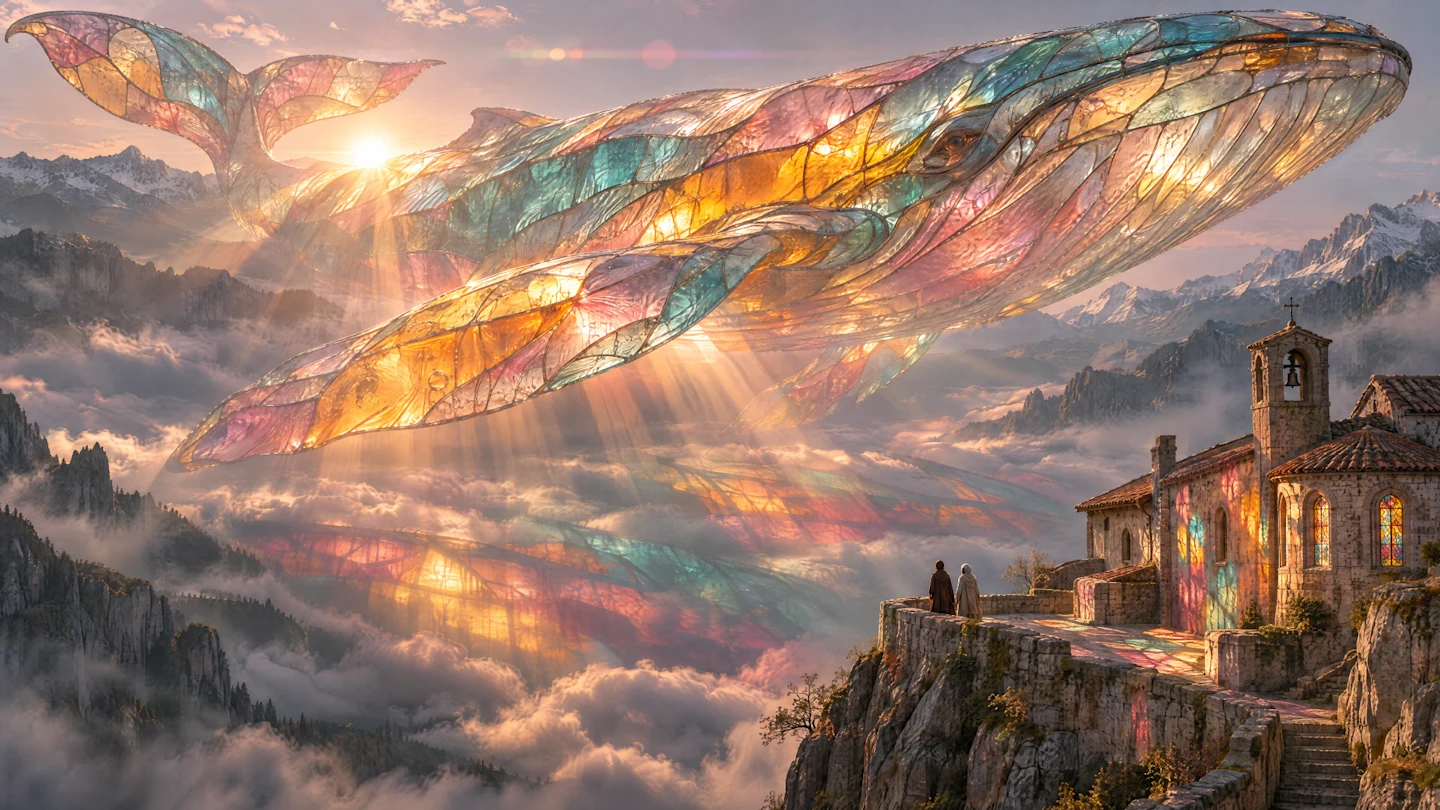
Images 2.6 example created by Picsart. Source: OpenAI.
Your brand mascot waves, a product keeps its appearance when you change the background, and the reference photo is ready in your next chat. Those are the possibilities behind Images 2.6, which OpenAI introduced on November 4 for ChatGPT, Codex, and the API. The update focuses on faster creation and preserving details through edits. OpenAI's announcement.
For someone running a brand, the interesting part is being able to keep developing an idea: turn it into several pieces without rebuilding the character or uploading the same reference each time. GIFs and saved references are two new ChatGPT features; the API adds more options for integrating generation and editing into an app. Release notes.
Keeping the same character through an edit
OpenAI describes better preservation of details, such as a character's outfit when you change the background. It also says generation is 50% faster than before. These are improvements reported by the company, rather than measurements by HeyMark. For a campaign, the useful question is whether the character, packaging, and colors survive your own rounds of revisions. ChatGPT notes and announcement.
Think of the same product photo in a summer scene and a holiday scene. Our suggestion would be to approve the base image first, then request specific changes to the setting and lighting, checking that the label, shape, and proportions of the packaging stay intact. That gives you an original you chose to compare each variation against.
Selecting an area helps show where an edit should happen, though changes can extend beyond that selection. Review the whole image afterward, especially the text and anything that was meant to stay the same. How the editor works.
GIFs: turning an image into a small gesture
GIF creation is rolling out in ChatGPT. You can ask for a loop or upload a still image to animate. You can then request changes to a GIF ChatGPT created, adjust its speed, save it, or share it. The help page distinguishes this from uploading an existing animated GIF: ChatGPT cannot edit that file. Creating and editing GIFs.
For a brand mascot, we would start with a recognizable gesture, such as waving or lifting a mug. This is our editorial suggestion: a small movement makes it easier to spot changes to the face or hands and see whether the end connects with the beginning. The official prompting guide recommends specifying the pose the character should return to and whether the camera should move. Planning a loop.
We tried it in ChatGPT with an amber glass whale over ivory paper. We asked for a fixed camera, a gentle tail movement, and a return to the starting pose. The downloaded GIF has 12 frames and runs for 2.16 seconds. We checked all twelve: the character stays recognizable, with small variations in the reflections and silhouette. For a brand character, we would compare the eyes, shape, and colors with the approved reference before using it in a campaign. The loop, prompt, and all twelve frames are below for you to inspect.
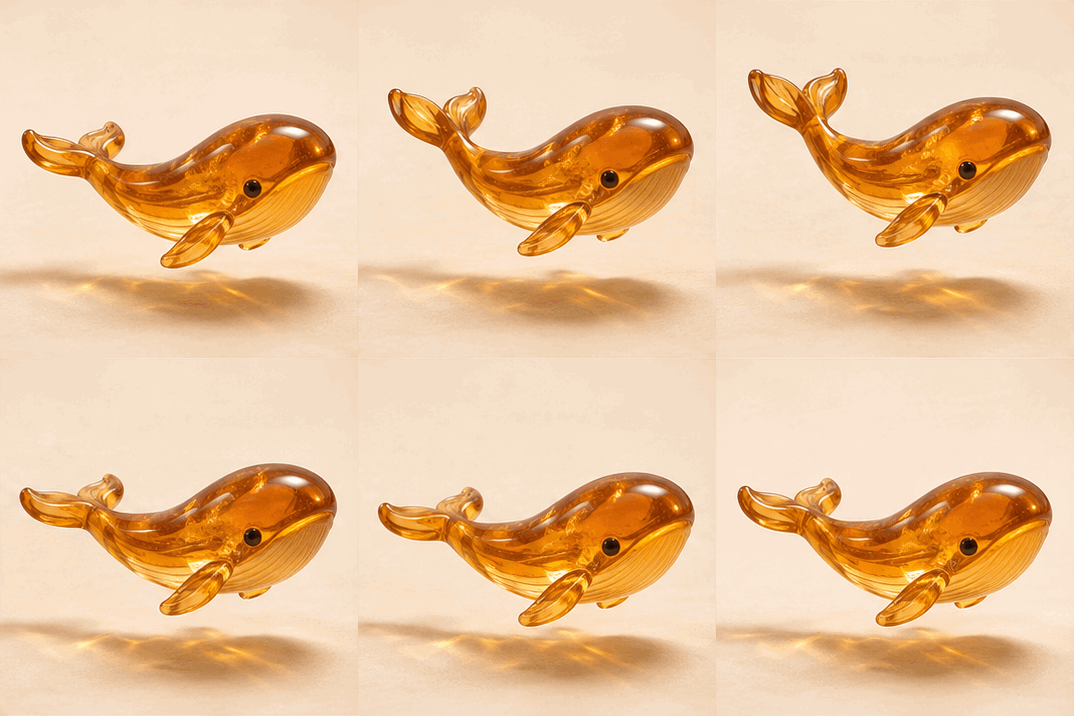
See the prompt we used
Create an actual seamless looping animated GIF, not a sprite sheet or a still image.

A single small hand-blown amber glass whale floats just above a warm ivory paper surface. Premium tactile product photography of an imaginary collectible: a graceful rounded whale silhouette, translucent honey-orange glass, a tiny dark eye, two short pectoral fins and a delicate split tail. Subtle internal glass striations and fine golden inclusions catch soft afternoon light from the upper left. A restrained warm caustic and a soft grounded shadow fall on the paper underneath. The background is a clean, softly lit ivory studio sweep, with no props.

The camera is completely still, a three-quarter side view facing right. Keep the entire whale comfortably inside the frame throughout. Animate one slow, gentle tail beat and a very small rise and fall. The whale returns to exactly its starting pose, height and tail position so the loop closes smoothly. Keep the silhouette, eye, fins, material and lighting consistent. Movement should feel calm and physically coherent, with no cuts, zoom, camera shake, flicker or abrupt reset. No water, bubbles, extra animals, text, logos, labels or watermark.
Inspect all 12 frames
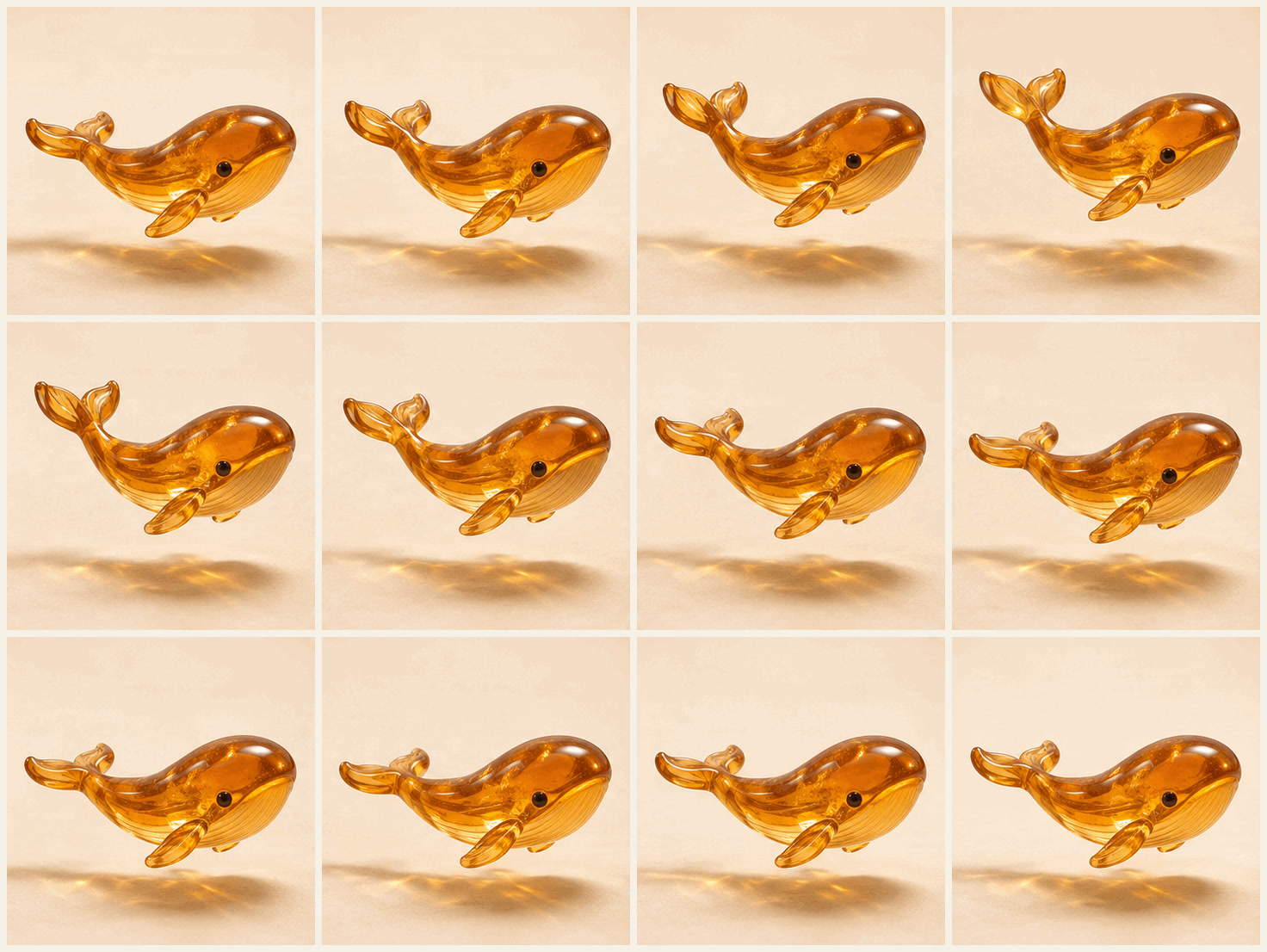 Open at full size
Saving a reference for your next chat
You can now upload a photo, ask ChatGPT to save it as a reference, and give it a name. In a later conversation, type @ followed by that name to reuse it. This avoids uploading the photo again; saving an image in your library and naming it as a reference are different actions. Saved references.
If you work with a recurring character, this lets later requests start from the same reference. We would still compare each result with the original before publishing. The documentation continues to list consistency across characters and brand elements among the model's limitations. Generation limits.
Flare and Sunburst: choosing an API model
The API offers two GPT-Image-2.6 variants:
| Variant | How OpenAI positions it |
|---|---|
| Flare | Generation and editing focused on fast iteration. At low quality, it can generate an image in as little as six seconds. |
| Sunburst | More detailed, precise work, with better consistency across edits at medium or high quality. |
The six-second figure applies to that Flare configuration, rather than every image you create in ChatGPT. Announcement comparison.
Two settings do different jobs: quality controls visual detail, while complexity controls how much planning happens before generation. Turning both up is not a universal recipe: the documentation says higher complexity can increase the wait and introduce unwanted changes. We would compare a straightforward edit at low complexity before asking for a composition with many constraints. Generation controls.
Markup-guided editing and SVG output also come to the API. SVG is useful for graphics with editable shapes and paths; output is supported by the generation endpoint, rather than the edit endpoint. SVG output.
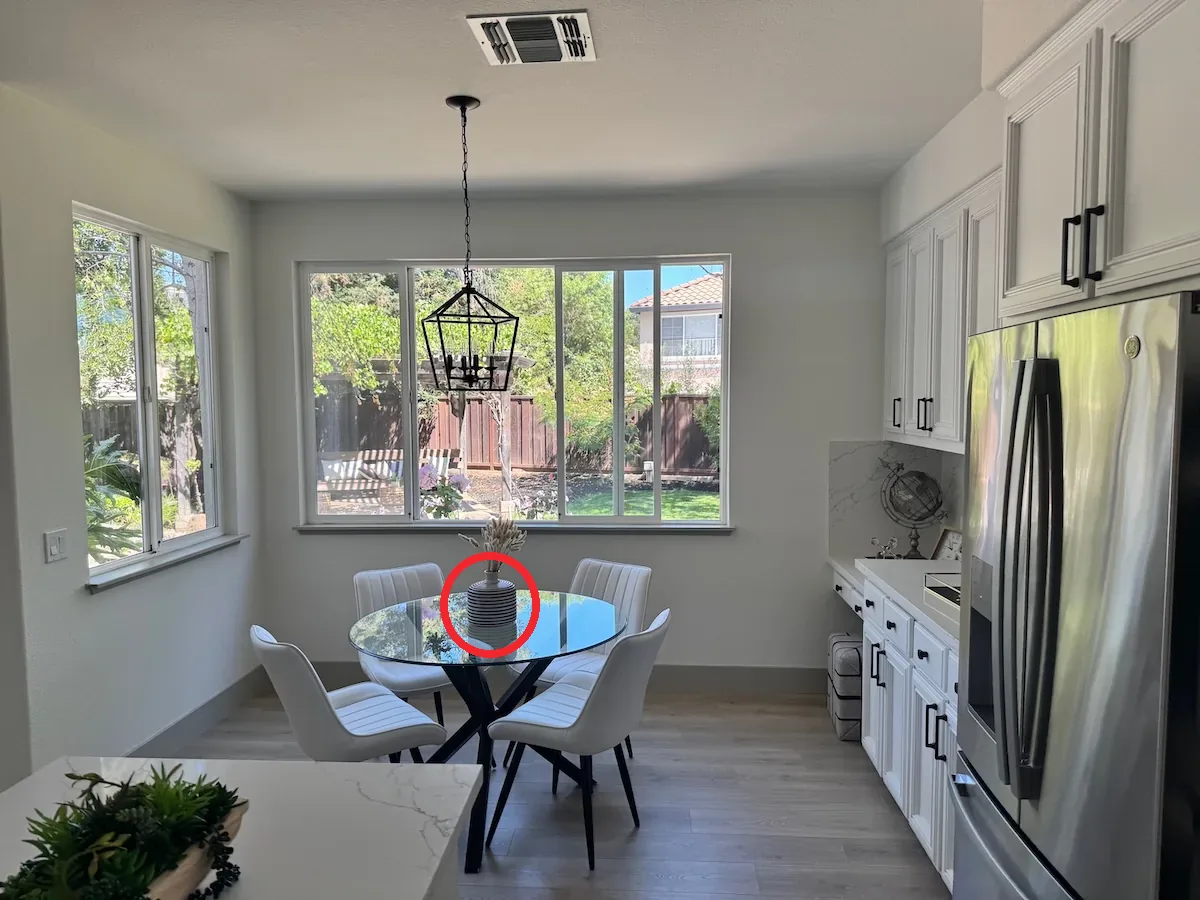
The example below marks a vase in a kitchen and asks to turn it blue. Flare changes the color and removes the red circle; you can also compare the lighting and the rest of the scene. Both images come from OpenAI's guide, with medium quality used for the result. Tap either image to view it at full size.
| Marked input | Flare result |
|---|---|
 |
 |
Source and full request: official markup-guided editing example.
Access and pricing: ChatGPT and the API
Images is available on every ChatGPT tier, on web, iOS, and Android. Images with thinking has different access: Plus, Pro, and Business, with Enterprise and Edu coming later according to the help page. GIF creation is still rolling out. Current availability.
The API pages for Flare and Sunburst list the same standard rates, checked on November 5, 2026:
| Usage | USD per million tokens |
|---|---|
| Text input | $5 |
| Image input | $8 |
| Image output | $30 |
These are not prices per image. A request's total depends on the tokens consumed to read the input and produce the result. Matching rates alone do not mean both variants cost the same per image. To budget a campaign, we would measure usage for the images and quality levels you actually need, including revision rounds. API pricing.
ChatGPT subscriptions and API usage have separate billing. If you just want to try the feature in a chat, that table is not a fixed extra charge for each image; it applies to API usage. Billing for the two products.
Source
Plan your next post in HeyMark.
Keep the idea, review the draft with your team, and see how it performed in the accounts you connected.