Blog launches
Product launch on social media: what to prepare
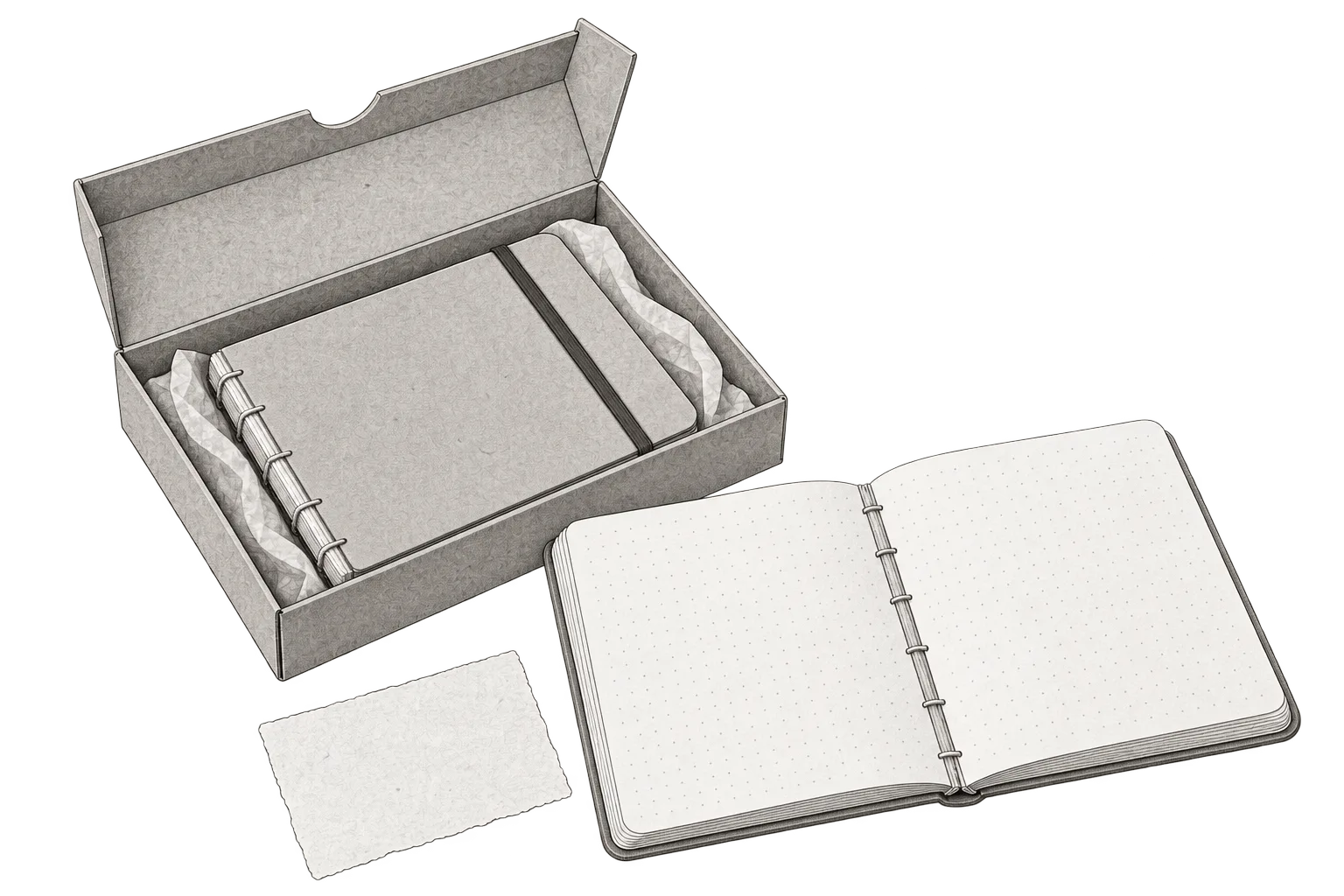
To introduce a notebook, you can photograph it closed, show how it opens and explain how to order. Each post answers a question someone considering a purchase needs to resolve.
Below are those three posts, with captions and shot directions. Set publication dates once the product, material and order page are ready. If you accept pre-orders for a later delivery, state that in the announcement and on the page.
Pre-orders, purchases and use: the LEGO Game Boy example
The LEGO Game Boy announcement, published on July 23, 2025, identifies the product and gives two dates: pre-orders from July 24 and purchases from October 1, 2025. The link leads to the set’s product page. That separation tells the reader which action is available at each stage.
The product page explains that it is a 421-piece replica to build and display, with interchangeable cartridges and screens. It also states that it has no digital play functions. That detail changes expectations for someone who recognizes a console in the image.
When planning a launch, identify what the buyer needs to see and which terms could change their purchase decision. A demonstration should show the product as delivered; ordering text should match actual availability. For the notebook below, that means showing the inside pages and stitching, filming how it opens and explaining collection and shipping. We prepare three posts because each needs its own material and wording.
The example: a notebook that opens on the desk
We’ll work on a fictional launch of an A5 notebook with 96 dotted pages, a card cover and thread-sewn binding. In the example, it costs CLP 14,000, can be collected from a workshop in Valdivia and ships within Chile, with shipping calculated when ordering. Orders go through the product page.
Before filming, the team needs a finished copy and must check what it plans to show. If it wants to say the notebook stays open on the desk, it needs to try that position. Don’t add ink compatibility or water resistance from a photo: those are separate claims requiring their own checks.
Three posts with their own wording and material
1. The announcement with ordering information
Photograph the closed notebook beside an open one. Show its size, inside pages and stitching. The example wording could be:
New A5 notebook: 96 dotted pages and thread-sewn binding. CLP 14,000. Collect from our Valdivia workshop or ship within Chile, with shipping calculated when ordering. See the inside pages and place your order through the link in our profile.
This closing line is for an Instagram version whose profile links to that destination. On a channel where you include a link in the post, adapt the closing wording to the link you actually add. Avoid leaving a “profile” instruction beside a different destination.
2. The demonstration
Film the notebook opening on a desk and a hand writing. Hold the shot that shows the stitching and position of the pages. The wording can accompany that action:
Here's how our A5 notebook opens. In this shot, you can see the stitching and pages resting on the desk. The dotted pages give you space to write, draw or make a list. Photos of the inside pages and ordering details are linked from our profile.
The voice doesn’t need to describe every movement. Hold the image long enough to see the opening, and review captions if there are spoken words. If the actual shot doesn’t support the explanation, change the wording or demonstration before publishing.
3. The answer about collection and shipping
You can use a photo of the packaging alongside the example’s terms:
Collect your notebook from our workshop in Valdivia or have it shipped within Chile. You'll see the shipping cost before confirming your order. For collection, we'll agree a day and time with you. Check the terms and order your notebook through the link in our profile.
To use this version, ordering must show the cost before confirmation and allow collection to be arranged. If the business works differently, write its actual terms. A delivery post doesn’t replace confirming those terms with the person handling orders.
Choose dates based on what is ready
Prepare the announcement once the product, photos and destination have been approved. If you announce a future date, explain what someone can do before then. A waitlist, a pre-order and a completed purchase are different actions.
Publish the demonstration when you can show the product as it will be delivered. A post about terms can accompany the announcement or answer recurring questions later. You don’t need to wait a fixed number of days to explain shipping costs.
If the product is delayed, review pending posts, the profile and order page. Pause announcements with the old date and share newly confirmed information. If it sells out, decide whether the destination will accept a waitlist or show that it is unavailable; the wording should reflect that situation.
Coordinate the launch
The editable launch worksheet keeps claims, material and the action for each post together. Complete it before moving content into the calendar.
Product and version: [exact name and what the buyer receives]. Availability: [purchase, pre-order, waitlist or limited access]. Confirmed facts: [features, price and terms; who confirms them]. Destination: [a checked URL and the action it allows]. Announcement: [final wording + image showing the product]. Demonstration: [visible action + wording supported by that shot]. Terms: [ordering, delivery and questions that need answering]. Dependencies: [product, filming, page and review; owner and date]. If availability changes: [which posts to pause and which destinations to update]. Follow-up: [destination visits, enquiries and confirmed orders separately].
The content brief helps commission each piece. To produce the video, see the reel script. Once material, wording and dates are approved, add them to the review workflow before publishing.
After launch, gather questions and confirmed orders. Those records help decide which explanation is missing. Link visits help observe distribution; on their own, they don’t establish sales or that a post caused a purchase.
Plan your next post in HeyMark.
Keep the idea, review the draft with your team, and see how it performed in the accounts you connected.