News Google Ads
Google Ads Adds Controls to Prioritize Channels
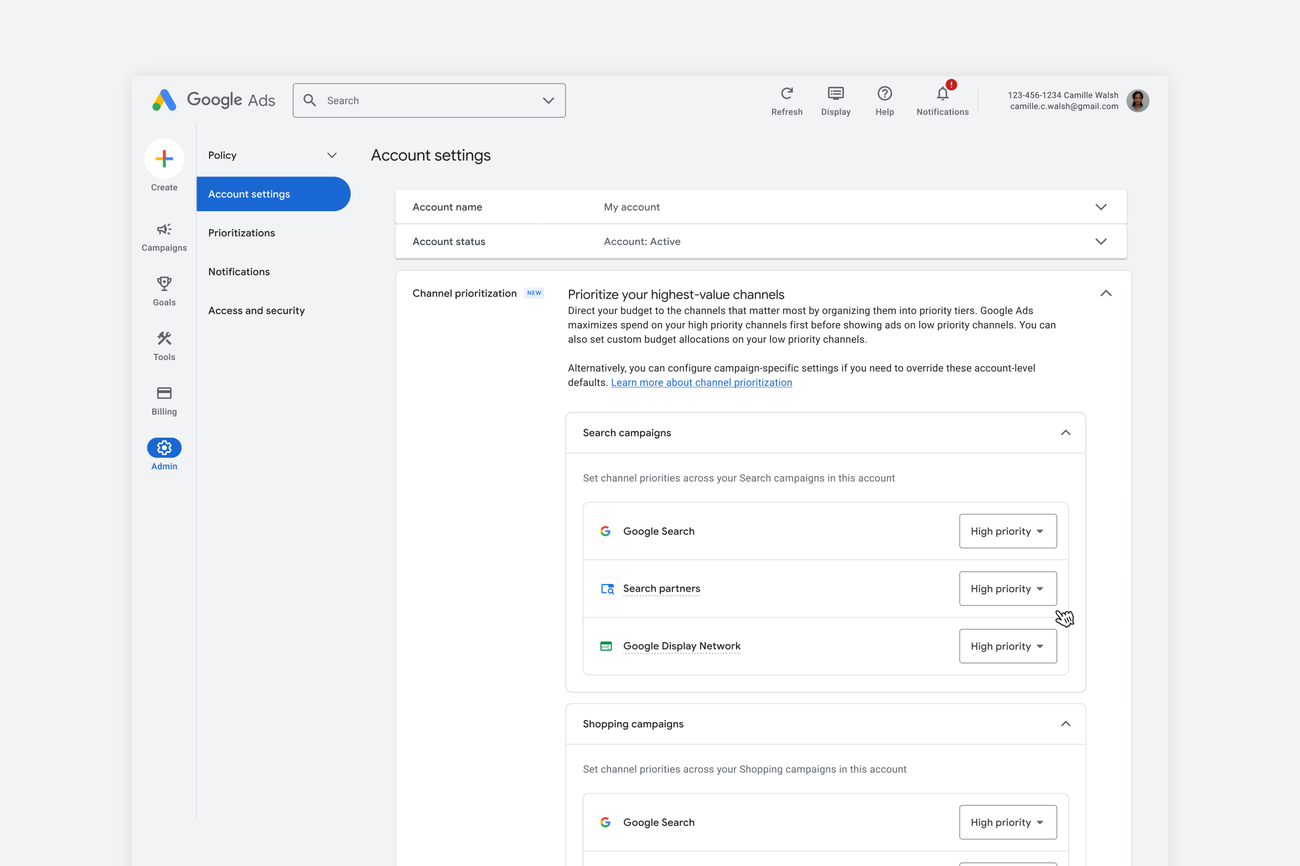
Google announced optional controls on October 14 for prioritizing channels and allocating budget to them in Search, Shopping, Performance Max, and Demand Gen campaigns. Tal Akabas, Google Ads’ director of product management, presented the feature as an alternative to turning channels completely on or off. The global rollout will be gradual. Google explains the change.
How priority is assigned
Advertisers will be able to mark channels or groups as “High priority” or “Low priority.” The campaign will fund priority channels first, then allocate the remaining budget to low-priority ones. For campaigns using Target CPA, a bidding strategy that seeks a target cost per conversion, or Target ROAS, which seeks a target return on ad spend, Google describes funding for priority channels as subject to the bidding goal.
How channels are grouped depends on the campaign type. In Search, advertisers will be able to assign different priorities to Google Search, Search partners, and Google Display Network. In Performance Max and Demand Gen, Google surfaces—Search, YouTube, Maps, Gmail, and Discover—will be managed together under the “Google channels” group. The announcement details these options.
Spending limits and conditions
It will also be possible to set a maximum percentage of the daily budget for low-priority channels. Google says it will try to respect this limit “on a best-effort basis”; it does not present it as a guarantee. The controls will be available at the account and campaign levels, and will also apply to shared budgets.
Prioritization by itself generally will not affect campaigns using Target CPA or Target ROAS that are not budget-constrained. In those cases, the budget condition matters for understanding whether priority allocation can change spending between channels. Google describes the scope and limitations of the controls.
Change announced for February 2027
Starting in February 2027, Google plans to retire the current spend-allocation setting in Search campaigns that have Google Display Network enabled. The company warns that spending by channel could change. For advertisers who want to keep their current setup, Google points to an alternative: set Google Display Network to “Low priority” and assign it a 50% allocation. This future change applies to the Search setting with Display Network enabled. The announcement describes the planned transition.
Source
Plan your next post in HeyMark.
Keep the idea, review the draft with your team, and see how it performed in the accounts you connected.