News ByteDance
Seedream 5.5 comes to CapCut: 100 chained edits and transparent backgrounds
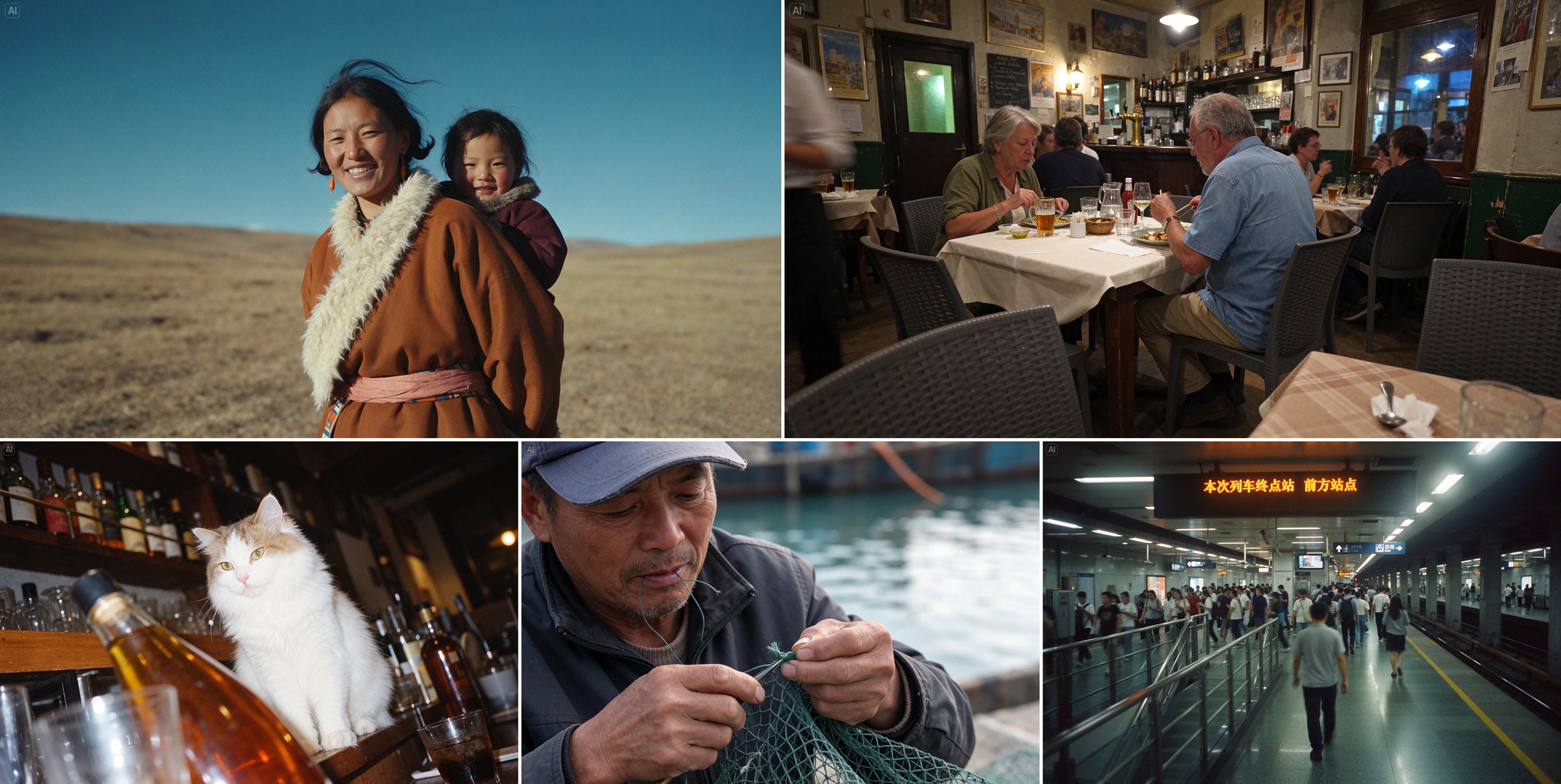
Images generated with Seedream 5.5, published in the ByteDance Seed announcement. November 9, 2026; only resized for the web.
ByteDance has released Seedream 5.5, the new version of its model for creating and editing images. The Seed team introduced it on November 9 and is bringing it to CapCut and Dreamina; it also announced it for BytePlus, its platform for businesses. In CapCut it has been available in supported regions since that day, with the US coming soon, according to the app. CapCut’s announcement.
The changes target everyday image work: editing the same image many times without breaking what you didn’t touch, creating assets with transparent backgrounds and getting clearer small text. The figures in this story come from ByteDance’s own evaluations; further down you’ll see which models it was measured against and what was left out.
100 chained edits
Editing the same image again and again with AI usually comes at a cost: each pass shifts the colors a little or wipes details you never asked to change. ByteDance says it trained Seedream 5.5 to keep the regions you don’t edit intact “at the pixel level” and to reduce that accumulated loss.
In the official demo, ByteDance chains 100 edits, and each image starts from the previous one. It begins with a pop-art portrait: a man in a pink coat, colorful rings and a chessboard. Over the rounds, the clothes, the accessories, the objects and even the subject change, and by round 100 only a pawn is left on the board. According to ByteDance, even after that many changes the model still edits small objects precisely, such as rings or glasses frames.
If you try it on a product photo, run the check the demo can’t run for you: change one thing per pass, such as the background, a color or a line of text, and confirm the logo, the packaging shape and the labels stay the same.
Transparent backgrounds, no cutout afterwards
Seedream 5.5 generates images with an alpha channel, in RGBA format: the background comes out fully or partly transparent, with no separate tool needed to remove it. In the official video, it creates circular close-ups of a snowy owl with transparent backgrounds, showing its feathers, a claw and an eye, from text and a reference image. It then places those assets over an image of the owl to build an infographic.
For social media this is one of the most practical additions: stickers, product cutouts for stories or pieces of a carousel or infographic you’ll assemble in CapCut. Partial transparency matters for materials such as glass or sheer fabric, exactly where an automatic cutout tends to fail.
Clearer small text and more natural photos
According to ByteDance, the third upgrade is about quality: less artificial shine on skin, more natural light and better small text. One of the official examples is this newspaper-style page about Shakespeare, with several blocks of text packed into a small space.
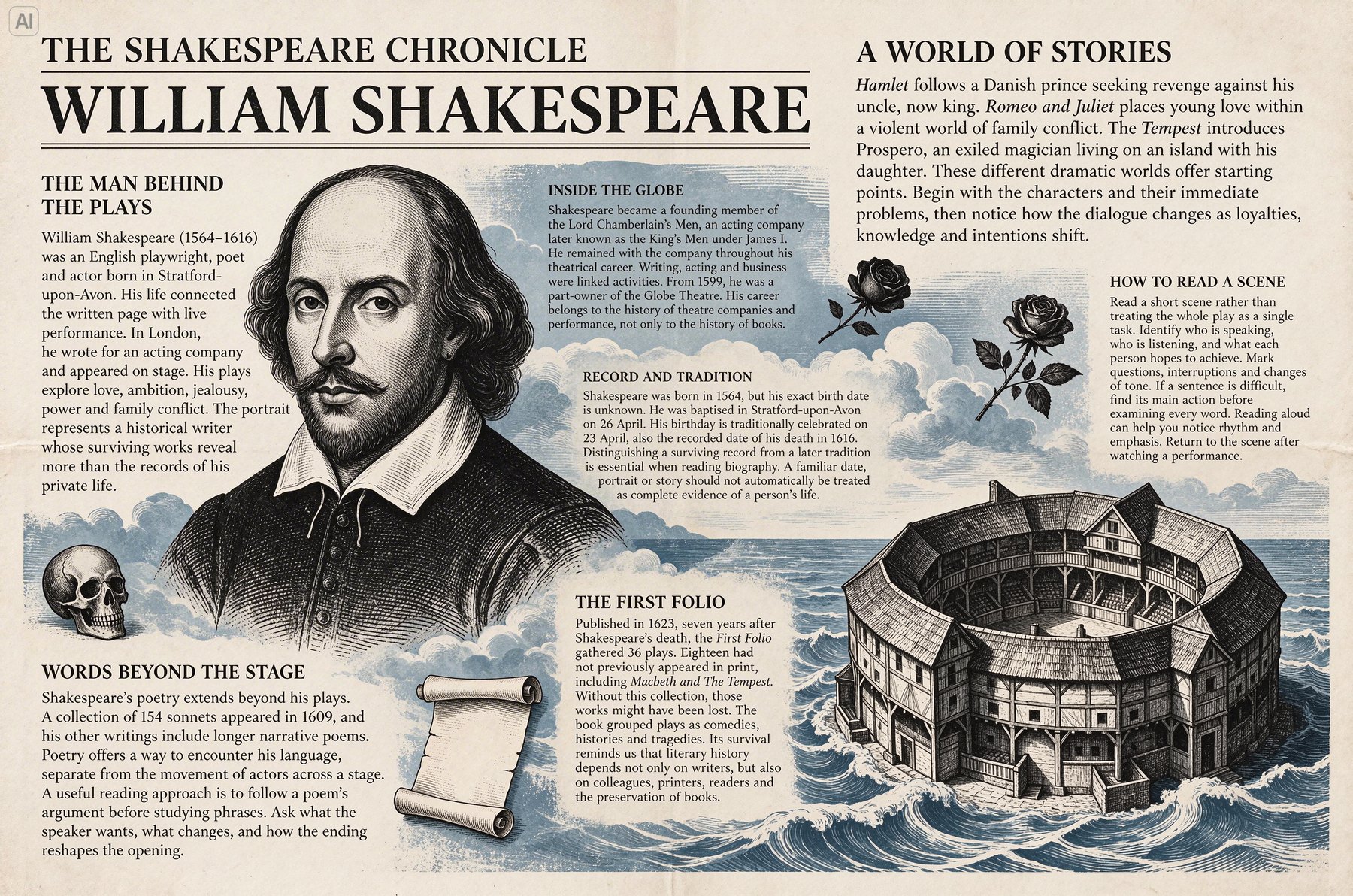
ByteDance also measured its text corruption rate, though it doesn’t say whether it counts per image or what makes an error severe. On severe errors, Seedream 5.5 scores 0.4%, compared with 2.8% for Seedream 5.0 Pro and 0.7% for GPT Image 2.5 Sunburst:
Text errors inside the image
% · lower is betterText corruption rate in ByteDance’s evaluation, in Chinese and English and including small text. It doesn’t say whether it counts per image or what makes an error severe.
View the full table
| Model | Severe errors | Minor errors |
|---|---|---|
| Seedream 5.5 | 0.4% | 1.7% |
| Seedream 5.0 Pro | 2.8% | 2.6% |
| Nano Banana 2.1 | 1.7% | 3.0% |
| GPT Image 2.5 Sunburst | 0.7% | 7.4% |
ByteDance’s evaluation; HeyMark did not run this test. Its chart labels the OpenAI model “ChatGPT Image 2.5 Sunburst”. Source
Even at low rates, check every word on a poster or a price tag before you publish: a single typo means redoing the piece.
How it compares, according to ByteDance
ByteDance also asked expert evaluators to compare pairs of images on text structure and realism, both when creating from text and when starting from an image. Against the two rival models, Seedream 5.5 comes out ahead in 7 of 8 comparisons; against Nano Banana 2.1 on text, only narrowly (+3.82% and +5.23%). The exception: Google’s Nano Banana 2.1 wins on realism when starting from an image. ByteDance doesn’t publish how many images or evaluators it used.
Evaluator preference
GSB · %Expert evaluators compared pairs of images. A positive value means they chose Seedream 5.5 more often than the rival model; a negative one means the opposite.
Nano Banana 2.1 wins on realism when starting from an image (−6.18%). It is the only result in a rival’s favor across both tests.
View the full table
| Seedream 5.5 vs. | RealismCreate from text | RealismFrom an image | Text structureCreate from text | Text structureFrom an image |
|---|---|---|---|---|
| GPT Image 2.5 Sunburst | +37.29% | +36.05% | +16.01% | +20.72% |
| Nano Banana 2.1 | +21.79% | −6.18% | +5.23% | +3.82% |
| Seedream 5.0 Pro | +39.44% | +55.62% | +5.00% | +18.54% |
ByteDance’s evaluation; it doesn’t publish how many images or evaluators it used, or how many answers were better, same or worse. HeyMark did not run this test. Source
Two caveats:
- The OpenAI rival is GPT Image 2.5 Sunburst. GPT-Image-2.6, the model behind Images 2.6 that OpenAI introduced on November 4, five days before this launch, is not part of these tests.
- Every evaluation comes from ByteDance; the use-case test was run on the MagicArena platform. When this story was written, no independent leaderboard, such as Artificial Analysis, had ranked Seedream 5.5 yet.
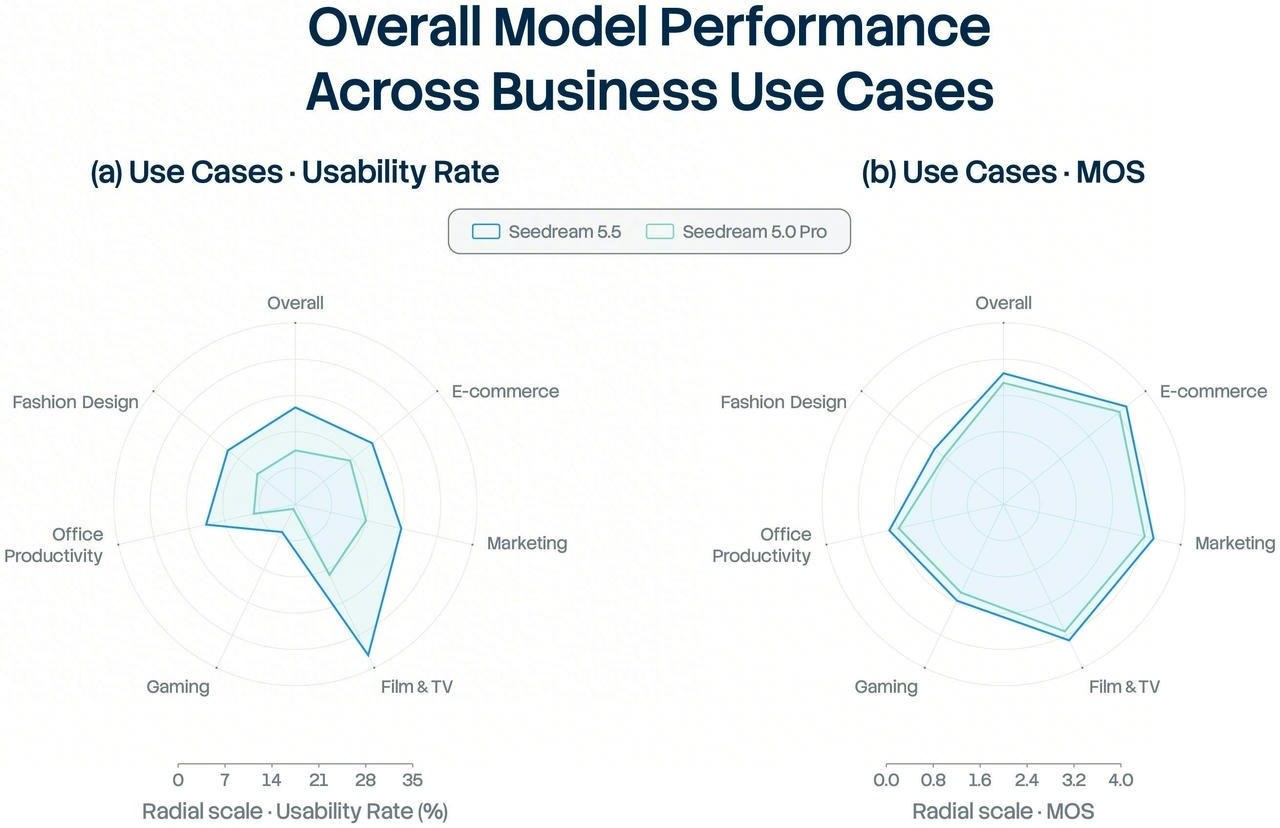
The evaluation also covers six professional uses: e-commerce, marketing, film and TV, gaming, office work and fashion design. Against Seedream 5.0 Pro, the share of images the evaluators rated usable rises in all six, and in film and TV and in office work it more than doubles. The chart doesn’t publish exact figures, but its scale stops at 35%: by that standard, most images were still not considered ready to use.
Where you can use Seedream 5.5
| Where | How to get there | Conditions |
|---|---|---|
| CapCut, app | Edit Photo → AI Edit, AI Lab or AI Image | Supported regions; US soon |
| CapCut, web | Design Studio and Video Studio | Supported regions; US soon |
| CapCut, desktop | AI Ad Maker and AI Image | Supported regions; US soon |
| Dreamina | Not specified in the announcement | Open to all users; unlimited use for 7 days for everyone and 30 days on Basic and higher plans |
| BytePlus | Businesses | Announced; BytePlus links to its sales contact form |
Menu names are taken from CapCut’s announcement. Sources: CapCut, Dreamina and BytePlus.
If you have CapCut Ultra in the UK, France, Germany, Italy, Spain, Mexico, Brazil, Canada, Japan, South Korea or Australia, you can generate images with Seedream 5.5 without limits from November 12 to 18.
ByteDance also plans a Pro version of Seedream 5.5, with no date yet.
Dreamina, for its part, cites 95% text accuracy: a Dreamina marketing figure with no published method, separate from the evaluation in the technical blog.
ByteDance Seed’s original post on X, from November 9, with the launch video.
Source
Plan your next post in HeyMark.
Keep the idea, review the draft with your team, and see how it performed in the accounts you connected.