Blog
Google Search Console impressions, clicks, CTR and average position
Someone searches for “marketing calendar.” Has HeyMark earned an impression? We still need to know whether its link appeared in the results that person opened. Typing the query alone does not establish that our website appeared.
Follow three moments: searching, having the link available on the results page and choosing to open it. Search Console measures appearances and clicks from Google. What happens afterwards on your website needs separate measurement.
When does an impression count in Google Search Console?
For a standard web result, an impression counts when the link is on the results page the user opened, even below the fold without scrolling. A link on another results page they never open does not count. An impression does not prove they read the title. Scrolling back to the same link within a single query or session does not add impressions for each pass.
Carousels, expandable blocks and continuously scrolling surfaces have their own visibility rules. “Off screen means no impression” is therefore not a universal rule. See Google’s impression methodology.
Follow someone looking for a calendar
These are alternative hypothetical scenarios, not actions to add together. We follow one HeyMark link in standard web results.
| What happens | What counts | Why |
|---|---|---|
| The page is indexed, but nobody encounters it in a search. | 0 impressions, 0 clicks | Being available is different from appearing. |
| Someone searches “marketing calendar,” but HeyMark is on another results page they never open. | 0 impressions, 0 clicks | The query happened; the HeyMark appearance did not. |
| They open a results page containing HeyMark’s link, but only look at the top. | 1 impression, 0 clicks | Scrolling to this standard web link is not required. |
| HeyMark’s link appears, and they choose another site. | 1 impression, 0 clicks | Appearing and receiving the click are different events. |
| The link appears, and they open HeyMark from it. | 1 impression, 1 click | The click accompanies the impression; it does not replace it. |
Think of an impression as a recorded opportunity to be chosen. That is a way to interpret the metric, not certification of human attention: the counter cannot tell you whether someone remembered the brand or understood its offer.
What are Google clicks?
For our standard web link, a click happens when someone opens the website from the result. Expanding a Google answer is different from visiting HeyMark. Returning to the same result and clicking it again within the same query does not produce two clicks under Google’s rule.
A click does not establish that the page finished loading, that someone read the calendar or that they signed up. To evaluate the content’s job, we suggest tracking those steps separately: arrival, use of the resource and a subsequent action. Do not infer them from a click.
What does CTR mean, and how do you calculate it?
CTR expresses clicks relative to impressions within the same report selection:
CTR (%) = clicks ÷ impressions × 100.
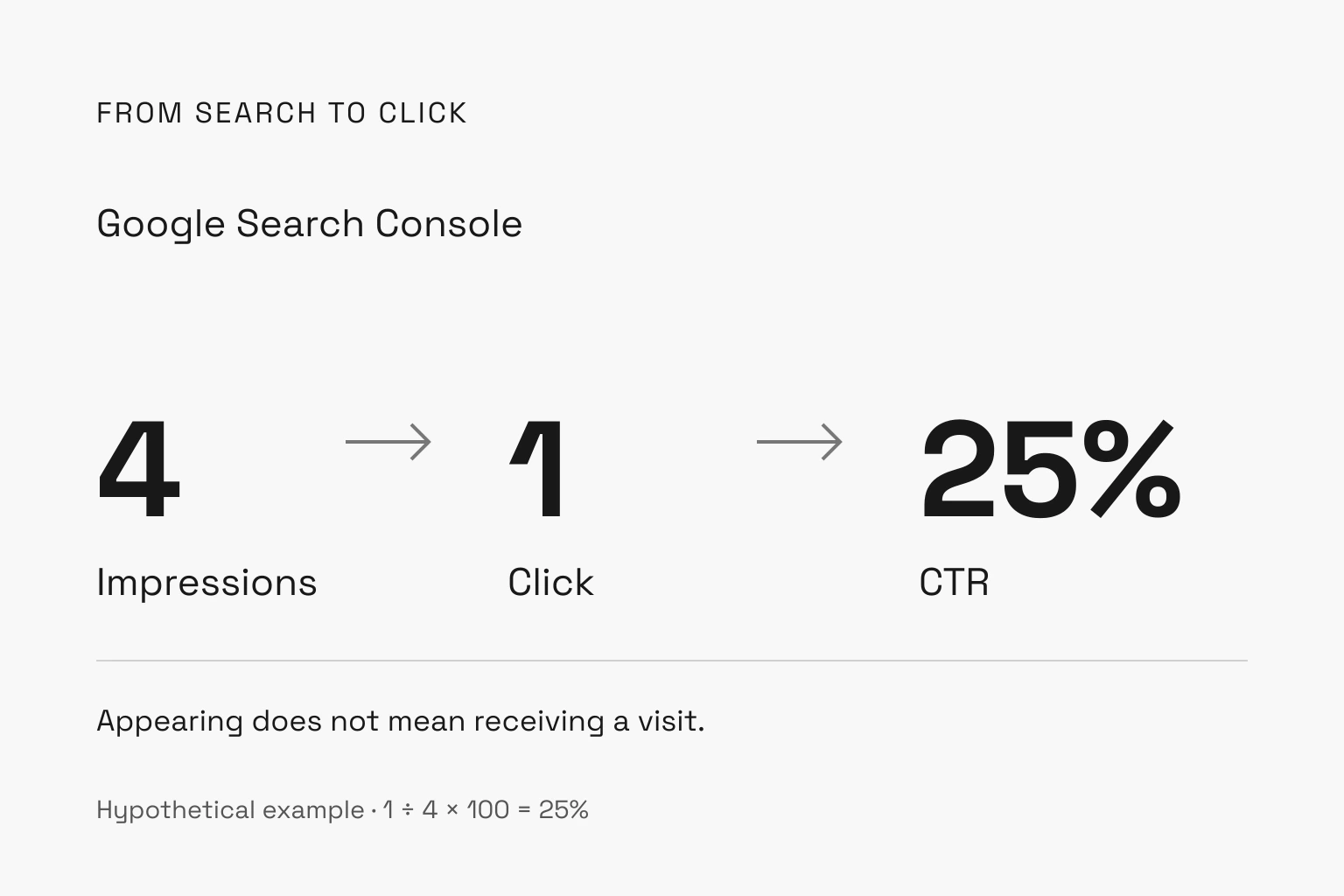
Imagine four independent searches, each producing an impression of the same calendar page. Only one produces a click. The example gives 1 ÷ 4 × 100 = 25%. This does not establish that Google showed the link to four different people.
With 1,000 impressions and 20 clicks, CTR would be 2%. With 2,000 impressions and 30 clicks in another period, it would be 1.5%: the rate fell, but there were ten more clicks. These invented figures show why one percentage cannot tell the whole story.
Do not average row CTRs without accounting for impressions. One query with 1 click and 10 impressions has 10% CTR; another with 9 and 990 has roughly 0.91%. Together they yield 10 ÷ 1,000 × 100 = 1%, rather than the simple average of those rates. With zero impressions, division is undefined.
The Performance report setup lets you choose metrics and dimensions. Before comparing, keep the same page, query, country, device and search type, with comparable periods. Our example’s 25% is neither a target nor an industry benchmark.
What is average position? Am I always in that spot?
Average position summarizes positions recorded with impressions; it is not a fixed ranking. If our link records four impressions in positions 2, 4, 6 and 8, its average is (2 + 4 + 6 + 8) ÷ 4 = 5. It was never fifth in any of those four searches.
Four impressions, one click, 25% CTR and average position 5. All four can describe the same selection: each answers a different question.
Google uses the site’s highest result when grouping by property; a page or individual row has a different scope. A result element can also contain several links. The number is not a pixel coordinate or a simple count of every block you see. Google explains these qualifications in its position documentation.
Our recommendation: compare a specific query and page first. If the overall average worsens as you start appearing for new searches, you do not yet know whether the query you care about lost position. Separate those situations before changing the content.
Why do totals sometimes differ?
A property and a page are different units. If two site URLs appear in one search, grouping by page can show two impressions while the property total records one. Much performance data is also assigned to Google’s selected canonical URL. Check dimensions and data groupings before adding rows.
Anonymized queries are omitted from the table, and row limits can exclude data. Adding visible query rows does not necessarily reconstruct the total. Compared with Analytics, processing, JavaScript availability, lag and time zones can also affect the figures. Google’s data discrepancy guide explains those limits. A Search Console click and an Analytics session are different measurements.
What if the calendar appears in an AI answer?
An answer mentioning “HeyMark” is not enough. Check for a website link and the format containing it. Appearances in AI search features are included in overall Web search performance; consult Google’s AI features documentation and its specific counting methodology. Do not automatically apply the standard-link example to every card or block.
How to check “marketing calendar” in your report
- Open Search results performance and choose Web and a defined period.
- Filter the exact query “marketing calendar” used in this example. If you investigate another phrase, use the actual query instead. For Chile, select Chile. Review mobile and desktop separately.
- Open Pages to identify which URL receives those appearances. Add that page filter and read impressions, clicks, CTR and position together.
- Compare an equivalent period using the same filters. Record what changed before deciding whether to review the title, the article’s answer or the page Google is showing.
No rows does not automatically mean nobody searched for the topic or that your site never appeared. First check filters, dates and data limits. A manual search does not invalidate the report either: results vary by context, as Google explains in its report introduction.
Close the review with a specific question: which page appears for this need, and what does the reader do after choosing it? For other surfaces, see our Search Console guide for social profiles. To plan the content you are measuring, open the marketing calendar.
Plan your next post in HeyMark.
Keep the idea, review the draft with your team, and see how it performed in the accounts you connected.