AI agent for social media: what it does on its own and what you decide
An AI agent for social media doesn't stop at drafting. It plans the month, writes in your brand's voice, schedules and publishes, replies to comments and DMs, hands sensitive conversations to a person and tells you how it went. In HeyMark that agent is Mark, and what goes out is your call.
By HeyMark · Reviewed by Crescente Martinez, CMO and co-founder of HeyMark · Updated
Search for “AI agent for social media” and most of what you get (as of September 2026) is guides on how to build one and listicles of tools. Search for “AI social media manager” and some of the results are job listings, because it’s also a job title. This page is about the software: what an AI agent for social media does in a normal working week, shown with the one we built, Mark. What it does on its own, what waits for your approval, and what it should never do without you.
An assistant that drafts, or an agent that does the work
An assistant hands you text. You copy it, paste it into the tool you schedule with, pick a time, and then answer the comments one by one. Metricool’s assistant, for example, drafts copy with an allowance of 5 to 35 credits per brand a month (checked September 25, 2026). It helps, but the work is still yours.
An agent works where things happen. It reads your calendar, what you’ve already published, your numbers and your inbox, does the whole task, and stops to ask you at the steps that matter.
| Task | Assistant that drafts | AI agent for social media |
|---|---|---|
| Planning | Gives you a list of ideas | Leaves drafts on your calendar |
| Writing | In a generic voice, unless you explain yours every time | In the voice it learned from what you’ve published |
| Publishing | You copy, paste and schedule | Schedules on each network and publishes with your approval |
| Comments and DMs | Suggests a reply if you paste the message in | Replies in the inbox and hands sensitive threads to a person |
| Reporting | Analyzes whatever numbers you paste | Reads your metrics and tells you what worked |
What an AI agent for social media does in a week
Here’s a week at a neighborhood coffee shop that runs Instagram and TikTok on HeyMark:
- Plans. On Monday you ask Mark for the week’s five posts. It checks how the last ones did and leaves the drafts on the calendar. The idea, the script and the caption live on the same post, with its status, date and owner.
- Writes in your voice. When you connect your accounts, HeyMark pulls in what you’ve already published, and Mark learns your voice from it. If the coffee shop writes short and says “the pastry case” instead of “our products”, that’s how the caption comes out.
- Schedules and publishes. You review the drafts, schedule them, and they go out on time. What you built for Instagram you duplicate for TikTok in one click, without re-uploading the video.
- Replies. On Wednesday someone asks under a reel whether you’re open Sunday, and Mark answers in the coffee shop’s voice. Anyone who comments “MENU” gets the menu by DM from a keyword rule, which spends no credits.
- Hands off to a person. On Thursday a complaint comes in about a wrong order. That conversation is escalated for human attention and, if you want, you pause the AI there while you sort it out.
- Reports. On Friday you ask how the week went. It answers with your numbers: which post took most of the reach and which ones stayed within your normal range.
HeyMark in numbers
- 9,000+
- posts scheduled and published from HeyMark
- 96,058
- comments and direct messages handled in the inbox in its first 58 days
- 8,599
- leads generated by comment and message automations in those same 58 days
What it does on its own and what needs your approval
An agent that publishes without asking is a liability, and one that asks about everything saves you nothing. Inside the app, Mark proposes the caption and you apply it; each post’s activity log records who did what. When the agent works from Claude or ChatGPT, the rule is written into HeyMark’s MCP server:
| Runs directly | Shows you a preview and waits for your approval |
|---|---|
| Reading your calendar, metrics, inbox and automations | Publishing now |
| Creating and editing drafts, moving statuses and assigning owners | Replying to a comment or DM on the platform |
| Scheduling a post | Hiding or deleting a comment |
| Pausing the AI in a conversation | Creating, changing or turning on an automation |
| Labeling a conversation and marking it read | Resuming the AI in a conversation |
Scheduling runs directly, but scheduling is also publishing later: approve the copy and the time before you ask for it.
Your own assistant can be the agent too
You don’t have to choose between Mark and the assistant you already use. HeyMark has a public MCP server (https://mcp.heymark.ai) that connects to Claude, ChatGPT, Claude Code or Codex. You sign in with your account, with no keys to generate, and your assistant sees what you see and nothing else. It’s free on every plan; AI actions spend their credits as usual. In ChatGPT, creating or publishing requires developer mode. The setup is on Claude and HeyMark and ChatGPT and HeyMark.
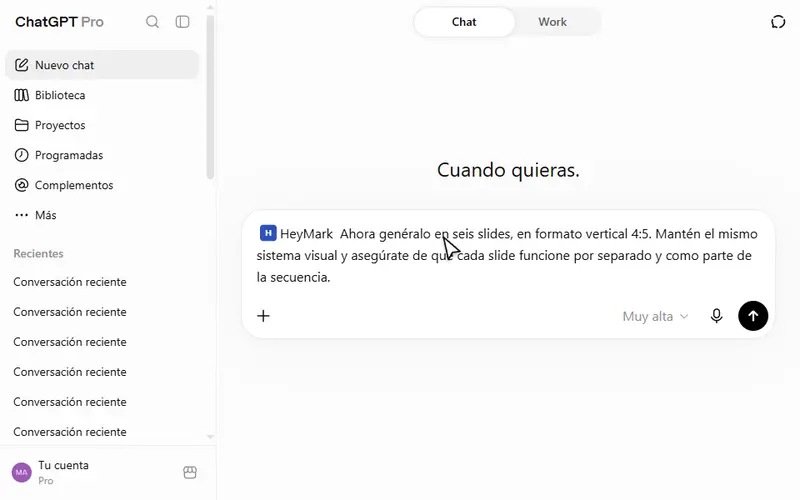
To try the whole loop, ask for a week of work:
A week of work, with your approval
Use HeyMark to review what I published in the last 30 days and how each post performed.

Based on that, propose 5 posts for next week. For each one: format, idea, caption in my brand's voice and a suggested day. Save them as drafts on the calendar, without scheduling or publishing them.

Then check the inbox and tell me which conversations are waiting for a reply and which ones are escalated to a person. If you suggest replies, show me the text and wait for my approval before sending anything.
What an agent shouldn’t do alone
- Publish without review. Publishing now requires your approval, and what goes out is your call.
- Answer a complaint, a legal question or a crisis. That’s where people can tell a machine is replying. Those conversations are escalated to a person, and you can pause the AI in any conversation. More in AI comment replies.
- Delete comments. Automatic moderation holds comments for review, and deleting one from the platform requires your approval.
- Make up numbers. An agent that can’t find a figure should say so. Ask it to read HeyMark before concluding and to flag what’s a hypothesis.
It doesn’t publish to X, Pinterest, Threads, Bluesky or Google Business Profile, and it doesn’t manage paid ads. There’s no free plan either, just a 14-day trial. If all you need is scheduling, on more networks and at the lowest price, Metricool’s free plan (1 brand, 20 posts a month) or its Starter plan, from $20 USD a month billed yearly, is a better fit. We compare them in Metricool alternatives.
How to get started
- Connect your accounts
Instagram, TikTok, Facebook, LinkedIn and YouTube, one account per network on each brand. HeyMark pulls in what you’ve published, and Mark understands your voice from there.
- Ask Mark for your first week
Review the drafts it leaves on the calendar, fix anything that doesn’t sound like you, and schedule them.
- Put the inbox to work
Turn on AI replies and a keyword rule for the question you always get, like an Instagram DM automation for comments.
- Connect your assistant, if you use one
Paste the MCP URL into Claude or ChatGPT and approve the access.
Creator costs $12 USD a month (1 brand, 1 person, 500 AI credits) and Company $30 USD a month (3 brands, 5 people, 3,000 credits and access by area). Each Mark turn uses 10 credits, and each AI reply or DM uses 1. Platform, for agencies and large teams, is quoted.
Frequently asked questions
Is there an AI that posts to social media on its own?
Yes. HeyMark schedules and publishes to Instagram, TikTok, Facebook, LinkedIn and YouTube. Even so, publishing right now asks for your approval, and what goes out is your call.
Can ChatGPT post to Instagram?
Not by itself. Connected to HeyMark through MCP with developer mode on, ChatGPT can create, schedule and publish to your account, and it shows you a preview before publishing.
What's the difference between an AI assistant and an AI agent?
An assistant hands you text and the rest is up to you. An agent does the task inside your social media tool and stops to ask for your approval before publishing, replying or deleting.
Is it safe to give an AI agent access to my accounts?
It signs in with your own HeyMark account through OAuth, with no keys to generate, and sees what you see. You can revoke access anytime, and anything already scheduled stays in place.
Will an AI social media manager replace my social media manager?
No. It takes the repetitive work, like drafts, frequent replies and reports, and hands anything that needs judgment to a person. Strategy and the final call stay with your team.
How much does an AI agent for social media cost?
On HeyMark, Creator is $12 USD a month and Company is $30 USD a month; Platform is quoted. Mark and the MCP come with every plan, with a 14-day free trial.
See it on your own accounts.
Connect Instagram, TikTok, Facebook, LinkedIn or YouTube and use HeyMark free for 14 days. Mark answers in your voice, and you approve what goes out.
Keep reading
- AI comment repliesSet up Instagram comment auto replies with AI that writes in your brand's voice, with approval and handoff to a person. When to use keywords, AI or neither.
- Instagram DM automationInstagram DM automation for comments: anyone who comments your keyword gets a public reply and a DM with your link. On every HeyMark plan, no credits spent.
- AI for social media managers: a week of work with HeyMarkAI for social media managers that does the work: plan the month, clear the inbox with AI replies and explain Friday's numbers, with three prompts ready to copy.
- HeyMark in ClaudeConnect Instagram to Claude with HeyMark's custom connector: analyze your posts, plan the month, schedule, and reply to comments and DMs with your approval.
- Metricool Alternatives in 2026: Pick One Based on Why You're LeavingMetricool alternatives sorted by what you're missing: AI replies to comments and DMs, a free plan, team seats without Advanced, comment-to-DM, or listening.